
IKEA E2435/E2491
| Model | E2435/E2491 |
| Vendor | IKEA |
| Description | TOFSMYGGA/GRILLPLATS smart plug (Matter) |
| Exposes | switch (state), power_on_behavior, identify |
| Picture | 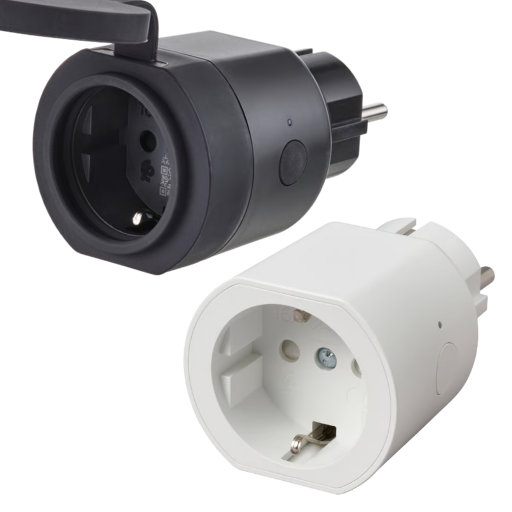 |
| White-label | E2435, E2491 |
Unofficial support
This device is part of the IKEA Matter/Thread line-up.
The hidden Zigbee mode is not officially supported by IKEA. It exists mainly to keep backwards compatibility via Touchlink.
As a result, the Zigbee firmware is stripped-down to the essentials, and could even be removed in OTA updates.
Notes
Issues
There are no electrical measurements in Zigbee mode. Device is missing the respective clusters.
Pairing
You must go through this sequence to pair the plug:
- Hold the button until the LED flashes red and then stops (~10 seconds) to perform a factory reset.
The plug is now in Thread pairing mode - Press the button 4 times
- Press the button 8 times.
The plug is now in Zigbee pairing mode
Resetting with Touchlink may also be possible, but it's not confirmed yet.
Firmware
- Initial batches come with v1.3.11 (20250827) preinstalled
- The device does not support OTA updates via Zigbee. Instead, updates are provided over Matter. Move it to any Thread hub to update.
- See the available versions here (search GRILLPLATS or 4476)
Options
How to use device type specific configuration
identify_timeout: Sets the duration of the identification procedure in seconds (i.e., how long the device would flash).The value ranges from 1 to 30 seconds (default: 3). The value must be a number with a minimum value of1and with a maximum value of30state_action: State actions will also be published as 'action' when true (default false). The value must betrueorfalse
Exposes
Switch
The current state of this switch is in the published state under the state property (value is ON or OFF). To control this switch publish a message to topic zigbee2mqtt/FRIENDLY_NAME/set with payload {"state": "ON"}, {"state": "OFF"} or {"state": "TOGGLE"}. To read the current state of this switch publish a message to topic zigbee2mqtt/FRIENDLY_NAME/get with payload {"state": ""}.
On with timed off
When setting the state to ON, it might be possible to specify an automatic shutoff after a certain amount of time. To do this add an additional property on_time to the payload which is the time in seconds the state should remain on. Additionally an off_wait_time property can be added to the payload to specify the cooldown time in seconds when the switch will not answer to other on with timed off commands. Support depends on the switch firmware. Some devices might require both on_time and off_wait_time to work Examples : {"state" : "ON", "on_time": 300}, {"state" : "ON", "on_time": 300, "off_wait_time": 120}.
Power-on behavior (enum)
Controls the behavior when the device is powered on after power loss. Value can be found in the published state on the power_on_behavior property. To read (/get) the value publish a message to topic zigbee2mqtt/FRIENDLY_NAME/get with payload {"power_on_behavior": ""}. To write (/set) a value publish a message to topic zigbee2mqtt/FRIENDLY_NAME/set with payload {"power_on_behavior": NEW_VALUE}. The possible values are: off, on, toggle, previous.
Identify (enum)
Initiate device identification. Value will not be published in the state. It's not possible to read (/get) this value. To write (/set) a value publish a message to topic zigbee2mqtt/FRIENDLY_NAME/set with payload {"identify": NEW_VALUE}. The possible values are: identify.