
Sunricher ZGRC-KEY-017
| Model | ZGRC-KEY-017 |
| Vendor | Sunricher |
| Description | 6-zone RGB+CCT remote |
| Exposes | battery, action |
| Picture | 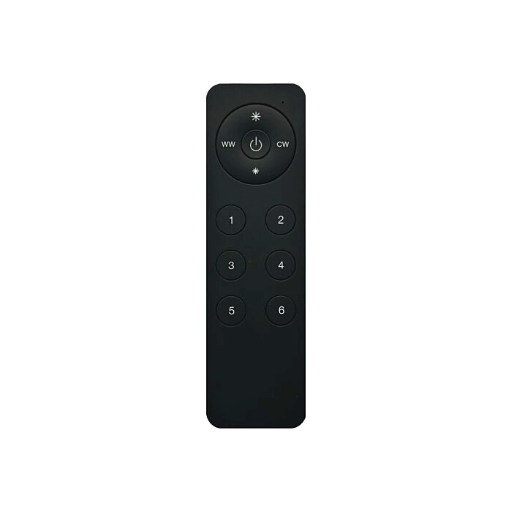 |
Options
How to use device type specific configuration
simulated_brightness: Simulate a brightness value. If this device provides a brightness_move_up or brightness_move_down action it is possible to specify the update interval and delta. The action_brightness_delta indicates the delta for each interval. Example:
simulated_brightness:
  delta: 20 # delta per interval, default = 20
  interval: 200 # interval in milliseconds, default = 200
Exposes
Battery (numeric)
Remaining battery in %. Value can be found in the published state on the battery property. To read (/get) the value publish a message to topic zigbee2mqtt/FRIENDLY_NAME/get with payload {"battery": ""}. It's not possible to write (/set) this value. The minimal value is 0 and the maximum value is 100. The unit of this value is %.
Action (enum)
Triggered action (e.g. a button click). Value can be found in the published state on the action property. It's not possible to read (/get) or write (/set) this value. The possible values are: on_1, on_2, on_3, on_4, on_5, on_6, off_1, off_2, off_3, off_4, off_5, off_6, toggle_1, toggle_2, toggle_3, toggle_4, toggle_5, toggle_6, brightness_move_to_level_1, brightness_move_to_level_2, brightness_move_to_level_3, brightness_move_to_level_4, brightness_move_to_level_5, brightness_move_to_level_6, brightness_move_up_1, brightness_move_up_2, brightness_move_up_3, brightness_move_up_4, brightness_move_up_5, brightness_move_up_6, brightness_move_down_1, brightness_move_down_2, brightness_move_down_3, brightness_move_down_4, brightness_move_down_5, brightness_move_down_6, brightness_step_up_1, brightness_step_up_2, brightness_step_up_3, brightness_step_up_4, brightness_step_up_5, brightness_step_up_6, brightness_step_down_1, brightness_step_down_2, brightness_step_down_3, brightness_step_down_4, brightness_step_down_5, brightness_step_down_6, brightness_stop_1, brightness_stop_2, brightness_stop_3, brightness_stop_4, brightness_stop_5, brightness_stop_6, color_temperature_move_stop_1, color_temperature_move_stop_2, color_temperature_move_stop_3, color_temperature_move_stop_4, color_temperature_move_stop_5, color_temperature_move_stop_6, color_temperature_move_up_1, color_temperature_move_up_2, color_temperature_move_up_3, color_temperature_move_up_4, color_temperature_move_up_5, color_temperature_move_up_6, color_temperature_move_down_1, color_temperature_move_down_2, color_temperature_move_down_3, color_temperature_move_down_4, color_temperature_move_down_5, color_temperature_move_down_6, color_temperature_step_up_1, color_temperature_step_up_2, color_temperature_step_up_3, color_temperature_step_up_4, color_temperature_step_up_5, color_temperature_step_up_6, color_temperature_step_down_1, color_temperature_step_down_2, color_temperature_step_down_3, color_temperature_step_down_4, color_temperature_step_down_5, color_temperature_step_down_6, enhanced_move_to_hue_and_saturation_1, enhanced_move_to_hue_and_saturation_2, enhanced_move_to_hue_and_saturation_3, enhanced_move_to_hue_and_saturation_4, enhanced_move_to_hue_and_saturation_5, enhanced_move_to_hue_and_saturation_6, move_to_hue_and_saturation_1, move_to_hue_and_saturation_2, move_to_hue_and_saturation_3, move_to_hue_and_saturation_4, move_to_hue_and_saturation_5, move_to_hue_and_saturation_6, color_hue_step_up_1, color_hue_step_up_2, color_hue_step_up_3, color_hue_step_up_4, color_hue_step_up_5, color_hue_step_up_6, color_hue_step_down_1, color_hue_step_down_2, color_hue_step_down_3, color_hue_step_down_4, color_hue_step_down_5, color_hue_step_down_6, color_saturation_step_up_1, color_saturation_step_up_2, color_saturation_step_up_3, color_saturation_step_up_4, color_saturation_step_up_5, color_saturation_step_up_6, color_saturation_step_down_1, color_saturation_step_down_2, color_saturation_step_down_3, color_saturation_step_down_4, color_saturation_step_down_5, color_saturation_step_down_6, color_loop_set_1, color_loop_set_2, color_loop_set_3, color_loop_set_4, color_loop_set_5, color_loop_set_6, color_temperature_move_1, color_temperature_move_2, color_temperature_move_3, color_temperature_move_4, color_temperature_move_5, color_temperature_move_6, color_move_1, color_move_2, color_move_3, color_move_4, color_move_5, color_move_6, hue_move_1, hue_move_2, hue_move_3, hue_move_4, hue_move_5, hue_move_6, hue_stop_1, hue_stop_2, hue_stop_3, hue_stop_4, hue_stop_5, hue_stop_6, move_to_saturation_1, move_to_saturation_2, move_to_saturation_3, move_to_saturation_4, move_to_saturation_5, move_to_saturation_6, move_to_hue_1, move_to_hue_2, move_to_hue_3, move_to_hue_4, move_to_hue_5, move_to_hue_6, stop_move_step_1, stop_move_step_2, stop_move_step_3, stop_move_step_4, stop_move_step_5, stop_move_step_6.