
Yandex YNDX-00591
| Model | YNDX-00591 |
| Vendor | Yandex |
| Description | Window cover |
| Exposes | cover (state, position), cover_mode, velocity, max_position, min_position |
| Picture | 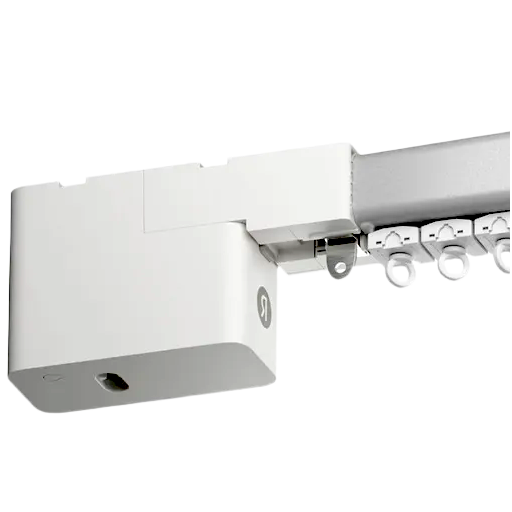 |
OTA updates
This device supports OTA updates, for more information see OTA updates.
Options
How to use device type specific configuration
invert_cover: Inverts the reported cover position and the state derived from it, false: open=100,close=0, true: open=0,close=100 (default false). The value must betrueorfalsecover_position_tilt_disable_report: Do not publish set cover target position as a normal 'position' value (default false). The value must betrueorfalse
Exposes
Cover
The current state of this cover is in the published state under the state property (value is OPEN or CLOSE). To control this cover publish a message to topic zigbee2mqtt/FRIENDLY_NAME/set with payload {"state": "OPEN"}, {"state": "CLOSE"}, {"state": "STOP"}. It's not possible to read (/get) this value. To change the position publish a message to topic zigbee2mqtt/FRIENDLY_NAME/set with payload {"position": VALUE} where VALUE is a number between 0 and 100.
Cover mode (composite)
Can be set by publishing to zigbee2mqtt/FRIENDLY_NAME/set with payload {"cover_mode": {"reversed": VALUE, "calibration": VALUE, "maintenance": VALUE, "led": VALUE}} To read (/get) the value publish a message to topic zigbee2mqtt/FRIENDLY_NAME/get with payload {"cover_mode": ""}.
reversed(binary): Reversal of the motor rotating direction allowed values:trueorfalsecalibration(binary): Set the cover calibration mode allowed values:trueorfalsemaintenance(binary): Set the cover maintenance mode, enabling will disable the cover motor allowed values:trueorfalseled(binary): Set the LED allowed values:trueorfalse
Velocity (enum)
Velocity. Value can be found in the published state on the velocity property. To read (/get) the value publish a message to topic zigbee2mqtt/FRIENDLY_NAME/get with payload {"velocity": ""}. To write (/set) a value publish a message to topic zigbee2mqtt/FRIENDLY_NAME/set with payload {"velocity": NEW_VALUE}. The possible values are: slow, normal, fast.
Max position (numeric)
Max position. Value can be found in the published state on the max_position property. To read (/get) the value publish a message to topic zigbee2mqtt/FRIENDLY_NAME/get with payload {"max_position": ""}. To write (/set) a value publish a message to topic zigbee2mqtt/FRIENDLY_NAME/set with payload {"max_position": NEW_VALUE}. The minimal value is 0 and the maximum value is 100. The unit of this value is %.
Min position (numeric)
Min position. Value can be found in the published state on the min_position property. To read (/get) the value publish a message to topic zigbee2mqtt/FRIENDLY_NAME/get with payload {"min_position": ""}. To write (/set) a value publish a message to topic zigbee2mqtt/FRIENDLY_NAME/set with payload {"min_position": NEW_VALUE}. The minimal value is 0 and the maximum value is 100. The unit of this value is %.