
Nobø SPC-IZ
| Model | SPC-IZ |
| Vendor | Nobø |
| Description | Control unit for panel heaters |
| Exposes | identify, climate (local_temperature, occupied_heating_setpoint, unoccupied_heating_setpoint, system_mode, running_mode) |
| Picture | 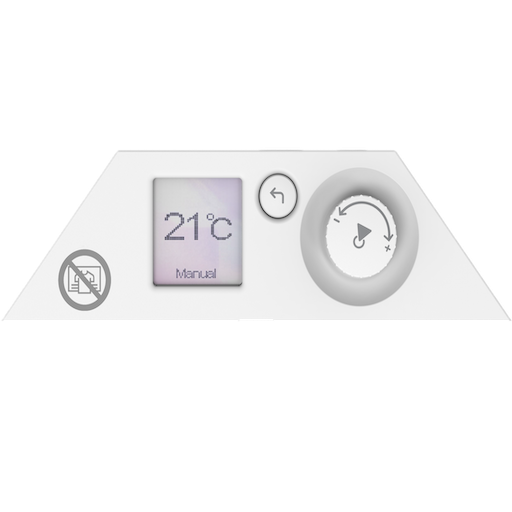 |
Notes
Pairing
The device requires firmware version v3.18 or newer to support Zigbee pairing. If your device has an older firmware version, you will need to update it using Glen Dimplex's ConfigR application. Update instructions can be found here.
To pair the device:
- Navigate to Settings → Comms → RF → Enable on the thermostat
- The device will enter pairing mode
- Zigbee2MQTT should automatically discover the device
Options
How to use device type specific configuration
identify_timeout: Sets the duration of the identification procedure in seconds (i.e., how long the device would flash).The value ranges from 1 to 30 seconds (default: 3). The value must be a number with a minimum value of1and with a maximum value of30thermostat_unit: Controls the temperature unit of the thermostat (default celsius). The value must be one ofcelsius,fahrenheit
Exposes
Identify (enum)
Initiate device identification. Value will not be published in the state. It's not possible to read (/get) this value. To write (/set) a value publish a message to topic zigbee2mqtt/FRIENDLY_NAME/set with payload {"identify": NEW_VALUE}. The possible values are: identify.
Climate
This climate device supports the following features: local_temperature, occupied_heating_setpoint, unoccupied_heating_setpoint, system_mode, running_mode.
occupied_heating_setpoint: Temperature setpoint. To control publish a message to topiczigbee2mqtt/FRIENDLY_NAME/setwith payload{"occupied_heating_setpoint": VALUE}whereVALUEis the °C between7and32. To read send a message tozigbee2mqtt/FRIENDLY_NAME/getwith payload{"occupied_heating_setpoint": ""}.local_temperature: Current temperature measured by the internal sensor (in °C). To read send a message tozigbee2mqtt/FRIENDLY_NAME/getwith payload{"local_temperature": ""}.system_mode: Mode of this device. To control publish a message to topiczigbee2mqtt/FRIENDLY_NAME/setwith payload{"system_mode": VALUE}whereVALUEis one of:off,heat. To read send a message tozigbee2mqtt/FRIENDLY_NAME/getwith payload{"system_mode": ""}.