
Develco REXZB-111
| Model | REXZB-111 |
| Vendor | Develco |
| Description | Range extender with backup battery |
| Exposes | battery, voltage, battery_low, battery_defect, ac_connected, led_control, tx_power, zone_status_interval, identify |
| Picture | 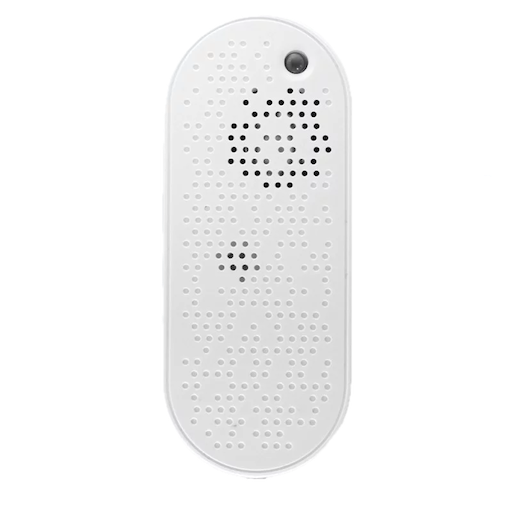 |
| White-label | Frient REXZB-111 |
OTA updates
This device supports OTA updates, for more information see OTA updates.
Options
How to use device type specific configuration
identify_timeout: Sets the duration of the identification procedure in seconds (i.e., how long the device would flash).The value ranges from 1 to 30 seconds (default: 3). The value must be a number with a minimum value of1and with a maximum value of30
Exposes
Battery (numeric)
Remaining battery in %. Value can be found in the published state on the battery property. To read (/get) the value publish a message to topic zigbee2mqtt/FRIENDLY_NAME/get with payload {"battery": ""}. It's not possible to write (/set) this value. The minimal value is 0 and the maximum value is 100. The unit of this value is %.
Voltage (numeric)
Reported battery voltage in millivolts. Value can be found in the published state on the voltage property. To read (/get) the value publish a message to topic zigbee2mqtt/FRIENDLY_NAME/get with payload {"voltage": ""}. It's not possible to write (/set) this value. The unit of this value is mV.
Battery low (binary)
Indicates whether the battery of the device is almost empty. Value can be found in the published state on the battery_low property. It's not possible to read (/get) or write (/set) this value. If value equals true battery low is ON, if false OFF.
Battery defect (binary)
Indicates whether the device battery is defective. Value can be found in the published state on the battery_defect property. It's not possible to read (/get) or write (/set) this value. If value equals true battery defect is ON, if false OFF.
Ac connected (binary)
Indicates whether the device is connected to AC mains power. Value can be found in the published state on the ac_connected property. It's not possible to read (/get) or write (/set) this value. If value equals true ac connected is ON, if false OFF.
Led control (composite)
Can be set by publishing to zigbee2mqtt/FRIENDLY_NAME/set with payload {"led_control": {"indicate_faults": VALUE, "indicate_mains_power": VALUE}} To read (/get) the value publish a message to topic zigbee2mqtt/FRIENDLY_NAME/get with payload {"led_control": ""}.
indicate_faults(binary): Enable/disable LED indication for faults (e.g., lost connection to gateway) allowed values:trueorfalseindicate_mains_power(binary): Enable/disable green LED indication for mains power status allowed values:trueorfalse
Tx power (enum)
TX power mode for regulatory compliance (CE or FCC). Requires device rejoin to apply.. Value can be found in the published state on the tx_power property. To read (/get) the value publish a message to topic zigbee2mqtt/FRIENDLY_NAME/get with payload {"tx_power": ""}. To write (/set) a value publish a message to topic zigbee2mqtt/FRIENDLY_NAME/set with payload {"tx_power": NEW_VALUE}. The possible values are: CE, FCC.
Zone status interval (numeric)
Heartbeat interval in seconds. Controls the periodic interval between ZoneStatusChange commands (default 300s). Value can be found in the published state on the zone_status_interval property. To read (/get) the value publish a message to topic zigbee2mqtt/FRIENDLY_NAME/get with payload {"zone_status_interval": ""}. To write (/set) a value publish a message to topic zigbee2mqtt/FRIENDLY_NAME/set with payload {"zone_status_interval": NEW_VALUE}. The minimal value is 0 and the maximum value is 65535. The unit of this value is s.
Identify (enum)
Initiate device identification. Value will not be published in the state. It's not possible to read (/get) this value. To write (/set) a value publish a message to topic zigbee2mqtt/FRIENDLY_NAME/set with payload {"identify": NEW_VALUE}. The possible values are: identify.