
SONOFF MG1_5RZ
| Model | MG1_5RZ |
| Vendor | SONOFF |
| Description | Zigbee human presence radar (5.8 GHz) |
| Exposes | occupancy, occupied_to_unoccupied_delay, unoccupied_to_occupied_delay, occupancy_sensitivity |
| Picture | 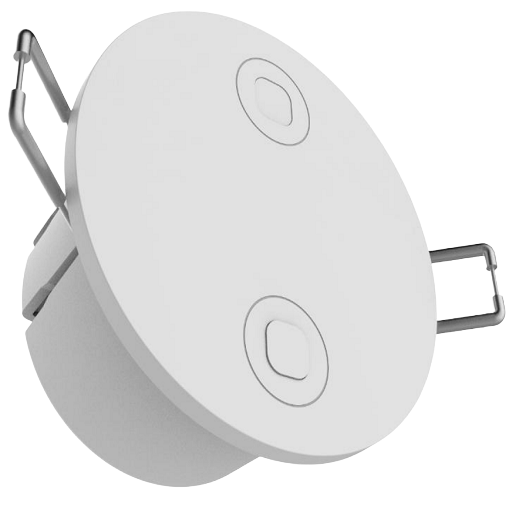 |
Options
How to use device type specific configuration
no_occupancy_since: Sends a message after the last time no occupancy (occupancy: false) was detected. When setting this for example to [10, 60] a{"no_occupancy_since": 10}will be sent after 10 seconds and a{"no_occupancy_since": 60}after 60 seconds. The value must be a list of numbers.
Exposes
Occupancy (binary)
Indicates whether the device detected occupancy. Value can be found in the published state on the occupancy property. To read (/get) the value publish a message to topic zigbee2mqtt/FRIENDLY_NAME/get with payload {"occupancy": ""}. It's not possible to write (/set) this value. If value equals true occupancy is ON, if false OFF.
Occupied to unoccupied delay (numeric)
Ultrasonic occupied → unoccupied delay (seconds). Value can be found in the published state on the occupied_to_unoccupied_delay property. To read (/get) the value publish a message to topic zigbee2mqtt/FRIENDLY_NAME/get with payload {"occupied_to_unoccupied_delay": ""}. To write (/set) a value publish a message to topic zigbee2mqtt/FRIENDLY_NAME/set with payload {"occupied_to_unoccupied_delay": NEW_VALUE}. The minimal value is 60 and the maximum value is 65535.
Unoccupied to occupied delay (numeric)
Ultrasonic unoccupied → occupied delay (seconds). Value can be found in the published state on the unoccupied_to_occupied_delay property. To read (/get) the value publish a message to topic zigbee2mqtt/FRIENDLY_NAME/get with payload {"unoccupied_to_occupied_delay": ""}. To write (/set) a value publish a message to topic zigbee2mqtt/FRIENDLY_NAME/set with payload {"unoccupied_to_occupied_delay": NEW_VALUE}. The minimal value is 0 and the maximum value is 65535.
Occupancy sensitivity (enum)
Sensitivity of human presence detection. Value can be found in the published state on the occupancy_sensitivity property. To read (/get) the value publish a message to topic zigbee2mqtt/FRIENDLY_NAME/get with payload {"occupancy_sensitivity": ""}. To write (/set) a value publish a message to topic zigbee2mqtt/FRIENDLY_NAME/set with payload {"occupancy_sensitivity": NEW_VALUE}. The possible values are: low, medium, high.