Zigbee2MQTTZigbee2MQTT
  • Getting started
  • Supported Adapters
  • Supported Devices
  • Installation
  • Configuration
  • Usage
  • FAQ
Devices
  • Zigbee

    • Zigbee network
    • Improve network range and stability
    • Secure your Zigbee network
    • Sniff Zigbee traffic
    • Create a CC2530 router
  • Support new devices

    • Support new devices
    • Support new Tuya devices
    • Find Tuya Data Points
  • Remote Adapter

    • Connect to a remote adapter
    • Connect to a remote Sonoff ZBBridge
  • More

    • 3D cases
    • External converters
    • External extensions
    • Switch to the dev branch
    • Get Tuya and Xiaomi OTA url
  • Forum
  • Discord
  • Issues
  • Donate
GitHub
GitHub (docs)
  • Getting started
  • Supported Adapters
  • Supported Devices
  • Installation
  • Configuration
  • Usage
  • FAQ
Devices
  • Zigbee

    • Zigbee network
    • Improve network range and stability
    • Secure your Zigbee network
    • Sniff Zigbee traffic
    • Create a CC2530 router
  • Support new devices

    • Support new devices
    • Support new Tuya devices
    • Find Tuya Data Points
  • Remote Adapter

    • Connect to a remote adapter
    • Connect to a remote Sonoff ZBBridge
  • More

    • 3D cases
    • External converters
    • External extensions
    • Switch to the dev branch
    • Get Tuya and Xiaomi OTA url
  • Forum
  • Discord
  • Issues
  • Donate
GitHub
GitHub (docs)

Heiman HS1MIS-3.0

ModelHS1MIS-3.0
VendorHeiman
DescriptionSmart occupancy sensor
Exposesoccupancy, battery, ambient_light
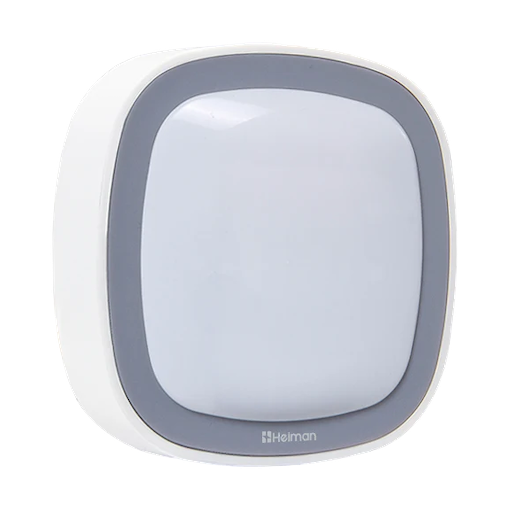
PictureHeiman HS1MIS-3.0

Options

How to use device type specific configuration

  • no_occupancy_since: Sends a message after the last time no occupancy (occupancy: false) was detected. When setting this for example to [10, 60] a {"no_occupancy_since": 10} will be sent after 10 seconds and a {"no_occupancy_since": 60} after 60 seconds. The value must be a list of numbers.

Exposes

Occupancy (binary)

Indicates whether the device detected occupancy. Value can be found in the published state on the occupancy property. It's not possible to read (/get) or write (/set) this value. If value equals true occupancy is ON, if false OFF.

Battery (numeric)

Remaining battery in %, can take up to 24 hours before reported. Value can be found in the published state on the battery property. It's not possible to read (/get) or write (/set) this value. The minimal value is 0 and the maximum value is 100. The unit of this value is %.

Ambient light (numeric)

ambient illuminance in lux. Value can be found in the published state on the ambient_light property. To read (/get) the value publish a message to topic zigbee2mqtt/FRIENDLY_NAME/get with payload {"ambient_light": ""}. It's not possible to write (/set) this value. The unit of this value is Lx.

Help to make the docu better and edit this page on Github ✌
Last Updated: 5/1/26, 5:26 PM