
Gewiss GWA1231
| Model | GWA1231 |
| Vendor | Gewiss |
| Description | Chorus roller shutter module |
| Exposes | cover (state, position), opening_time, closing_time, led_standby_brightness, led_moving_brightness |
| Picture | 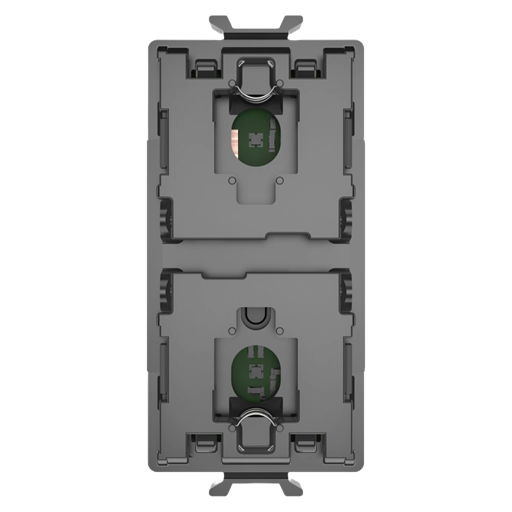 |
Options
How to use device type specific configuration
invert_cover: Inverts the cover position and state, false: open=100,close=0, true: open=0,close=100 (default false). The value must betrueorfalsecover_position_tilt_disable_report: Do not publish set cover target position as a normal 'position' value (default false). The value must betrueorfalse
Exposes
Cover
The current state of this cover is in the published state under the state property (value is OPEN or CLOSE). To control this cover publish a message to topic zigbee2mqtt/FRIENDLY_NAME/set with payload {"state": "OPEN"}, {"state": "CLOSE"}, {"state": "STOP"}. It's not possible to read (/get) this value. To change the position publish a message to topic zigbee2mqtt/FRIENDLY_NAME/set with payload {"position": VALUE} where VALUE is a number between 0 and 100.
Opening time (numeric)
Opening/ascent time in seconds. Value can be found in the published state on the opening_time property. To read (/get) the value publish a message to topic zigbee2mqtt/FRIENDLY_NAME/get with payload {"opening_time": ""}. To write (/set) a value publish a message to topic zigbee2mqtt/FRIENDLY_NAME/set with payload {"opening_time": NEW_VALUE}. The minimal value is 0 and the maximum value is 300. The unit of this value is s.
Closing time (numeric)
Closing/descent time in seconds. Value can be found in the published state on the closing_time property. To read (/get) the value publish a message to topic zigbee2mqtt/FRIENDLY_NAME/get with payload {"closing_time": ""}. To write (/set) a value publish a message to topic zigbee2mqtt/FRIENDLY_NAME/set with payload {"closing_time": NEW_VALUE}. The minimal value is 0 and the maximum value is 300. The unit of this value is s.
Led standby brightness (numeric)
LED standby brightness. Value can be found in the published state on the led_standby_brightness property. To read (/get) the value publish a message to topic zigbee2mqtt/FRIENDLY_NAME/get with payload {"led_standby_brightness": ""}. To write (/set) a value publish a message to topic zigbee2mqtt/FRIENDLY_NAME/set with payload {"led_standby_brightness": NEW_VALUE}. The minimal value is 0 and the maximum value is 100. The unit of this value is %.
Led moving brightness (numeric)
LED brightness while moving. Value can be found in the published state on the led_moving_brightness property. To read (/get) the value publish a message to topic zigbee2mqtt/FRIENDLY_NAME/get with payload {"led_moving_brightness": ""}. To write (/set) a value publish a message to topic zigbee2mqtt/FRIENDLY_NAME/set with payload {"led_moving_brightness": NEW_VALUE}. The minimal value is 0 and the maximum value is 100. The unit of this value is %.