
EFEKTA EFEKTA_TDS_Monitor
| Model | EFEKTA_TDS_Monitor |
| Vendor | EFEKTA |
| Description | TDS Monitor with DS18B20 temperature sensor |
| Exposes | temperature, tds, tds_coefficient, reading_interval, tds_offset, tx_radio_power |
| Picture | 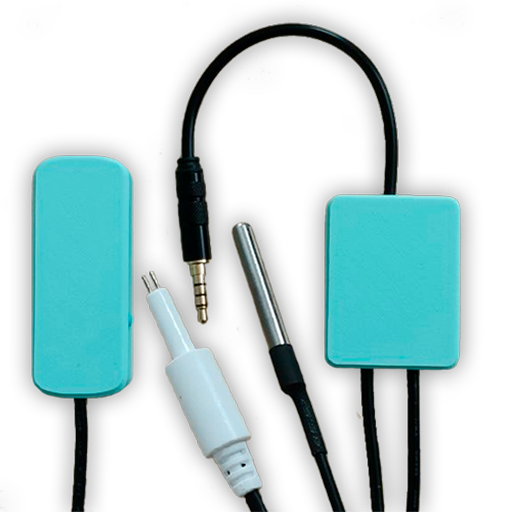 |
Options
How to use device type specific configuration
temperature_calibration: Calibrates the temperature value (absolute offset), takes into effect on next report of device. The value must be a number.temperature_precision: Number of digits after decimal point for temperature, takes into effect on next report of device. This option can only decrease the precision, not increase it. The value must be a number with a minimum value of0and with a maximum value of3
Exposes
Temperature (numeric)
Measured temperature value. Value can be found in the published state on the temperature property. It's not possible to read (/get) or write (/set) this value. The unit of this value is °C.
Tds (numeric)
Measured TDS value. Value can be found in the published state on the tds property. It's not possible to read (/get) or write (/set) this value. The unit of this value is ppm.
Tds coefficient (enum)
TDS coefficient. Value can be found in the published state on the tds_coefficient property. It's not possible to read (/get) this value. To write (/set) a value publish a message to topic zigbee2mqtt/FRIENDLY_NAME/set with payload {"tds_coefficient": NEW_VALUE}. The possible values are: 500, 550, 640, 700, 1000.
Reading interval (numeric)
Setting the sensor reading interval in seconds, by default 30 seconds. Value can be found in the published state on the reading_interval property. It's not possible to read (/get) this value. To write (/set) a value publish a message to topic zigbee2mqtt/FRIENDLY_NAME/set with payload {"reading_interval": NEW_VALUE}. The minimal value is 10 and the maximum value is 360. The unit of this value is Seconds.
Tds offset (numeric)
Adjust TDS. Value can be found in the published state on the tds_offset property. It's not possible to read (/get) this value. To write (/set) a value publish a message to topic zigbee2mqtt/FRIENDLY_NAME/set with payload {"tds_offset": NEW_VALUE}. The minimal value is -100 and the maximum value is 100. The unit of this value is ppm.
Tx radio power (enum)
Set TX Radio Power, dbm. Value can be found in the published state on the tx_radio_power property. It's not possible to read (/get) this value. To write (/set) a value publish a message to topic zigbee2mqtt/FRIENDLY_NAME/set with payload {"tx_radio_power": NEW_VALUE}. The possible values are: 4dbm, 19dbm.