
IKEA E2112
| Model | E2112 |
| Vendor | IKEA |
| Description | VINDSTYRKA air quality and humidity sensor |
| Exposes | temperature, humidity, pm25, voc_index |
| Picture | 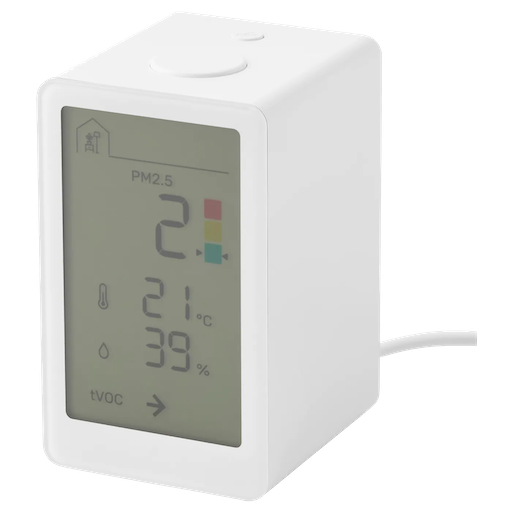 |
Notes
Related
Information
- FCC - emissions, teardown, manual
- CSA IoT - Zigbee compliance
- Sensirion - What is VOC index?
- just-oblivious/vindstyrka-docs - reverse engineering
- oleksiikutuzov/IKEA-VINDSTYRKA - teardown
- Device is a Zigbee Router
Pairing
Press the pair button 4 times to factory reset the device and start pairing.
The link icon on the display will blink until it connects to the network.
Binding
The sensor can directly control IKEA air purifiers (Trigger when air quality is poor)
- Pairing outside the network is possible through Find & Bind
- Hold the sensor pair button for 3s. The link icon starts blinking
- Hold the purifier pair button for 3s
- When successful, the link icon stops blinking
- Pairing inside the network was tested, but not successful
- The pair button does not do anything
- Binding clusters does not appear to generate events
Issues
- Wrong initial data
- When the device boots, it may display and report wrong data (e.g. higher temperature than normal)
- It will calibrate and report correctly after a few minutes
- Low measurements precision
- The device reports measurements as whole numbers (null decimal values)
- As a result, increasing the precision in Z2M has no effect
OTA updates
This device supports OTA updates, for more information see OTA updates.
Options
How to use device type specific configuration
temperature_calibration: Calibrates the temperature value (absolute offset), takes into effect on next report of device. The value must be a number.temperature_precision: Number of digits after decimal point for temperature, takes into effect on next report of device. This option can only decrease the precision, not increase it. The value must be a number with a minimum value of0and with a maximum value of3humidity_calibration: Calibrates the humidity value (absolute offset), takes into effect on next report of device. The value must be a number.humidity_precision: Number of digits after decimal point for humidity, takes into effect on next report of device. This option can only decrease the precision, not increase it. The value must be a number with a minimum value of0and with a maximum value of3pm25_calibration: Calibrates the pm25 value (absolute offset), takes into effect on next report of device. The value must be a number.
Exposes
Temperature (numeric)
Measured temperature value. Value can be found in the published state on the temperature property. To read (/get) the value publish a message to topic zigbee2mqtt/FRIENDLY_NAME/get with payload {"temperature": ""}. It's not possible to write (/set) this value. The unit of this value is °C.
Humidity (numeric)
Measured relative humidity. Value can be found in the published state on the humidity property. To read (/get) the value publish a message to topic zigbee2mqtt/FRIENDLY_NAME/get with payload {"humidity": ""}. It's not possible to write (/set) this value. The unit of this value is %.
Pm25 (numeric)
Measured PM2.5 (particulate matter) concentration. Value can be found in the published state on the pm25 property. To read (/get) the value publish a message to topic zigbee2mqtt/FRIENDLY_NAME/get with payload {"pm25": ""}. It's not possible to write (/set) this value. The unit of this value is µg/m³.
VOC index (numeric)
Sensirion VOC index: 100 = average, <100 = less tVOC, >100 = more tVOC. Value can be found in the published state on the voc_index property. To read (/get) the value publish a message to topic zigbee2mqtt/FRIENDLY_NAME/get with payload {"voc_index": ""}. It's not possible to write (/set) this value.