
Aqara DS-K02D/DS-K02E
| Model | DS-K02D/DS-K02E |
| Vendor | Aqara |
| Description | Aqara Shutter Switch H2 EU |
| Exposes | energy, cover (state, position), multi_click, action |
| Picture | 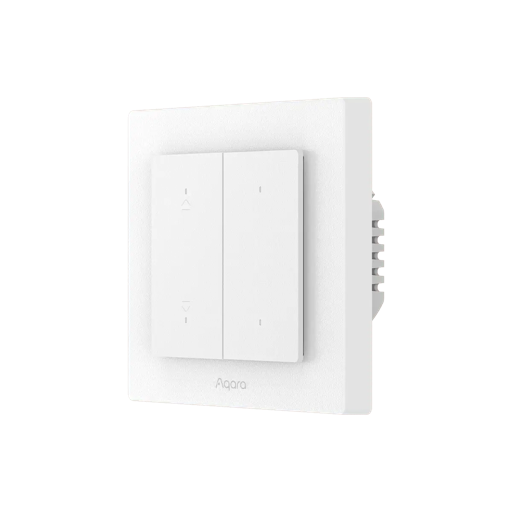 |
Notes
Metering
Only energy is exposed for the Aqara Shutter Switch H2 EU. power, current, and voltage are intentionally not exposed because they could not be validated reliably on this model.
OTA updates
This device supports OTA updates, for more information see OTA updates.
Options
How to use device type specific configuration
energy_calibration: Calibrates the energy value (percentual offset), takes into effect on next report of device. The value must be a number.energy_precision: Number of digits after decimal point for energy, takes into effect on next report of device. This option can only decrease the precision, not increase it. The value must be a number with a minimum value of0and with a maximum value of3invert_cover: Inverts the reported cover position and the state derived from it, false: open=100,close=0, true: open=0,close=100 (default false). The value must betrueorfalsecover_position_tilt_disable_report: Do not publish set cover target position as a normal 'position' value (default false). The value must betrueorfalse
Exposes
Energy (numeric)
Sum of consumed energy. Value can be found in the published state on the energy property. To read (/get) the value publish a message to topic zigbee2mqtt/FRIENDLY_NAME/get with payload {"energy": ""}. It's not possible to write (/set) this value. The unit of this value is kWh.
Cover
The current state of this cover is in the published state under the state property (value is OPEN or CLOSE). To control this cover publish a message to topic zigbee2mqtt/FRIENDLY_NAME/set with payload {"state": "OPEN"}, {"state": "CLOSE"}, {"state": "STOP"}. It's not possible to read (/get) this value. To change the position publish a message to topic zigbee2mqtt/FRIENDLY_NAME/set with payload {"position": VALUE} where VALUE is a number between 0 and 100.
Multi click (binary, top_wireless_button endpoint)
Multi-click mode for top wireless button. Value can be found in the published state on the multi_click_top_wireless_button property. To read (/get) the value publish a message to topic zigbee2mqtt/FRIENDLY_NAME/get with payload {"multi_click_top_wireless_button": ""}. To write (/set) a value publish a message to topic zigbee2mqtt/FRIENDLY_NAME/set with payload {"multi_click_top_wireless_button": NEW_VALUE}. If value equals true multi click is ON, if false OFF.
Multi click (binary, bottom_wireless_button endpoint)
Multi-click mode for bottom wireless button. Value can be found in the published state on the multi_click_bottom_wireless_button property. To read (/get) the value publish a message to topic zigbee2mqtt/FRIENDLY_NAME/get with payload {"multi_click_bottom_wireless_button": ""}. To write (/set) a value publish a message to topic zigbee2mqtt/FRIENDLY_NAME/set with payload {"multi_click_bottom_wireless_button": NEW_VALUE}. If value equals true multi click is ON, if false OFF.
Action (enum)
Triggered action (e.g. a button click). Value can be found in the published state on the action property. It's not possible to read (/get) or write (/set) this value. The possible values are: button_3_single, button_4_single.