
EFEKTA DIYRuZ_AirSense_Reloaded
| Model | DIYRuZ_AirSense_Reloaded |
| Vendor | EFEKTA |
| Description | Air quality sensor (CO2, formaldehyde, temperature, humidity, pressure) |
| Exposes | identify, co2, formaldehyde_concentration, temperature, pressure, humidity, co2_accurate_measurement, co2_automatic_calibration, led_indication, co2_moderate_threshold, co2_hazardous_threshold, formaldehyde_moderate_threshold, formaldehyde_hazardous_threshold, temperature_offset, humidity_offset, pressure_offset, formaldehyde_offset |
| Picture | 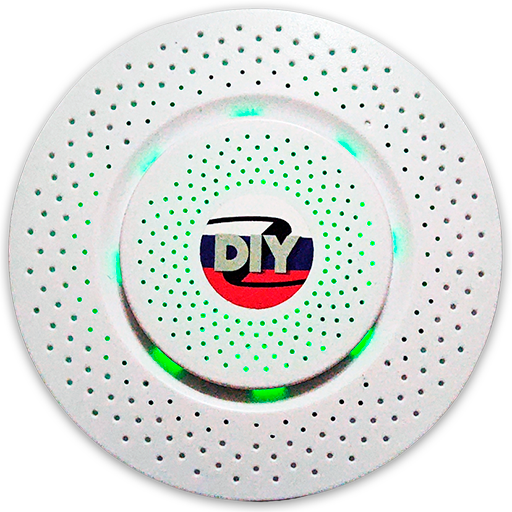 |
Options
How to use device type specific configuration
co2_calibration: Calibrates the co2 value (absolute offset), takes into effect on next report of device. The value must be a number.temperature_calibration: Calibrates the temperature value (absolute offset), takes into effect on next report of device. The value must be a number.temperature_precision: Number of digits after decimal point for temperature, takes into effect on next report of device. This option can only decrease the precision, not increase it. The value must be a number with a minimum value of0and with a maximum value of3pressure_calibration: Calibrates the pressure value (absolute offset), takes into effect on next report of device. The value must be a number.pressure_precision: Number of digits after decimal point for pressure, takes into effect on next report of device. This option can only decrease the precision, not increase it. The value must be a number with a minimum value of0and with a maximum value of3humidity_calibration: Calibrates the humidity value (absolute offset), takes into effect on next report of device. The value must be a number.humidity_precision: Number of digits after decimal point for humidity, takes into effect on next report of device. This option can only decrease the precision, not increase it. The value must be a number with a minimum value of0and with a maximum value of3identify_timeout: Sets the duration of the identification procedure in seconds (i.e., how long the device would flash).The value ranges from 1 to 30 seconds (default: 3). The value must be a number with a minimum value of1and with a maximum value of30
Exposes
Identify (enum)
Initiate device identification. Value will not be published in the state. It's not possible to read (/get) this value. To write (/set) a value publish a message to topic zigbee2mqtt/FRIENDLY_NAME/set with payload {"identify": NEW_VALUE}. The possible values are: identify.
CO2 (numeric)
Measured value. Value can be found in the published state on the co2 property. To read (/get) the value publish a message to topic zigbee2mqtt/FRIENDLY_NAME/get with payload {"co2": ""}. It's not possible to write (/set) this value. The unit of this value is ppm.
Formaldehyde concentration (numeric)
Formaldehyde (CH2O) concentration. Value can be found in the published state on the formaldehyde_concentration property. To read (/get) the value publish a message to topic zigbee2mqtt/FRIENDLY_NAME/get with payload {"formaldehyde_concentration": ""}. It's not possible to write (/set) this value. The unit of this value is ppm.
Temperature (numeric)
Measured temperature value. Value can be found in the published state on the temperature property. To read (/get) the value publish a message to topic zigbee2mqtt/FRIENDLY_NAME/get with payload {"temperature": ""}. It's not possible to write (/set) this value. The unit of this value is °C.
Pressure (numeric)
The measured atmospheric pressure. Value can be found in the published state on the pressure property. To read (/get) the value publish a message to topic zigbee2mqtt/FRIENDLY_NAME/get with payload {"pressure": ""}. It's not possible to write (/set) this value. The unit of this value is kPa.
Humidity (numeric)
Measured relative humidity. Value can be found in the published state on the humidity property. To read (/get) the value publish a message to topic zigbee2mqtt/FRIENDLY_NAME/get with payload {"humidity": ""}. It's not possible to write (/set) this value. The unit of this value is %.
Co2 accurate measurement (binary)
Enable/disable accurate CO2 measurement mode. Value can be found in the published state on the co2_accurate_measurement property. To read (/get) the value publish a message to topic zigbee2mqtt/FRIENDLY_NAME/get with payload {"co2_accurate_measurement": ""}. To write (/set) a value publish a message to topic zigbee2mqtt/FRIENDLY_NAME/set with payload {"co2_accurate_measurement": NEW_VALUE}. If value equals ON co2 accurate measurement is ON, if OFF OFF.
Co2 automatic calibration (binary)
Enable/disable automatic calibration of CO2 sensor. Value can be found in the published state on the co2_automatic_calibration property. To read (/get) the value publish a message to topic zigbee2mqtt/FRIENDLY_NAME/get with payload {"co2_automatic_calibration": ""}. To write (/set) a value publish a message to topic zigbee2mqtt/FRIENDLY_NAME/set with payload {"co2_automatic_calibration": NEW_VALUE}. If value equals ON co2 automatic calibration is ON, if OFF OFF.
Led indication (binary)
Enable/disable LED indication. Value can be found in the published state on the led_indication property. To read (/get) the value publish a message to topic zigbee2mqtt/FRIENDLY_NAME/get with payload {"led_indication": ""}. To write (/set) a value publish a message to topic zigbee2mqtt/FRIENDLY_NAME/set with payload {"led_indication": NEW_VALUE}. If value equals ON led indication is ON, if OFF OFF.
Co2 moderate threshold (numeric)
Threshold for moderate CO2 level. Value can be found in the published state on the co2_moderate_threshold property. To read (/get) the value publish a message to topic zigbee2mqtt/FRIENDLY_NAME/get with payload {"co2_moderate_threshold": ""}. To write (/set) a value publish a message to topic zigbee2mqtt/FRIENDLY_NAME/set with payload {"co2_moderate_threshold": NEW_VALUE}. The minimal value is 0 and the maximum value is 5000. The unit of this value is ppm.
Co2 hazardous threshold (numeric)
Threshold for hazardous CO2 level. Value can be found in the published state on the co2_hazardous_threshold property. To read (/get) the value publish a message to topic zigbee2mqtt/FRIENDLY_NAME/get with payload {"co2_hazardous_threshold": ""}. To write (/set) a value publish a message to topic zigbee2mqtt/FRIENDLY_NAME/set with payload {"co2_hazardous_threshold": NEW_VALUE}. The minimal value is 0 and the maximum value is 5000. The unit of this value is ppm.
Formaldehyde moderate threshold (numeric)
Threshold for moderate formaldehyde (CH2O) level. Value can be found in the published state on the formaldehyde_moderate_threshold property. To read (/get) the value publish a message to topic zigbee2mqtt/FRIENDLY_NAME/get with payload {"formaldehyde_moderate_threshold": ""}. To write (/set) a value publish a message to topic zigbee2mqtt/FRIENDLY_NAME/set with payload {"formaldehyde_moderate_threshold": NEW_VALUE}. The minimal value is 0 and the maximum value is 5000. The unit of this value is ppb.
Formaldehyde hazardous threshold (numeric)
Threshold for hazardous formaldehyde (CH2O) level. Value can be found in the published state on the formaldehyde_hazardous_threshold property. To read (/get) the value publish a message to topic zigbee2mqtt/FRIENDLY_NAME/get with payload {"formaldehyde_hazardous_threshold": ""}. To write (/set) a value publish a message to topic zigbee2mqtt/FRIENDLY_NAME/set with payload {"formaldehyde_hazardous_threshold": NEW_VALUE}. The minimal value is 0 and the maximum value is 5000. The unit of this value is ppb.
Temperature offset (numeric)
Temperature calibration offset. Value can be found in the published state on the temperature_offset property. To read (/get) the value publish a message to topic zigbee2mqtt/FRIENDLY_NAME/get with payload {"temperature_offset": ""}. To write (/set) a value publish a message to topic zigbee2mqtt/FRIENDLY_NAME/set with payload {"temperature_offset": NEW_VALUE}. The minimal value is -20 and the maximum value is 20. The unit of this value is °C.
Humidity offset (numeric)
Humidity calibration offset. Value can be found in the published state on the humidity_offset property. To read (/get) the value publish a message to topic zigbee2mqtt/FRIENDLY_NAME/get with payload {"humidity_offset": ""}. To write (/set) a value publish a message to topic zigbee2mqtt/FRIENDLY_NAME/set with payload {"humidity_offset": NEW_VALUE}. The minimal value is -50 and the maximum value is 50. The unit of this value is %.
Pressure offset (numeric)
Pressure calibration offset. Value can be found in the published state on the pressure_offset property. To read (/get) the value publish a message to topic zigbee2mqtt/FRIENDLY_NAME/get with payload {"pressure_offset": ""}. To write (/set) a value publish a message to topic zigbee2mqtt/FRIENDLY_NAME/set with payload {"pressure_offset": NEW_VALUE}. The minimal value is -1000 and the maximum value is 1000. The unit of this value is hPa.
Formaldehyde offset (numeric)
Formaldehyde ADC range calibration offset. Value can be found in the published state on the formaldehyde_offset property. It's not possible to read (/get) this value. To write (/set) a value publish a message to topic zigbee2mqtt/FRIENDLY_NAME/set with payload {"formaldehyde_offset": NEW_VALUE}. The minimal value is -100 and the maximum value is 100. The unit of this value is adc.