
Schneider Electric CCTFR6000
| Model | CCTFR6000 |
| Vendor | Schneider Electric |
| Description | 6 Channel Boiler Actuator |
| Exposes | switch (state) |
| Picture | 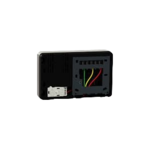 |
Notes
How the relays are driven
This controller is a time-proportional actuator. Each channel has a demand_percentage (share of the cycle_time during which the relay is closed) in addition to its On/Off state. A relay only closes while state is ON and demand_percentage is above 0; setting state to ON alone does nothing on firmware 0.32.2 (4f014cd). For plain relay behaviour set demand_percentage to 100 once and switch the channel with state.
The default cycle_time is 1800 s for the six heating channels and 600 s for endpoint 7 (pump) and endpoint 8 (boiler); the device accepts 300 to 3200 s. Endpoints 7 and 8 come with a demand of 100 from the factory.
No fail-safe on communication loss
A demand value stays in place until it is overwritten (it was verified to persist for over 40 minutes without any refresh). A channel left ON keeps heating if Zigbee2MQTT or the automation controlling it stops. Make sure whatever regulates the channels also switches them OFF, or use on_time.
Pairing
Hold the setup gear button for more than 15 seconds until the LED flashes red, keep holding until the flashing stops, then hold setup again until the LED flashes green. Keep in mind that a reset unpairs the whole controller (all channels) from the Wiser hub.
Options
How to use device type specific configuration
state_action: State actions will also be published as 'action' when true (default false). The value must betrueorfalse
Exposes
Switch (1 endpoint)
The current state of this switch is in the published state under the state_1 property (value is ON or OFF). To control this switch publish a message to topic zigbee2mqtt/FRIENDLY_NAME/set with payload {"state_1": "ON"}, {"state_1": "OFF"} or {"state_1": "TOGGLE"}. To read the current state of this switch publish a message to topic zigbee2mqtt/FRIENDLY_NAME/get with payload {"state_1": ""}.
On with timed off
When setting the state to ON, it might be possible to specify an automatic shutoff after a certain amount of time. To do this add an additional property on_time to the payload which is the time in seconds the state should remain on. Additionally an off_wait_time property can be added to the payload to specify the cooldown time in seconds when the switch will not answer to other on with timed off commands. Support depends on the switch firmware. Some devices might require both on_time and off_wait_time to work Examples : {"state" : "ON", "on_time": 300}, {"state" : "ON", "on_time": 300, "off_wait_time": 120}.
Switch (2 endpoint)
The current state of this switch is in the published state under the state_2 property (value is ON or OFF). To control this switch publish a message to topic zigbee2mqtt/FRIENDLY_NAME/set with payload {"state_2": "ON"}, {"state_2": "OFF"} or {"state_2": "TOGGLE"}. To read the current state of this switch publish a message to topic zigbee2mqtt/FRIENDLY_NAME/get with payload {"state_2": ""}.
On with timed off
When setting the state to ON, it might be possible to specify an automatic shutoff after a certain amount of time. To do this add an additional property on_time to the payload which is the time in seconds the state should remain on. Additionally an off_wait_time property can be added to the payload to specify the cooldown time in seconds when the switch will not answer to other on with timed off commands. Support depends on the switch firmware. Some devices might require both on_time and off_wait_time to work Examples : {"state" : "ON", "on_time": 300}, {"state" : "ON", "on_time": 300, "off_wait_time": 120}.
Switch (3 endpoint)
The current state of this switch is in the published state under the state_3 property (value is ON or OFF). To control this switch publish a message to topic zigbee2mqtt/FRIENDLY_NAME/set with payload {"state_3": "ON"}, {"state_3": "OFF"} or {"state_3": "TOGGLE"}. To read the current state of this switch publish a message to topic zigbee2mqtt/FRIENDLY_NAME/get with payload {"state_3": ""}.
On with timed off
When setting the state to ON, it might be possible to specify an automatic shutoff after a certain amount of time. To do this add an additional property on_time to the payload which is the time in seconds the state should remain on. Additionally an off_wait_time property can be added to the payload to specify the cooldown time in seconds when the switch will not answer to other on with timed off commands. Support depends on the switch firmware. Some devices might require both on_time and off_wait_time to work Examples : {"state" : "ON", "on_time": 300}, {"state" : "ON", "on_time": 300, "off_wait_time": 120}.
Switch (4 endpoint)
The current state of this switch is in the published state under the state_4 property (value is ON or OFF). To control this switch publish a message to topic zigbee2mqtt/FRIENDLY_NAME/set with payload {"state_4": "ON"}, {"state_4": "OFF"} or {"state_4": "TOGGLE"}. To read the current state of this switch publish a message to topic zigbee2mqtt/FRIENDLY_NAME/get with payload {"state_4": ""}.
On with timed off
When setting the state to ON, it might be possible to specify an automatic shutoff after a certain amount of time. To do this add an additional property on_time to the payload which is the time in seconds the state should remain on. Additionally an off_wait_time property can be added to the payload to specify the cooldown time in seconds when the switch will not answer to other on with timed off commands. Support depends on the switch firmware. Some devices might require both on_time and off_wait_time to work Examples : {"state" : "ON", "on_time": 300}, {"state" : "ON", "on_time": 300, "off_wait_time": 120}.
Switch (5 endpoint)
The current state of this switch is in the published state under the state_5 property (value is ON or OFF). To control this switch publish a message to topic zigbee2mqtt/FRIENDLY_NAME/set with payload {"state_5": "ON"}, {"state_5": "OFF"} or {"state_5": "TOGGLE"}. To read the current state of this switch publish a message to topic zigbee2mqtt/FRIENDLY_NAME/get with payload {"state_5": ""}.
On with timed off
When setting the state to ON, it might be possible to specify an automatic shutoff after a certain amount of time. To do this add an additional property on_time to the payload which is the time in seconds the state should remain on. Additionally an off_wait_time property can be added to the payload to specify the cooldown time in seconds when the switch will not answer to other on with timed off commands. Support depends on the switch firmware. Some devices might require both on_time and off_wait_time to work Examples : {"state" : "ON", "on_time": 300}, {"state" : "ON", "on_time": 300, "off_wait_time": 120}.
Switch (6 endpoint)
The current state of this switch is in the published state under the state_6 property (value is ON or OFF). To control this switch publish a message to topic zigbee2mqtt/FRIENDLY_NAME/set with payload {"state_6": "ON"}, {"state_6": "OFF"} or {"state_6": "TOGGLE"}. To read the current state of this switch publish a message to topic zigbee2mqtt/FRIENDLY_NAME/get with payload {"state_6": ""}.
On with timed off
When setting the state to ON, it might be possible to specify an automatic shutoff after a certain amount of time. To do this add an additional property on_time to the payload which is the time in seconds the state should remain on. Additionally an off_wait_time property can be added to the payload to specify the cooldown time in seconds when the switch will not answer to other on with timed off commands. Support depends on the switch firmware. Some devices might require both on_time and off_wait_time to work Examples : {"state" : "ON", "on_time": 300}, {"state" : "ON", "on_time": 300, "off_wait_time": 120}.
Switch (7 endpoint)
The current state of this switch is in the published state under the state_7 property (value is ON or OFF). To control this switch publish a message to topic zigbee2mqtt/FRIENDLY_NAME/set with payload {"state_7": "ON"}, {"state_7": "OFF"} or {"state_7": "TOGGLE"}. To read the current state of this switch publish a message to topic zigbee2mqtt/FRIENDLY_NAME/get with payload {"state_7": ""}.
On with timed off
When setting the state to ON, it might be possible to specify an automatic shutoff after a certain amount of time. To do this add an additional property on_time to the payload which is the time in seconds the state should remain on. Additionally an off_wait_time property can be added to the payload to specify the cooldown time in seconds when the switch will not answer to other on with timed off commands. Support depends on the switch firmware. Some devices might require both on_time and off_wait_time to work Examples : {"state" : "ON", "on_time": 300}, {"state" : "ON", "on_time": 300, "off_wait_time": 120}.
Switch (8 endpoint)
The current state of this switch is in the published state under the state_8 property (value is ON or OFF). To control this switch publish a message to topic zigbee2mqtt/FRIENDLY_NAME/set with payload {"state_8": "ON"}, {"state_8": "OFF"} or {"state_8": "TOGGLE"}. To read the current state of this switch publish a message to topic zigbee2mqtt/FRIENDLY_NAME/get with payload {"state_8": ""}.
On with timed off
When setting the state to ON, it might be possible to specify an automatic shutoff after a certain amount of time. To do this add an additional property on_time to the payload which is the time in seconds the state should remain on. Additionally an off_wait_time property can be added to the payload to specify the cooldown time in seconds when the switch will not answer to other on with timed off commands. Support depends on the switch firmware. Some devices might require both on_time and off_wait_time to work Examples : {"state" : "ON", "on_time": 300}, {"state" : "ON", "on_time": 300, "off_wait_time": 120}.