
OWON AC221
| Model | AC221 |
| Vendor | OWON |
| Description | AC controller / IR blaster |
| Exposes | one_key_pairing, one_key_pairing_status, one_key_pairing_result, pairing_code_current, pairing_code, climate (system_mode, occupied_heating_setpoint, occupied_cooling_setpoint, local_temperature), fan (mode) |
| Picture | 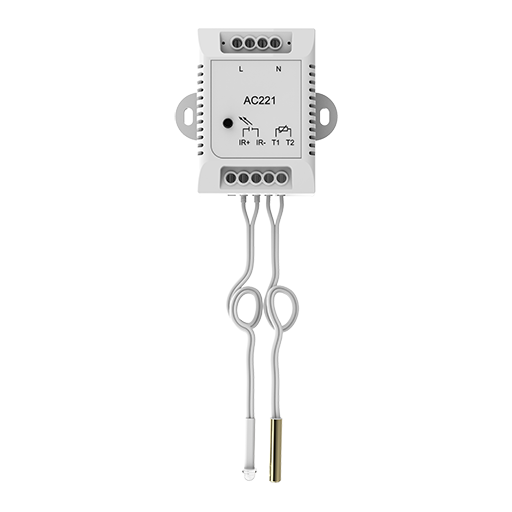 |
Options
How to use device type specific configuration
thermostat_unit: Controls the temperature unit of the thermostat (default celsius). The value must be one ofcelsius,fahrenheit
Exposes
One key pairing (enum)
Value will not be published in the state. It's not possible to read (/get) this value. To write (/set) a value publish a message to topic zigbee2mqtt/FRIENDLY_NAME/set with payload {"one_key_pairing": NEW_VALUE}. The possible values are: start, end.
One key pairing status (text)
Status of the last one key pairing request command.. Value can be found in the published state on the one_key_pairing_status property. It's not possible to read (/get) or write (/set) this value.
One key pairing result (text)
Final result of one key pairing process (JSON string, device reported).. Value can be found in the published state on the one_key_pairing_result property. It's not possible to read (/get) or write (/set) this value.
Pairing code current (numeric)
Currently set pairing code on the device (null if invalid). Value can be found in the published state on the pairing_code_current property. To read (/get) the value publish a message to topic zigbee2mqtt/FRIENDLY_NAME/get with payload {"pairing_code_current": ""}. It's not possible to write (/set) this value. The minimal value is 0 and the maximum value is 65535.
Pairing code (text)
Manually write pairing code to device (decimal digits only, e.g. 123456).. Value will not be published in the state. It's not possible to read (/get) this value. To write (/set) a value publish a message to topic zigbee2mqtt/FRIENDLY_NAME/set with payload {"pairing_code": NEW_VALUE}.
Climate
This climate device supports the following features: system_mode, occupied_heating_setpoint, occupied_cooling_setpoint, local_temperature.
occupied_heating_setpoint: Temperature setpoint. To control publish a message to topiczigbee2mqtt/FRIENDLY_NAME/setwith payload{"occupied_heating_setpoint": VALUE}whereVALUEis the °C between8and30. To read send a message tozigbee2mqtt/FRIENDLY_NAME/getwith payload{"occupied_heating_setpoint": ""}.occupied_cooling_setpoint: Temperature setpoint. To control publish a message to topiczigbee2mqtt/FRIENDLY_NAME/setwith payload{"occupied_cooling_setpoint": VALUE}whereVALUEis the °C between8and30. To read send a message tozigbee2mqtt/FRIENDLY_NAME/getwith payload{"occupied_cooling_setpoint": ""}.local_temperature: Current temperature measured on the device (in °C). To read send a message tozigbee2mqtt/FRIENDLY_NAME/getwith payload{"local_temperature": ""}.system_mode: Mode of this device. To control publish a message to topiczigbee2mqtt/FRIENDLY_NAME/setwith payload{"system_mode": VALUE}whereVALUEis one of:off,heat,cool,auto,dry,fan_only. To read send a message tozigbee2mqtt/FRIENDLY_NAME/getwith payload{"system_mode": ""}.
Fan
To change the mode publish a message to topic zigbee2mqtt/FRIENDLY_NAME/set with payload {"fan_mode": VALUE} where VALUE can be: low, medium, high, on, auto.