
CTM Lyng 6254380
| Model | 6254380 |
| Vendor | CTM Lyng |
| Description | 2.0 Stove guard |
| Exposes | device_temperature, tamper, battery_low, high_temperature, power_cut_off, power, energy |
| Picture | 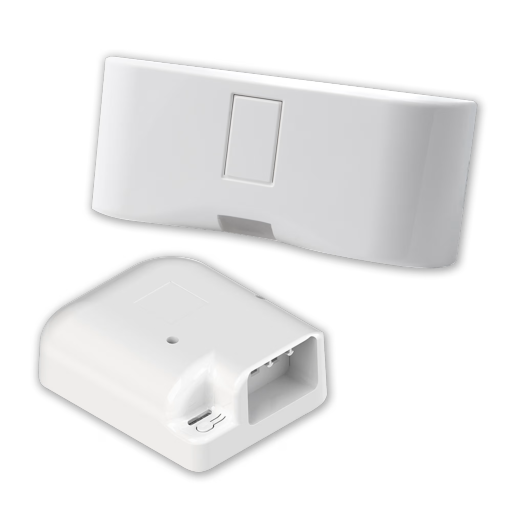 |
Options
How to use device type specific configuration
device_temperature_calibration: Calibrates the device_temperature value (absolute offset), takes into effect on next report of device. The value must be a number.power_calibration: Calibrates the power value (percentual offset), takes into effect on next report of device. The value must be a number.power_precision: Number of digits after decimal point for power, takes into effect on next report of device. This option can only decrease the precision, not increase it. The value must be a number with a minimum value of0and with a maximum value of3energy_calibration: Calibrates the energy value (percentual offset), takes into effect on next report of device. The value must be a number.energy_precision: Number of digits after decimal point for energy, takes into effect on next report of device. This option can only decrease the precision, not increase it. The value must be a number with a minimum value of0and with a maximum value of3
Exposes
Device temperature (numeric)
Temperature of the device. Value can be found in the published state on the device_temperature property. To read (/get) the value publish a message to topic zigbee2mqtt/FRIENDLY_NAME/get with payload {"device_temperature": ""}. It's not possible to write (/set) this value. The unit of this value is °C.
Tamper (binary)
Indicates whether the device is tampered. Value can be found in the published state on the tamper property. It's not possible to read (/get) or write (/set) this value. If value equals true tamper is ON, if false OFF.
Battery low (binary)
Indicates whether the battery of the device is almost empty. Value can be found in the published state on the battery_low property. It's not possible to read (/get) or write (/set) this value. If value equals true battery low is ON, if false OFF.
High temperature (binary)
Stove guard detected high hemperature. Value can be found in the published state on the high_temperature property. It's not possible to read (/get) or write (/set) this value. If value equals true high temperature is ON, if false OFF.
Power cut off (binary)
Power to stove disconnected. Value can be found in the published state on the power_cut_off property. It's not possible to read (/get) or write (/set) this value. If value equals true power cut off is ON, if false OFF.
Power (numeric)
Instantaneous measured power. Value can be found in the published state on the power property. To read (/get) the value publish a message to topic zigbee2mqtt/FRIENDLY_NAME/get with payload {"power": ""}. It's not possible to write (/set) this value. The unit of this value is W.
Energy (numeric)
Sum of consumed energy. Value can be found in the published state on the energy property. To read (/get) the value publish a message to topic zigbee2mqtt/FRIENDLY_NAME/get with payload {"energy": ""}. It's not possible to write (/set) this value. The unit of this value is kWh.