
Legrand 412172
| Model | 412172 |
| Vendor | Legrand |
| Description | DIN power consumption module |
| Exposes | power, power_apparent, power_alarm_active, power_alarm |
| Picture | 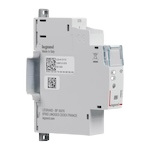 |
| White-label | BTicino FC80GCS |
Notes
Pairing
This device might only work on channel 11. Once configured on channel 11, put your network in join mode and the device (steady red light) will auto join it.
OTA updates
This device supports OTA updates, for more information see OTA updates.
Options
How to use device type specific configuration
power_calibration: Calibrates the power value (percentual offset), takes into effect on next report of device. The value must be a number.power_precision: Number of digits after decimal point for power, takes into effect on next report of device. This option can only decrease the precision, not increase it. The value must be a number with a minimum value of0and with a maximum value of3identity_effect: Defines the identification effect to simplify the device identification. Example:
identity_effect:
  effect: blink 3 # allowed: 'blink 3', 'fixed', 'blink green', 'blink blue'
  color: red # allowed: 'default', 'red', 'green', 'blue', 'lightblue', 'yellow', 'pink', 'white'
Exposes
Power (numeric)
Instantaneous measured power. Value can be found in the published state on the power property. To read (/get) the value publish a message to topic zigbee2mqtt/FRIENDLY_NAME/get with payload {"power": ""}. It's not possible to write (/set) this value. The unit of this value is W.
Power apparent (numeric)
Instantaneous measured apparent power. Value can be found in the published state on the power_apparent property. It's not possible to read (/get) or write (/set) this value. The unit of this value is VA.
Power alarm active (binary)
Value can be found in the published state on the power_alarm_active property. It's not possible to read (/get) or write (/set) this value. If value equals true power alarm active is ON, if false OFF.
Power alarm (binary)
Enable/disable the power alarm. Value can be found in the published state on the power_alarm property. To read (/get) the value publish a message to topic zigbee2mqtt/FRIENDLY_NAME/get with payload {"power_alarm": ""}. To write (/set) a value publish a message to topic zigbee2mqtt/FRIENDLY_NAME/set with payload {"power_alarm": NEW_VALUE}. If value equals true power alarm is ON, if false OFF.