Zigbee2MQTTZigbee2MQTT
  • Getting started
  • Supported Adapters
  • Supported Devices
  • Installation
  • Configuration
  • Usage
  • FAQ
Devices
  • Zigbee

    • Zigbee network
    • Improve network range and stability
    • Secure your Zigbee network
    • Sniff Zigbee traffic
    • Create a CC2530 router
  • Support new devices

    • Support new devices
    • Support new Tuya devices
    • Find Tuya Data Points
  • Remote Adapter

    • Connect to a remote adapter
    • Connect to a remote Sonoff ZBBridge
  • More

    • 3D cases
    • External converters
    • External extensions
    • Switch to the dev branch
    • Get Tuya and Xiaomi OTA url
  • Forum
  • Discord
  • Issues
  • Donate
GitHub
GitHub (docs)
  • Getting started
  • Supported Adapters
  • Supported Devices
  • Installation
  • Configuration
  • Usage
  • FAQ
Devices
  • Zigbee

    • Zigbee network
    • Improve network range and stability
    • Secure your Zigbee network
    • Sniff Zigbee traffic
    • Create a CC2530 router
  • Support new devices

    • Support new devices
    • Support new Tuya devices
    • Find Tuya Data Points
  • Remote Adapter

    • Connect to a remote adapter
    • Connect to a remote Sonoff ZBBridge
  • More

    • 3D cases
    • External converters
    • External extensions
    • Switch to the dev branch
    • Get Tuya and Xiaomi OTA url
  • Forum
  • Discord
  • Issues
  • Donate
GitHub
GitHub (docs)

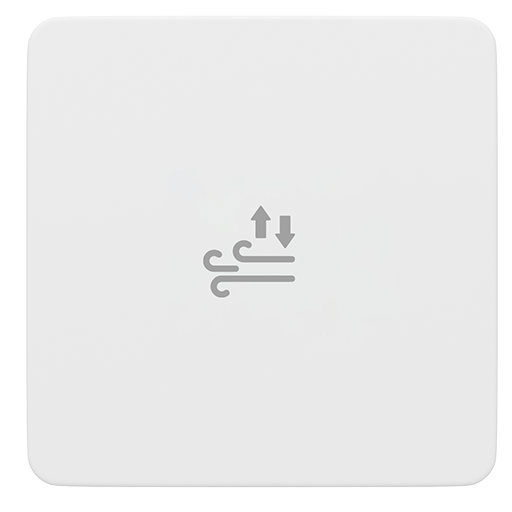
Third Reality 3RAP0149BZ

Model3RAP0149BZ
VendorThird Reality
DescriptionSmart air pressure sensor
Exposesbattery, pressure, pressure_raised_threshold, pressure_falls_threshold, action
PictureThird Reality 3RAP0149BZ

OTA updates

This device supports OTA updates, for more information see OTA updates.

Options

How to use device type specific configuration

  • pressure_calibration: Calibrates the pressure value (absolute offset), takes into effect on next report of device. The value must be a number.

  • pressure_precision: Number of digits after decimal point for pressure, takes into effect on next report of device. This option can only decrease the precision, not increase it. The value must be a number with a minimum value of 0 and with a maximum value of 3

Exposes

Battery (numeric)

Remaining battery in %. Value can be found in the published state on the battery property. To read (/get) the value publish a message to topic zigbee2mqtt/FRIENDLY_NAME/get with payload {"battery": ""}. It's not possible to write (/set) this value. The minimal value is 0 and the maximum value is 100. The unit of this value is %.

Pressure (numeric)

The measured atmospheric pressure. Value can be found in the published state on the pressure property. To read (/get) the value publish a message to topic zigbee2mqtt/FRIENDLY_NAME/get with payload {"pressure": ""}. It's not possible to write (/set) this value. The unit of this value is Pa.

Pressure raised threshold (numeric)

Reports sudden air-pressure changes. Pressure rise and fall alerts can be enabled separately. Threshold adjustable.. Value can be found in the published state on the pressure_raised_threshold property. To read (/get) the value publish a message to topic zigbee2mqtt/FRIENDLY_NAME/get with payload {"pressure_raised_threshold": ""}. To write (/set) a value publish a message to topic zigbee2mqtt/FRIENDLY_NAME/set with payload {"pressure_raised_threshold": NEW_VALUE}. The minimal value is 0 and the maximum value is 65535. The unit of this value is Pa.

Pressure falls threshold (numeric)

Reports sudden air-pressure changes. Pressure rise and fall alerts can be enabled separately. Threshold adjustable.. Value can be found in the published state on the pressure_falls_threshold property. To read (/get) the value publish a message to topic zigbee2mqtt/FRIENDLY_NAME/get with payload {"pressure_falls_threshold": ""}. To write (/set) a value publish a message to topic zigbee2mqtt/FRIENDLY_NAME/set with payload {"pressure_falls_threshold": NEW_VALUE}. The minimal value is 0 and the maximum value is 65535. The unit of this value is Pa.

Action (enum)

Triggered action (e.g. a button click). Value can be found in the published state on the action property. It's not possible to read (/get) or write (/set) this value. The possible values are: on, off, toggle.

Help to make the docu better and edit this page on Github ✌
Last Updated: 2/3/26, 7:03 PM