
SMLIGHT ZREL
| Model | ZREL |
| Vendor | SMLIGHT |
| Description | Zigbee-Ethernet router |
| Exposes | identify |
| Picture | 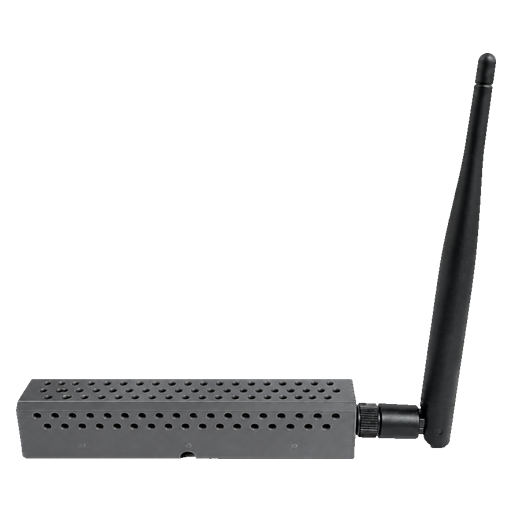 |
Notes
How it works
ZREL is a Zigbee-Ethernet router: it carries one Zigbee network over Ethernet. A ZREL Master is placed within radio range of the Zigbee coordinator, and a ZREL Remote anywhere the same LAN reaches, for example another floor or a detached building; Zigbee traffic travels between them over the Ethernet link. Both join the network as routers and appear in Zigbee2MQTT as ZREL-MG24, and devices near the Remote join and talk through it like through any other router. A ZREL is powered by PoE or USB-C.
Firmware
Zigbee2MQTT supports ZREL with firmware 1.0.1 or later. A ZREL running older firmware, for example 1.0.0, must be updated first; ZREL-config updates it in one click.
Pairing
ZREL units are set up with the ZREL-config app, which finds them on the local network.
- Connect both ZRELs first: power them and connect them to the LAN. In ZREL-config, check that one unit has the Master role and the other the Remote role (set the roles there if needed), and that the Remote's Link to master via Ethernet shows Linked.
- Enable Permit join in Zigbee2MQTT. Both ZRELs join as routers by themselves.
- If one of them has not joined, select it in ZREL-config, open Zigbee & RF Diagnostics and choose Search & Join Zigbee Network. The Remote joins over the Ethernet link, without being moved near the Zigbee coordinator.
- Once both ZRELs have joined, disable Permit join.
- Now pair the Zigbee devices at the remote location through the ZREL Remote with the standard procedure: enable Permit join in Zigbee2MQTT and put each device into pairing mode.
Transmit power
The radio's transmit power (0 to 20 dBm) is set per unit in ZREL-config under Zigbee & RF Diagnostics, RF Transmit Power.
Options
How to use device type specific configuration
identify_timeout: Sets the duration of the identification procedure in seconds (i.e., how long the device would flash).The value ranges from 1 to 30 seconds (default: 3). The value must be a number with a minimum value of1and with a maximum value of30
Exposes
Identify (enum)
Initiate device identification. Value will not be published in the state. It's not possible to read (/get) this value. To write (/set) a value publish a message to topic zigbee2mqtt/FRIENDLY_NAME/set with payload {"identify": NEW_VALUE}. The possible values are: identify.