
Custom devices (DiY) ZG-204ZL-z
| Model | ZG-204ZL-z |
| Vendor | Custom devices (DiY) |
| Description | Luminance motion sensor (pvvx/ZigbeeTLc) |
| Exposes | battery, occupancy, illuminance, power_on_behavior, pir_timeout |
| Picture | 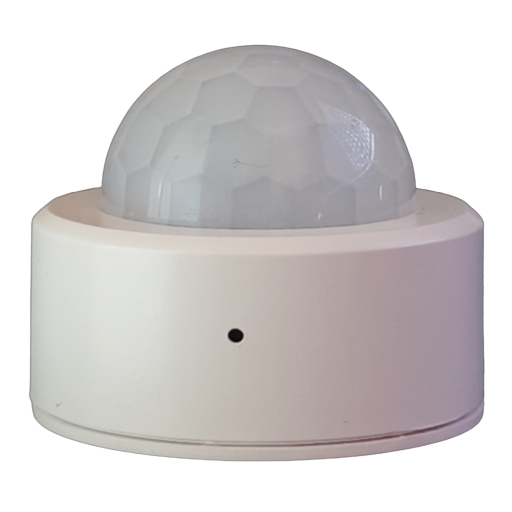 |
OTA updates
This device supports OTA updates, for more information see OTA updates.
Options
How to use device type specific configuration
illuminance_calibration: Calibrates the illuminance value (percentual offset), takes into effect on next report of device. The value must be a number.no_occupancy_since: Sends a message after the last time no occupancy (occupancy: false) was detected. When setting this for example to [10, 60] a{"no_occupancy_since": 10}will be sent after 10 seconds and a{"no_occupancy_since": 60}after 60 seconds. The value must be a list of numbers.illuminance_raw: Expose the raw illuminance value. The value must betrueorfalse
Exposes
Battery (numeric)
Remaining battery in %. Value can be found in the published state on the battery property. To read (/get) the value publish a message to topic zigbee2mqtt/FRIENDLY_NAME/get with payload {"battery": ""}. It's not possible to write (/set) this value. The minimal value is 0 and the maximum value is 100. The unit of this value is %.
Occupancy (binary)
Indicates whether the device detected occupancy. Value can be found in the published state on the occupancy property. To read (/get) the value publish a message to topic zigbee2mqtt/FRIENDLY_NAME/get with payload {"occupancy": ""}. It's not possible to write (/set) this value. If value equals true occupancy is ON, if false OFF.
Illuminance (numeric)
Measured illuminance. 0 = too low to be measured. Value can be found in the published state on the illuminance property. To read (/get) the value publish a message to topic zigbee2mqtt/FRIENDLY_NAME/get with payload {"illuminance": ""}. It's not possible to write (/set) this value. The unit of this value is lx.
Power on behavior (enum)
Power-on behavior. Value can be found in the published state on the power_on_behavior property. To read (/get) the value publish a message to topic zigbee2mqtt/FRIENDLY_NAME/get with payload {"power_on_behavior": ""}. To write (/set) a value publish a message to topic zigbee2mqtt/FRIENDLY_NAME/set with payload {"power_on_behavior": NEW_VALUE}. The possible values are: off, on, toggle, previous.
Pir timeout (numeric)
PIR timeout in seconds. Value can be found in the published state on the pir_timeout property. To read (/get) the value publish a message to topic zigbee2mqtt/FRIENDLY_NAME/get with payload {"pir_timeout": ""}. To write (/set) a value publish a message to topic zigbee2mqtt/FRIENDLY_NAME/set with payload {"pir_timeout": NEW_VALUE}. The minimal value is 0 and the maximum value is 65535. The unit of this value is s.