
HOBEIAN ZG-204Z
| Model | ZG-204Z |
| Vendor | HOBEIAN |
| Description | Motion sensor |
| Exposes | battery, voltage, sensitivity, keep_time, occupancy |
| Picture | 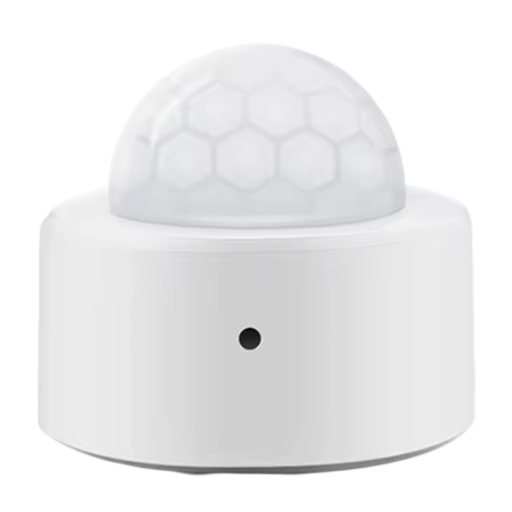 |
Exposes
Battery (numeric)
Remaining battery in %, can take up to 24 hours before reported. Value can be found in the published state on the battery property. It's not possible to read (/get) or write (/set) this value. The minimal value is 0 and the maximum value is 100. The unit of this value is %.
Voltage (numeric)
Voltage of the battery in millivolts. Value can be found in the published state on the voltage property. It's not possible to read (/get) or write (/set) this value. The unit of this value is mV.
Sensitivity (enum)
PIR sensor sensitivity. Value can be found in the published state on the sensitivity property. To read (/get) the value publish a message to topic zigbee2mqtt/FRIENDLY_NAME/get with payload {"sensitivity": ""}. To write (/set) a value publish a message to topic zigbee2mqtt/FRIENDLY_NAME/set with payload {"sensitivity": NEW_VALUE}. The possible values are: low, medium, high.
Keep time (enum)
PIR keep time in seconds. Value can be found in the published state on the keep_time property. To read (/get) the value publish a message to topic zigbee2mqtt/FRIENDLY_NAME/get with payload {"keep_time": ""}. To write (/set) a value publish a message to topic zigbee2mqtt/FRIENDLY_NAME/set with payload {"keep_time": NEW_VALUE}. The possible values are: 30, 60, 120.
Occupancy (binary)
Indicates whether the device detected occupancy. Value can be found in the published state on the occupancy property. It's not possible to read (/get) or write (/set) this value. If value equals true occupancy is ON, if false OFF.