
easyiot ZB-ZL01
| Model | ZB-ZL01 |
| Vendor | easyiot |
| Description | Smart door lock |
| Exposes | lock_status, unlock_door, unlock_door_with_timeout, ephemeral_pin_code, ephemeral_clear_pin_code, ephemeral_clear_all_pin_code, battery |
| Picture | 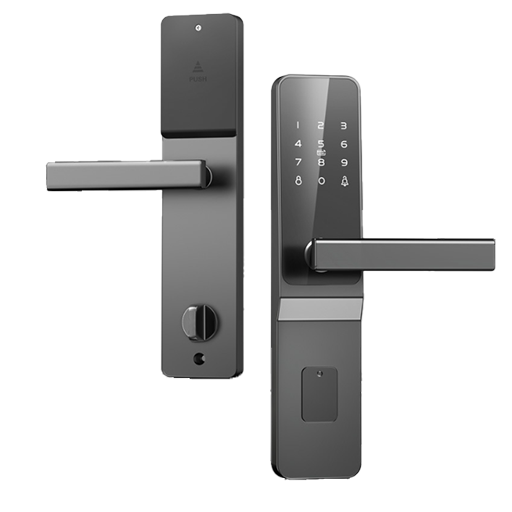 |
Exposes
Lock status (numeric)
Lock status reported by the lock, 0 means locked, 1 means unlocked. Value can be found in the published state on the lock_status property. To read (/get) the value publish a message to topic zigbee2mqtt/FRIENDLY_NAME/get with payload {"lock_status": ""}. It's not possible to write (/set) this value.
Unlock door (text)
Enter password to unlock door. Value will not be published in the state. It's not possible to read (/get) this value. To write (/set) a value publish a message to topic zigbee2mqtt/FRIENDLY_NAME/set with payload {"unlock_door": NEW_VALUE}.
Unlock door with timeout (composite)
Can be set by publishing to zigbee2mqtt/FRIENDLY_NAME/set with payload {"unlock_door_with_timeout": {"timeout": VALUE, "pin_code": VALUE}} To read (/get) the value publish a message to topic zigbee2mqtt/FRIENDLY_NAME/get with payload {"unlock_door_with_timeout": ""}.
timeout(numeric): Number of seconds the PIN code is valid, 0 means lock will be re-lockedpin_code(text): Pincode to set, set pincode to null to clear
Ephemeral pin code (composite)
Can be set by publishing to zigbee2mqtt/FRIENDLY_NAME/set with payload {"ephemeral_pin_code": {"start_time": VALUE, "end_time": VALUE, "userid": VALUE, "valid_times": VALUE, "pincode": VALUE}}
start_time(numeric): Temporary PIN start time (UNIX timestamp in seconds)end_time(numeric): Temporary PIN end time (UNIX timestamp in seconds)userid(numeric): User ID for the temporary PIN (1-20) min value is 1, max value is 20valid_times(numeric): Number of times the temporary PIN can be used (0-255, 0 means unlimited) max value is 255pincode(text): The temporary PIN code (numeric string)
Ephemeral clear pin code (composite)
Can be set by publishing to zigbee2mqtt/FRIENDLY_NAME/set with payload {"ephemeral_clear_pin_code": {"userid": VALUE}}
userid(numeric): User ID for the temporary PIN (1-20) min value is 1, max value is 20
Ephemeral clear all pin code (composite)
Can be set by publishing to zigbee2mqtt/FRIENDLY_NAME/set with payload {"ephemeral_clear_all_pin_code": {}}
Battery (numeric)
Remaining battery in %. Value can be found in the published state on the battery property. To read (/get) the value publish a message to topic zigbee2mqtt/FRIENDLY_NAME/get with payload {"battery": ""}. It's not possible to write (/set) this value. The minimal value is 0 and the maximum value is 100. The unit of this value is %.