
Hive UK7004240
| Model | UK7004240 |
| Vendor | Hive |
| Description | Radiator valve |
| Exposes | system_status_code, climate (local_temperature, occupied_heating_setpoint, system_mode, pi_heating_demand, running_state), max_heat_setpoint_limit, programming_operation_mode, occupied_heating_setpoint_scheduled, abs_max_heat_setpoint_limit, battery, keypad_lockout, mounted_mode_active, mounted_mode_control, thermostat_orientation, viewing_direction, heat_available, heat_required, setpoint_change_source, external_measured_room_sensor, radiator_covered, window_open_feature, window_open_internal, window_open_external, day_of_week, trigger_time, algorithm_scale_factor, load_balancing_enable, load_room_mean, load_estimate, preheat_status, preheat_time, adaptation_run_status, adaptation_run_settings, adaptation_run_control, regulation_setpoint_offset |
| Picture | 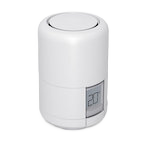 |
OTA updates
This device supports OTA updates, for more information see OTA updates.
Options
How to use device type specific configuration
thermostat_unit: Controls the temperature unit of the thermostat (default celsius). The value must be one ofcelsius,fahrenheit
Exposes
System status code (text)
Diagnostic error codes (e.g. 'invalid_clock_information,low_battery'). 'ok' when no errors.. Value can be found in the published state on the system_status_code property. To read (/get) the value publish a message to topic zigbee2mqtt/FRIENDLY_NAME/get with payload {"system_status_code": ""}. It's not possible to write (/set) this value.
Climate
This climate device supports the following features: local_temperature, occupied_heating_setpoint, system_mode, pi_heating_demand, running_state.
occupied_heating_setpoint: Temperature setpoint. To control publish a message to topiczigbee2mqtt/FRIENDLY_NAME/setwith payload{"occupied_heating_setpoint": VALUE}whereVALUEis the °C between5and35. To read send a message tozigbee2mqtt/FRIENDLY_NAME/getwith payload{"occupied_heating_setpoint": ""}.pi_heating_demand: Position of the valve (= demanded heat) where 0% is fully closed and 100% is fully open. Writing (/set) this attribute is not possible. Reading (/get) this attribute is not possible.local_temperature: Current temperature measured on the device (in °C). To read send a message tozigbee2mqtt/FRIENDLY_NAME/getwith payload{"local_temperature": ""}.system_mode: Mode of this device. To control publish a message to topiczigbee2mqtt/FRIENDLY_NAME/setwith payload{"system_mode": VALUE}whereVALUEis one of:heat. To read send a message tozigbee2mqtt/FRIENDLY_NAME/getwith payload{"system_mode": ""}.running_state: Running state based on danfossOutputStatus and danfossHeatRequired. Possible values are:idle,heat. To read send a message tozigbee2mqtt/FRIENDLY_NAME/getwith payload{"running_state": ""}.
Max heat setpoint limit (numeric)
Maximum Heating set point limit. Value can be found in the published state on the max_heat_setpoint_limit property. To read (/get) the value publish a message to topic zigbee2mqtt/FRIENDLY_NAME/get with payload {"max_heat_setpoint_limit": ""}. To write (/set) a value publish a message to topic zigbee2mqtt/FRIENDLY_NAME/set with payload {"max_heat_setpoint_limit": NEW_VALUE}. The minimal value is 5 and the maximum value is 35. The unit of this value is °C.
Programming operation mode (enum)
Controls how programming affects the thermostat. Possible values: setpoint (only use specified setpoint), schedule (follow programmed setpoint schedule), schedule_with_preheat (follow programmed setpoint schedule with pre-heating). Changing this value does not clear programmed schedules.. Value can be found in the published state on the programming_operation_mode property. To read (/get) the value publish a message to topic zigbee2mqtt/FRIENDLY_NAME/get with payload {"programming_operation_mode": ""}. To write (/set) a value publish a message to topic zigbee2mqtt/FRIENDLY_NAME/set with payload {"programming_operation_mode": NEW_VALUE}. The possible values are: setpoint, schedule, schedule_with_preheat, eco.
Occupied heating setpoint scheduled (numeric)
Scheduled change of the setpoint. Alternative method for changing the setpoint. In contrast to occupied heating setpoint it does not trigger an aggressive response from the actuator. (more suitable for scheduled changes). Value can be found in the published state on the occupied_heating_setpoint_scheduled property. To read (/get) the value publish a message to topic zigbee2mqtt/FRIENDLY_NAME/get with payload {"occupied_heating_setpoint_scheduled": ""}. To write (/set) a value publish a message to topic zigbee2mqtt/FRIENDLY_NAME/set with payload {"occupied_heating_setpoint_scheduled": NEW_VALUE}. The minimal value is 5 and the maximum value is 35. The unit of this value is °C.
Abs max heat setpoint limit (numeric)
Absolute Maximum Heating Setpoint Limit for the device. Adjust the 'Max heat setpoint limit' accordingly.. Value can be found in the published state on the abs_max_heat_setpoint_limit property. To read (/get) the value publish a message to topic zigbee2mqtt/FRIENDLY_NAME/get with payload {"abs_max_heat_setpoint_limit": ""}. It's not possible to write (/set) this value. The unit of this value is °C.
Battery (numeric)
Remaining battery in %. Value can be found in the published state on the battery property. To read (/get) the value publish a message to topic zigbee2mqtt/FRIENDLY_NAME/get with payload {"battery": ""}. It's not possible to write (/set) this value. The minimal value is 0 and the maximum value is 100. The unit of this value is %.
Keypad lockout (enum)
Enables/disables physical input on the device. Value can be found in the published state on the keypad_lockout property. To read (/get) the value publish a message to topic zigbee2mqtt/FRIENDLY_NAME/get with payload {"keypad_lockout": ""}. To write (/set) a value publish a message to topic zigbee2mqtt/FRIENDLY_NAME/set with payload {"keypad_lockout": NEW_VALUE}. The possible values are: unlock, lock.
Mounted mode active (binary)
Is the unit in mounting mode. This is set to false for mounted (already on the radiator) or true for not mounted (after factory reset). Value can be found in the published state on the mounted_mode_active property. To read (/get) the value publish a message to topic zigbee2mqtt/FRIENDLY_NAME/get with payload {"mounted_mode_active": ""}. It's not possible to write (/set) this value. If value equals true mounted mode active is ON, if false OFF.
Mounted mode control (binary)
Set the unit mounting mode. false Go to Mounted Mode or true Go to Mounting Mode. Value can be found in the published state on the mounted_mode_control property. To read (/get) the value publish a message to topic zigbee2mqtt/FRIENDLY_NAME/get with payload {"mounted_mode_control": ""}. To write (/set) a value publish a message to topic zigbee2mqtt/FRIENDLY_NAME/set with payload {"mounted_mode_control": NEW_VALUE}. If value equals true mounted mode control is ON, if false OFF.
Thermostat orientation (binary)
Thermostat Orientation. This is important for the PID in how it assesses temperature.. Value can be found in the published state on the thermostat_orientation property. To read (/get) the value publish a message to topic zigbee2mqtt/FRIENDLY_NAME/get with payload {"thermostat_orientation": ""}. To write (/set) a value publish a message to topic zigbee2mqtt/FRIENDLY_NAME/set with payload {"thermostat_orientation": NEW_VALUE}. If value equals vertical thermostat orientation is ON, if horizontal OFF.
Viewing direction (binary)
Viewing/display direction. Value can be found in the published state on the viewing_direction property. To read (/get) the value publish a message to topic zigbee2mqtt/FRIENDLY_NAME/get with payload {"viewing_direction": ""}. To write (/set) a value publish a message to topic zigbee2mqtt/FRIENDLY_NAME/set with payload {"viewing_direction": NEW_VALUE}. If value equals upside-down viewing direction is ON, if normal OFF.
Heat available (binary)
Not clear how this affects operation. However, it would appear that the device does not execute any motor functions if this is set to false. This may be a means to conserve battery during periods that the heating system is not energized (e.g. during summer).. Value can be found in the published state on the heat_available property. To read (/get) the value publish a message to topic zigbee2mqtt/FRIENDLY_NAME/get with payload {"heat_available": ""}. To write (/set) a value publish a message to topic zigbee2mqtt/FRIENDLY_NAME/set with payload {"heat_available": NEW_VALUE}. If value equals true heat available is ON, if false OFF.
Heat required (binary)
Whether or not the unit needs warm water.. Value can be found in the published state on the heat_required property. To read (/get) the value publish a message to topic zigbee2mqtt/FRIENDLY_NAME/get with payload {"heat_required": ""}. It's not possible to write (/set) this value. If value equals true heat required is ON, if false OFF.
Setpoint change source (enum)
Values observed. Value can be found in the published state on the setpoint_change_source property. It's not possible to read (/get) or write (/set) this value. The possible values are: manual, schedule, externally.
External measured room sensor (numeric)
The temperature sensor of the TRV is — due to its design — relatively close to the heat source (i.e. the hot water in the radiator). Thus there are situations where the local_temperature measured by the TRV is not accurate enough: If the radiator is covered behind curtains or furniture, if the room is rather big, or if the radiator itself is big and the flow temperature is high, then the temperature in the room may easily diverge from the local_temperature measured by the TRV by 5°C to 8°C. In this case you might choose to use an external room sensor and send the measured value of the external room sensor to the External_measured_room_sensor property. The way the TRV operates on the External_measured_room_sensor depends on the setting of the Radiator_covered property: If Radiator_covered is false (Auto Offset Mode): You must set the External_measured_room_sensor property at least every 3 hours. After 3 hours the TRV disables this function and resets the value of the External_measured_room_sensor property to -8000 (disabled). You should set the External_measured_room_sensor property at most every 30 minutes or every 0.1°C change in measured room temperature. If Radiator_covered is true (Room Sensor Mode): You must set the External_measured_room_sensor property at least every 30 minutes. After 35 minutes the TRV disables this function and resets the value of the External_measured_room_sensor property to -8000 (disabled). You should set the External_measured_room_sensor property at most every 5 minutes or every 0.1°C change in measured room temperature. The unit of this value is 0.01 °C (so e.g. 21°C would be represented as 2100).. Value can be found in the published state on the external_measured_room_sensor property. To read (/get) the value publish a message to topic zigbee2mqtt/FRIENDLY_NAME/get with payload {"external_measured_room_sensor": ""}. To write (/set) a value publish a message to topic zigbee2mqtt/FRIENDLY_NAME/set with payload {"external_measured_room_sensor": NEW_VALUE}. The minimal value is -8000 and the maximum value is 3500.
Radiator covered (binary)
Controls whether the TRV should solely rely on an external room sensor or operate in offset mode. false = Auto Offset Mode (use this e.g. for exposed radiators) or true = Room Sensor Mode (use this e.g. for covered radiators). Please note that this flag only controls how the TRV operates on the value of External_measured_room_sensor; only setting this flag without setting the External_measured_room_sensor has no (noticeable?) effect.. Value can be found in the published state on the radiator_covered property. To read (/get) the value publish a message to topic zigbee2mqtt/FRIENDLY_NAME/get with payload {"radiator_covered": ""}. To write (/set) a value publish a message to topic zigbee2mqtt/FRIENDLY_NAME/set with payload {"radiator_covered": NEW_VALUE}. If value equals true radiator covered is ON, if false OFF.
Window open feature (binary)
Whether or not the window open feature is enabled. Value can be found in the published state on the window_open_feature property. To read (/get) the value publish a message to topic zigbee2mqtt/FRIENDLY_NAME/get with payload {"window_open_feature": ""}. To write (/set) a value publish a message to topic zigbee2mqtt/FRIENDLY_NAME/set with payload {"window_open_feature": NEW_VALUE}. If value equals true window open feature is ON, if false OFF.
Window open internal (enum)
0=Quarantine, 1=Windows are closed, 2=Hold - Windows are maybe about to open, 3=Open window detected, 4=In window open state from external but detected closed locally. Value can be found in the published state on the window_open_internal property. To read (/get) the value publish a message to topic zigbee2mqtt/FRIENDLY_NAME/get with payload {"window_open_internal": ""}. It's not possible to write (/set) this value. The possible values are: quarantine, closed, hold, open, external_open.
Window open external (binary)
Set if the window is open or closed. This setting will trigger a change in the internal window and heating demand.. Value can be found in the published state on the window_open_external property. To read (/get) the value publish a message to topic zigbee2mqtt/FRIENDLY_NAME/get with payload {"window_open_external": ""}. To write (/set) a value publish a message to topic zigbee2mqtt/FRIENDLY_NAME/set with payload {"window_open_external": NEW_VALUE}. If value equals true window open external is ON, if false OFF.
Day of week (enum)
Exercise day of week: 0=Sun...6=Sat, 7=undefined. Value can be found in the published state on the day_of_week property. To read (/get) the value publish a message to topic zigbee2mqtt/FRIENDLY_NAME/get with payload {"day_of_week": ""}. To write (/set) a value publish a message to topic zigbee2mqtt/FRIENDLY_NAME/set with payload {"day_of_week": NEW_VALUE}. The possible values are: sunday, monday, tuesday, wednesday, thursday, friday, saturday, away_or_vacation.
Trigger time (text)
Exercise trigger time. Format: 'HH:MM' (e.g., '14:30'). Send 'undefined' to disable. Note: during DST, the valve may exercise earlier than configured due to a firmware limitation (the TRV uses standard time instead of wall-clock time). Value can be found in the published state on the trigger_time property. To read (/get) the value publish a message to topic zigbee2mqtt/FRIENDLY_NAME/get with payload {"trigger_time": ""}. To write (/set) a value publish a message to topic zigbee2mqtt/FRIENDLY_NAME/set with payload {"trigger_time": NEW_VALUE}.
Algorithm scale factor (numeric)
Scale factor of setpoint filter timeconstant ("aggressiveness" of control algorithm) 1= Quick ... 5=Moderate ... 10=Slow. Value can be found in the published state on the algorithm_scale_factor property. To read (/get) the value publish a message to topic zigbee2mqtt/FRIENDLY_NAME/get with payload {"algorithm_scale_factor": ""}. To write (/set) a value publish a message to topic zigbee2mqtt/FRIENDLY_NAME/set with payload {"algorithm_scale_factor": NEW_VALUE}. The minimal value is 1 and the maximum value is 10.
Load balancing enable (binary)
Whether or not the thermostat acts as standalone thermostat or shares load with other thermostats in the room. The gateway must update load_room_mean if enabled.. Value can be found in the published state on the load_balancing_enable property. To read (/get) the value publish a message to topic zigbee2mqtt/FRIENDLY_NAME/get with payload {"load_balancing_enable": ""}. To write (/set) a value publish a message to topic zigbee2mqtt/FRIENDLY_NAME/set with payload {"load_balancing_enable": NEW_VALUE}. If value equals true load balancing enable is ON, if false OFF.
Load room mean (numeric)
Mean radiator load for room calculated by gateway for load balancing purposes (-8000=undefined). Value can be found in the published state on the load_room_mean property. To read (/get) the value publish a message to topic zigbee2mqtt/FRIENDLY_NAME/get with payload {"load_room_mean": ""}. To write (/set) a value publish a message to topic zigbee2mqtt/FRIENDLY_NAME/set with payload {"load_room_mean": NEW_VALUE}. The minimal value is -8000 and the maximum value is 3600.
Load estimate (numeric)
Load estimate on this radiator. Value can be found in the published state on the load_estimate property. To read (/get) the value publish a message to topic zigbee2mqtt/FRIENDLY_NAME/get with payload {"load_estimate": ""}. It's not possible to write (/set) this value. The minimal value is -8000 and the maximum value is 3600.
Preheat status (binary)
Specific for pre-heat running in Zigbee Weekly Schedule mode. Value can be found in the published state on the preheat_status property. To read (/get) the value publish a message to topic zigbee2mqtt/FRIENDLY_NAME/get with payload {"preheat_status": ""}. It's not possible to write (/set) this value. If value equals true preheat status is ON, if false OFF.
Preheat time (numeric)
Timestamp of the scheduled setpoint currently being preheated to (read-only). Value can be found in the published state on the preheat_time property. To read (/get) the value publish a message to topic zigbee2mqtt/FRIENDLY_NAME/get with payload {"preheat_time": ""}. It's not possible to write (/set) this value.
Adaptation run status (enum)
Status of adaptation run: None (before first run), In Progress, Valve Characteristic Found, Valve Characteristic Lost. Value can be found in the published state on the adaptation_run_status property. To read (/get) the value publish a message to topic zigbee2mqtt/FRIENDLY_NAME/get with payload {"adaptation_run_status": ""}. It's not possible to write (/set) this value. The possible values are: none, in_progress, found, lost, lost_in_progress.
Adaptation run settings (binary)
Automatic adaptation run enabled (the one during the night). Value can be found in the published state on the adaptation_run_settings property. To read (/get) the value publish a message to topic zigbee2mqtt/FRIENDLY_NAME/get with payload {"adaptation_run_settings": ""}. To write (/set) a value publish a message to topic zigbee2mqtt/FRIENDLY_NAME/set with payload {"adaptation_run_settings": NEW_VALUE}. If value equals true adaptation run settings is ON, if false OFF.
Adaptation run control (enum)
Adaptation run control: Initiate Adaptation Run or Cancel Adaptation Run. Value can be found in the published state on the adaptation_run_control property. To read (/get) the value publish a message to topic zigbee2mqtt/FRIENDLY_NAME/get with payload {"adaptation_run_control": ""}. To write (/set) a value publish a message to topic zigbee2mqtt/FRIENDLY_NAME/set with payload {"adaptation_run_control": NEW_VALUE}. The possible values are: idle, initiate_adaptation, cancel_adaptation.
Regulation setpoint offset (numeric)
Regulation SetPoint Offset in range -2.5°C to 2.5°C in steps of 0.1°C.. Value can be found in the published state on the regulation_setpoint_offset property. To read (/get) the value publish a message to topic zigbee2mqtt/FRIENDLY_NAME/get with payload {"regulation_setpoint_offset": ""}. To write (/set) a value publish a message to topic zigbee2mqtt/FRIENDLY_NAME/set with payload {"regulation_setpoint_offset": NEW_VALUE}. The minimal value is -2.5 and the maximum value is 2.5. The unit of this value is °C.