
Tuya TS0601_vibration_alarm_sensor
| Model | TS0601_vibration_alarm_sensor |
| Vendor | Tuya |
| Description | Vibration alarm sensor |
| Exposes | alarm_status, sensitivity, dismiss_alarm, silent_mode, battery_state |
| Picture | 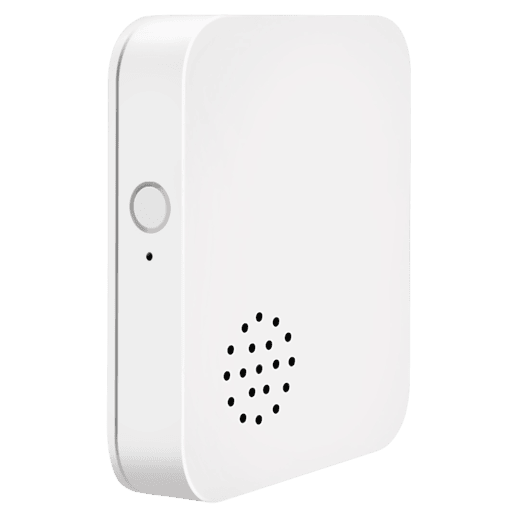 |
| White-label | Lincukoo V04-Z20T, Nous E14 |
Notes
Battery
Uses 2 × AAA battery
Pairing
Press and hold the button for 5s to put the device in pairing mode.
The red LED will flash until it connects.
Button actions
- Single press
- if buzzer is ringing: stop buzzer (dismiss current alarm)
- if buzzer is not ringing: change sensitivity (low/middle/high: 1/2/3 beeps)
- Double press to mute / unmute alarm (normal: do-re-mi, silent: mi-re-do)
- Long press to reset
Firmware
- Device comes with appVersion
80
(reported in Tuya app as Zigbee module v1.1.0 + MCU v1.0.0) - Subscribed to manufacturerCode
4417, imageType54179
Options
How to use device type specific configuration
time_start: Reply to Tuya-specific time synchronization requests: "1970" - Reply with seconds since 1970/01/01 (recommended, should stop the device from asking), "2000" - Reply with seconds since 2000/01/01 (use if the weekday is wrong with 1970), "off" - Don't reply (use if replying causes too much traffic). Default for this device: "off". The value must be one of1970,2000,off
Exposes
Alarm status (enum)
Indicates when vibration is detected. Value can be found in the published state on the alarm_status property. It's not possible to read (/get) or write (/set) this value. The possible values are: normal, alarm.
Sensitivity (enum)
Sensitivity level of the sensor. Value can be found in the published state on the sensitivity property. It's not possible to read (/get) this value. To write (/set) a value publish a message to topic zigbee2mqtt/FRIENDLY_NAME/set with payload {"sensitivity": NEW_VALUE}. The possible values are: low, middle, high.
Dismiss alarm (enum)
Stop the buzzer for the current alarm. Value can be found in the published state on the dismiss_alarm property. It's not possible to read (/get) this value. To write (/set) a value publish a message to topic zigbee2mqtt/FRIENDLY_NAME/set with payload {"dismiss_alarm": NEW_VALUE}. The possible values are: DISMISS.
Silent mode (binary)
Mute the buzzer for all alarms. Value can be found in the published state on the silent_mode property. It's not possible to read (/get) this value. To write (/set) a value publish a message to topic zigbee2mqtt/FRIENDLY_NAME/set with payload {"silent_mode": NEW_VALUE}. If value equals ON silent mode is ON, if OFF OFF.
Battery state (enum)
State of the battery. Value can be found in the published state on the battery_state property. It's not possible to read (/get) or write (/set) this value. The possible values are: low, medium, high.