
Tuya TS0601_cover_13
| Model | TS0601_cover_13 |
| Vendor | Tuya |
| Description | Curtain motor |
| Exposes | cover (state, position), motor_direction, motor_state, total_time, situation_set, auto_power, fault |
| Picture | 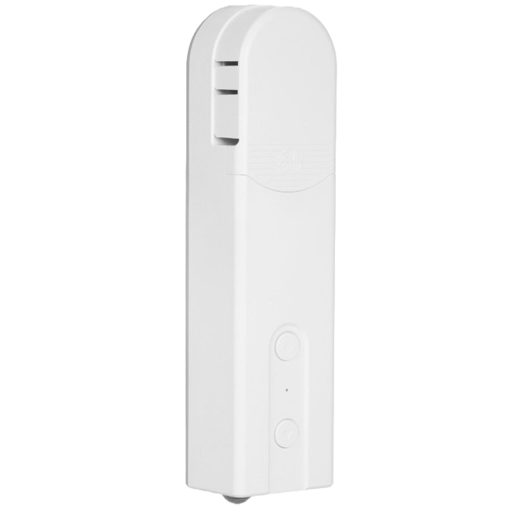 |
Options
How to use device type specific configuration
time_start: Reply to Tuya-specific time synchronization requests: "1970" - Reply with seconds since 1970/01/01 (recommended, should stop the device from asking), "2000" - Reply with seconds since 2000/01/01 (use if the weekday is wrong with 1970), "off" - Don't reply (use if replying causes too much traffic). Default for this device: "off". The value must be one of1970,2000,off
Exposes
Cover
The current state of this cover is in the published state under the state property (value is OPEN or CLOSE). To control this cover publish a message to topic zigbee2mqtt/FRIENDLY_NAME/set with payload {"state": "OPEN"}, {"state": "CLOSE"}, {"state": "STOP"}. It's not possible to read (/get) this value. To change the position publish a message to topic zigbee2mqtt/FRIENDLY_NAME/set with payload {"position": VALUE} where VALUE is a number between 0 and 100.
Motor direction (enum)
Motor rotation direction. Value can be found in the published state on the motor_direction property. It's not possible to read (/get) this value. To write (/set) a value publish a message to topic zigbee2mqtt/FRIENDLY_NAME/set with payload {"motor_direction": NEW_VALUE}. The possible values are: normal, reversed.
Motor state (enum)
Current motor movement status. Value can be found in the published state on the motor_state property. It's not possible to read (/get) or write (/set) this value. The possible values are: opening, closing, stopped.
Total time (numeric)
Total running time in milliseconds. Value can be found in the published state on the total_time property. It's not possible to read (/get) or write (/set) this value. The unit of this value is ms.
Situation set (enum)
Set fully open or fully close position. Value can be found in the published state on the situation_set property. It's not possible to read (/get) this value. To write (/set) a value publish a message to topic zigbee2mqtt/FRIENDLY_NAME/set with payload {"situation_set": NEW_VALUE}. The possible values are: fully_close, fully_open.
Auto power (binary)
Value can be found in the published state on the auto_power property. It's not possible to read (/get) this value. To write (/set) a value publish a message to topic zigbee2mqtt/FRIENDLY_NAME/set with payload {"auto_power": NEW_VALUE}. If value equals true auto power is ON, if false OFF.
Fault (text)
Fault details. Value can be found in the published state on the fault property. It's not possible to read (/get) or write (/set) this value.