
Tuya TS0601_contact_sensor_2
| Model | TS0601_contact_sensor_2 |
| Vendor | Tuya |
| Description | Door/window contact sensor |
| Exposes | contact, battery |
| Picture | 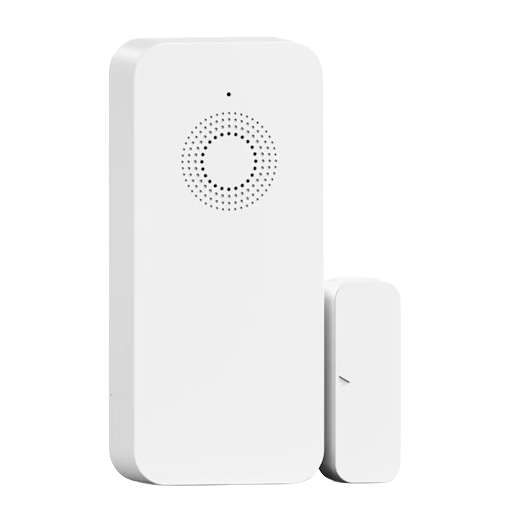 |
Notes
Sold e.g. as the XNY door/window sensor with beeper (model XNY-B01-ZB-2). Tested on two physical units.
This device does not report state spontaneously after pairing. It joins the network and responds to standard Zigbee reads normally, but the Tuya datapoint channel stays silent until the coordinator explicitly queries it. Without that query, the device looks paired but never updates contact or battery, even across repeated factory resets and battery swaps. The converter handles this automatically (queryOnConfigure), but if you re-flash or hand-roll a converter for this manufacturer ID, make sure to keep that query in place.
The product also advertises a built-in siren/alarm with adjustable volume and duration, controllable from the Tuya/Smart Life app. That functionality is intentionally not exposed here: two additional datapoints do report live values in sync with the contact, but their actual meaning could not be determined, and no alarm/volume/duration datapoint was found. Multiple user reviews of this product report the same limitation (alarm and full functionality only work through the Tuya app, not over a generic Zigbee coordinator), so it's possible those controls aren't reachable outside Tuya's own ecosystem at all.
Options
How to use device type specific configuration
time_start: Reply to Tuya-specific time synchronization requests: "1970" - Reply with seconds since 1970/01/01 (recommended, should stop the device from asking), "2000" - Reply with seconds since 2000/01/01 (use if the weekday is wrong with 1970), "off" - Don't reply (use if replying causes too much traffic). Default for this device: "off". The value must be one of1970,2000,off
Exposes
Contact (binary)
Indicates if the contact is closed (= true) or open (= false). Value can be found in the published state on the contact property. It's not possible to read (/get) or write (/set) this value. If value equals false contact is ON, if true OFF.
Battery (numeric)
Remaining battery in %, can take up to 24 hours before reported. Value can be found in the published state on the battery property. It's not possible to read (/get) or write (/set) this value. The minimal value is 0 and the maximum value is 100. The unit of this value is %.