
Tuya TS0044_2
| Model | TS0044_2 |
| Vendor | Tuya |
| Description | Wireless switch with 4 buttons |
| Exposes | battery, voltage, action |
| Picture | 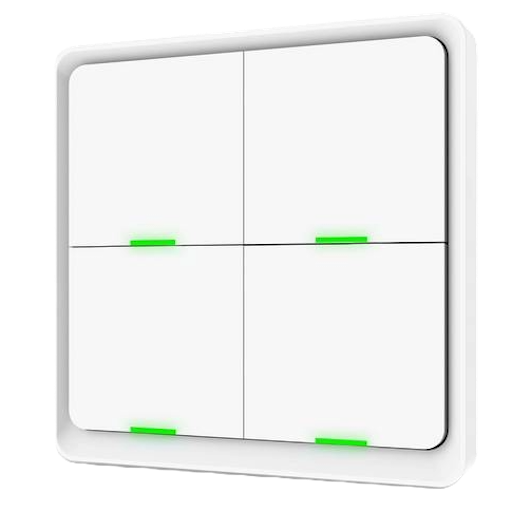 |
| White-label | Nous C1 |
Notes
Information
- Based on Telink chipset
Battery
Uses 1 × CR2430 (3V). Other form-factors may also fit: CR2032.
Pairing
Hold any button for 10s to enter pairing mode.
All LEDs flash green until the remote connects to the network.
Reporting
Battery and voltage levels are reported as soon as they change, without configuring reporting.
Binding
Directly controlling other devices is not supported.
All click events are sent to the coordinator.
Binding/unbinding appears successful, but it's not effective.
The generated messages are non-standard Zigbee commands anyway.
Button positions
| 1 | 2 |
|---|---|
| 3 | 4 |
Action mapping
| Press | Button | Z2M Action |
|---|---|---|
| Single | n | n_single |
| Double | n | n_double |
| Long | n | n_hold |
There is a small delay of ~0.3s to differentiate between single/double/long presses
Remote is responsive and it does not skip presses
Long press duration is 3s (until the LED turns off)
The corresponding LED blinks as a click confirmation
Firmware
- Device comes with appVersion
68(reported in Tuya app as v1.0.4) - Subscribed to manufacturerCode
4417, imageType54179
Options
How to use device type specific configuration
time_start: Reply to Tuya-specific time synchronization requests: "1970" - Reply with seconds since 1970/01/01 (recommended, should stop the device from asking), "2000" - Reply with seconds since 2000/01/01 (use if the weekday is wrong with 1970), "off" - Don't reply (use if replying causes too much traffic). Default for this device: "off". The value must be one of1970,2000,off
Exposes
Battery (numeric)
Remaining battery in %. Value can be found in the published state on the battery property. To read (/get) the value publish a message to topic zigbee2mqtt/FRIENDLY_NAME/get with payload {"battery": ""}. It's not possible to write (/set) this value. The minimal value is 0 and the maximum value is 100. The unit of this value is %.
Voltage (numeric)
Reported battery voltage in millivolts. Value can be found in the published state on the voltage property. To read (/get) the value publish a message to topic zigbee2mqtt/FRIENDLY_NAME/get with payload {"voltage": ""}. It's not possible to write (/set) this value. The unit of this value is mV.
Action (enum)
Triggered action (e.g. a button click). Value can be found in the published state on the action property. It's not possible to read (/get) or write (/set) this value. The possible values are: 1_single, 1_double, 1_hold, 2_single, 2_double, 2_hold, 3_single, 3_double, 3_hold, 4_single, 4_double, 4_hold.