
YOKIS TLC2-UP
| Model | TLC2-UP |
| Vendor | YOKIS |
| Description | Keyring Design series 2-button remote control |
| Exposes | identify, action |
| Picture | 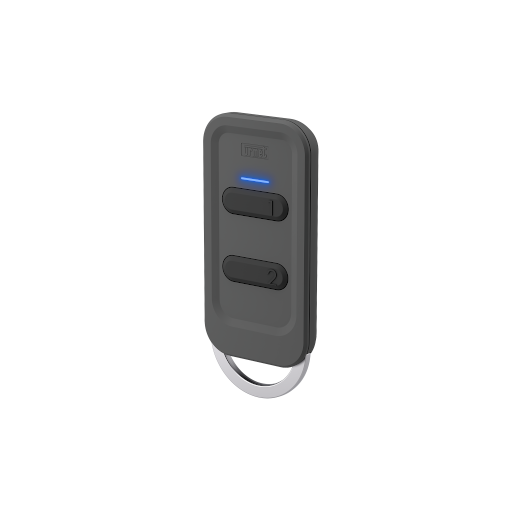 |
Pairing
Press a button on the transmitter 5 times quickly.
Notes
- CSA product page
- In "direct mode", the signal is only sent to the paired device and does not appear in zigbee2mqtt. To set the desired button to "radio bus" mode, see configuration options below.
- The "lightning mode" is switching lights or lights AND roller shutters on the bus. When this sends a signal in radio bus mode, it does so to ALL lights in the Zigbee network. However, no other device responds to open, close. To set the desired button to "roller shutter" mode, see configuration options below.
Configuration Options
To configure a transmitter, you must first enter the configuration menu. To do this, quickly press any button on the transmitter 10 times: the transmitter's LED will start flashing rapidly. While the LED is flashing, press the button you want to configure as many times as necessary.
| Number of actuations | Possible settings |
|---|---|
| Button function | |
| 1 | Switch on/off or start open/stop/close |
| 2 | Switch on memory or intermediate position |
| 3 | Switch on or start open/stop |
| 4 | Switch off or shut close/stop |
| Radio modes | |
| 5 | Direct mode |
| 6 | “Radio bus” mode |
| Affected products on the radio bus | |
| 10 | Lighting (factory settings) |
| 11 | Roller shutters |
| Copying or deleting the connections of a button or the entire transmitter | |
| 15 | Restoration of the factory configuration of a button |
| 24 | Restoration of the access point. Delete all access points to the radio bus |
| 25 | Restore the factory settings of the remote control |
Options
How to use device type specific configuration
identify_timeout: Sets the duration of the identification procedure in seconds (i.e., how long the device would flash).The value ranges from 1 to 30 seconds (default: 3). The value must be a number with a minimum value of1and with a maximum value of30simulated_brightness: Simulate a brightness value. If this device provides a brightness_move_up or brightness_move_down action it is possible to specify the update interval and delta. The action_brightness_delta indicates the delta for each interval. Example:
simulated_brightness:
  delta: 20 # delta per interval, default = 20
  interval: 200 # interval in milliseconds, default = 200
Exposes
Identify (enum)
Initiate device identification. Value will not be published in the state. It's not possible to read (/get) this value. To write (/set) a value publish a message to topic zigbee2mqtt/FRIENDLY_NAME/set with payload {"identify": NEW_VALUE}. The possible values are: identify.
Action (enum)
Triggered action (e.g. a button click). Value can be found in the published state on the action property. It's not possible to read (/get) or write (/set) this value. The possible values are: on, off, toggle, brightness_move_to_level, brightness_move_up, brightness_move_down, brightness_step_up, brightness_step_down, brightness_stop, open, close, stop.