
Tuya SP107E-Zigbee
| Model | SP107E-Zigbee |
| Vendor | Tuya |
| Description | LED music controller |
| Exposes | light (state, color_hs), color_hs, brightness_percent, mode, speed, effect, music_strip_pattern, music_screen_pattern, sensitivity, segment_count, segment_pixels, rgb_order, led_chip |
| Picture | 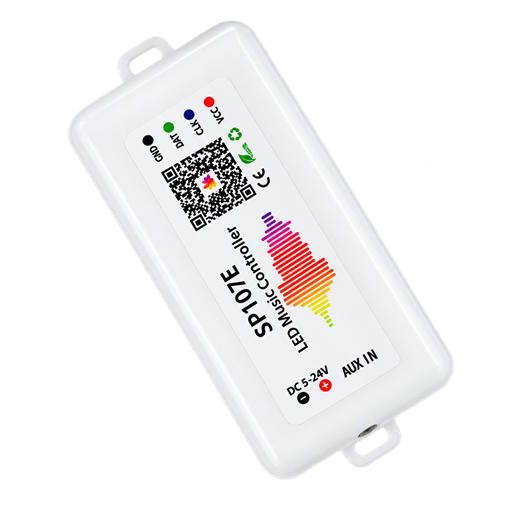 |
Options
How to use device type specific configuration
time_start: Reply to Tuya-specific time synchronization requests: "1970" - Reply with seconds since 1970/01/01 (recommended, should stop the device from asking), "2000" - Reply with seconds since 2000/01/01 (use if the weekday is wrong with 1970), "off" - Don't reply (use if replying causes too much traffic). Default for this device: "off". The value must be one of1970,2000,off
Exposes
Light
This light supports the following features: state, color_hs.
state: To control the state publish a message to topiczigbee2mqtt/FRIENDLY_NAME/setwith payload{"state": "ON"},{"state": "OFF"}or{"state": "TOGGLE"}. To read the state send a message tozigbee2mqtt/FRIENDLY_NAME/getwith payload{"state": ""}.color_hs: To control the hue/saturation (color) publish a message to topiczigbee2mqtt/FRIENDLY_NAME/setwith payload{"color": {"hue": HUE, "saturation": SATURATION}}(e.g.{"color":{"hue":360,"saturation":100}}). To read the hue/saturation send a message tozigbee2mqtt/FRIENDLY_NAME/getwith payload{"color":{"hue":"","saturation":""}}. Alternatively it is possible to set the hue/saturation via:- HSB space (hue, saturation, brightness):
{"color": {"h": H, "s": S, "b": B}}e.g.{"color":{"h":360,"s":100,"b":100}}or{"color": {"hsb": "H,S,B"}}e.g.{"color":{"hsb":"360,100,100"}} - HSV space (hue, saturation, value):
{"color": {"h": H, "s": S, "v": V}}e.g.{"color":{"h":360,"s":100,"v":100}}or{"color": {"hsv": "H,S,V"}}e.g.{"color":{"hsv":"360,100,100"}} - HSL space (hue, saturation, lightness)
{"color": {"h": H, "s": S, "l": L}}e.g.{"color":{"h":360,"s":100,"l":100}}or{"color": {"hsl": "H,S,L"}}e.g.{"color":{"hsl":"360,100,100"}}
- HSB space (hue, saturation, brightness):
Falling dot color (composite)
Falling dot color in music screen mode. Can be set by publishing to zigbee2mqtt/FRIENDLY_NAME/set with payload {"falling_dot_color": {"hue": VALUE, "saturation": VALUE}}
hue(numeric) max value is 360saturation(numeric) max value is 100
Brightness percent (numeric)
Brightness. Value can be found in the published state on the brightness_percent property. It's not possible to read (/get) this value. To write (/set) a value publish a message to topic zigbee2mqtt/FRIENDLY_NAME/set with payload {"brightness_percent": VALUE}. The minimal value is 0 and the maximum value is 100. The unit of this value is %.
Mode (enum)
Mode. Value can be found in the published state on the mode property. It's not possible to read (/get) this value. To write (/set) a value publish a message to topic zigbee2mqtt/FRIENDLY_NAME/set with payload {"mode": "VALUE"}. The possible values are: solid, effects, music_strip, music_screen.
Speed (numeric)
Effect speed (1 = fastest). Value can be found in the published state on the speed property. It's not possible to read (/get) this value. To write (/set) a value publish a message to topic zigbee2mqtt/FRIENDLY_NAME/set with payload {"speed": VALUE}. The minimal value is 1 and the maximum value is 100.
Effect (numeric)
Effect (0 = auto cycle). Value can be found in the published state on the effect property. It's not possible to read (/get) this value. To write (/set) a value publish a message to topic zigbee2mqtt/FRIENDLY_NAME/set with payload {"effect": VALUE}. The minimal value is 0 and the maximum value is 180.
Music strip pattern (numeric)
Music strip pattern (0 = auto cycle). Value can be found in the published state on the music_strip_pattern property. It's not possible to read (/get) this value. To write (/set) a value publish a message to topic zigbee2mqtt/FRIENDLY_NAME/set with payload {"music_strip_pattern": VALUE}. The minimal value is 0 and the maximum value is 22.
Music screen pattern (numeric)
Music screen pattern (0 = auto cycle). Value can be found in the published state on the music_screen_pattern property. It's not possible to read (/get) this value. To write (/set) a value publish a message to topic zigbee2mqtt/FRIENDLY_NAME/set with payload {"music_screen_pattern": VALUE}. The minimal value is 0 and the maximum value is 30.
Sensitivity (numeric)
Microphone sensitivity. Value can be found in the published state on the sensitivity property. It's not possible to read (/get) this value. To write (/set) a value publish a message to topic zigbee2mqtt/FRIENDLY_NAME/set with payload {"sensitivity": VALUE}. The minimal value is 1 and the maximum value is 100. The unit of this value is %.
Segment count (numeric)
Number of segments. Value can be found in the published state on the segment_count property. It's not possible to read (/get) this value. To write (/set) a value publish a message to topic zigbee2mqtt/FRIENDLY_NAME/set with payload {"segment_count": VALUE}. The minimal value is 1 and the maximum value is 100.
Segment pixels (numeric)
Pixels per segment. Value can be found in the published state on the segment_pixels property. It's not possible to read (/get) this value. To write (/set) a value publish a message to topic zigbee2mqtt/FRIENDLY_NAME/set with payload {"segment_pixels": VALUE}. The minimal value is 1 and the maximum value is 300.
Rgb order (enum)
Colour channel order of the strip. Value can be found in the published state on the rgb_order property. It's not possible to read (/get) this value. To write (/set) a value publish a message to topic zigbee2mqtt/FRIENDLY_NAME/set with payload {"rgb_order": "VALUE"}. The possible values are: RGB, RBG, GRB, GBR, BRG, BGR.
Led chip (enum)
LED driver chip used by the strip. Value can be found in the published state on the led_chip property. It's not possible to read (/get) this value. To write (/set) a value publish a message to topic zigbee2mqtt/FRIENDLY_NAME/set with payload {"led_chip": "VALUE"}. The possible values are: WS2811, DMX512, FW1935, APA102, SC6803, WS2801, UCS1903, TM1812, TM1814, SK6812.