
Moes SFL02-Z-4
| Model | SFL02-Z-4 |
| Vendor | Moes |
| Description | Star feather smart switch 4 gangs |
| Exposes | switch (state), countdown, momentary_1, momentary_2, momentary_3, momentary_4, mode, backlight_mode, power_on_behavior, indicator_status, induction_mode, vibration_mode, action |
| Picture | 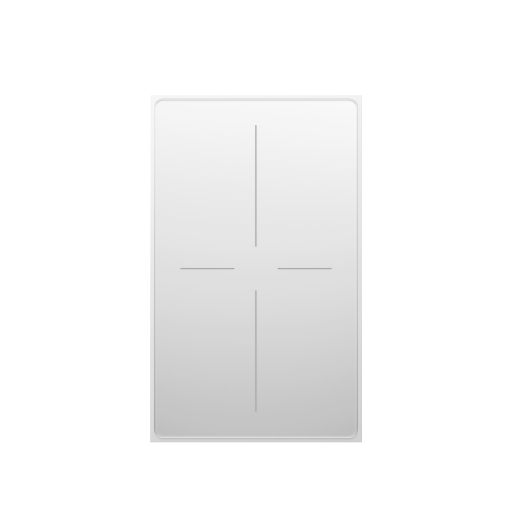 |
Options
How to use device type specific configuration
time_start: Reply to Tuya-specific time synchronization requests: "1970" - Reply with seconds since 1970/01/01 (recommended, should stop the device from asking), "2000" - Reply with seconds since 2000/01/01 (use if the weekday is wrong with 1970), "off" - Don't reply (use if replying causes too much traffic). Default for this device: "1970". The value must be one of1970,2000,off
Exposes
Switch (l1 endpoint)
The current state of this switch is in the published state under the state_l1 property (value is ON or OFF). To control this switch publish a message to topic zigbee2mqtt/FRIENDLY_NAME/set with payload {"state_l1": "ON"}, {"state_l1": "OFF"} or {"state_l1": "TOGGLE"}. It's not possible to read (/get) this value.
Switch (l2 endpoint)
The current state of this switch is in the published state under the state_l2 property (value is ON or OFF). To control this switch publish a message to topic zigbee2mqtt/FRIENDLY_NAME/set with payload {"state_l2": "ON"}, {"state_l2": "OFF"} or {"state_l2": "TOGGLE"}. It's not possible to read (/get) this value.
Switch (l3 endpoint)
The current state of this switch is in the published state under the state_l3 property (value is ON or OFF). To control this switch publish a message to topic zigbee2mqtt/FRIENDLY_NAME/set with payload {"state_l3": "ON"}, {"state_l3": "OFF"} or {"state_l3": "TOGGLE"}. It's not possible to read (/get) this value.
Switch (l4 endpoint)
The current state of this switch is in the published state under the state_l4 property (value is ON or OFF). To control this switch publish a message to topic zigbee2mqtt/FRIENDLY_NAME/set with payload {"state_l4": "ON"}, {"state_l4": "OFF"} or {"state_l4": "TOGGLE"}. It's not possible to read (/get) this value.
Countdown (numeric, l1 endpoint)
Toggle the device after a set duration (one time action). Value can be found in the published state on the countdown_l1 property. It's not possible to read (/get) this value. To write (/set) a value publish a message to topic zigbee2mqtt/FRIENDLY_NAME/set with payload {"countdown_l1": NEW_VALUE}. The minimal value is 0 and the maximum value is 43200. The unit of this value is s.
Countdown (numeric, l2 endpoint)
Toggle the device after a set duration (one time action). Value can be found in the published state on the countdown_l2 property. It's not possible to read (/get) this value. To write (/set) a value publish a message to topic zigbee2mqtt/FRIENDLY_NAME/set with payload {"countdown_l2": NEW_VALUE}. The minimal value is 0 and the maximum value is 43200. The unit of this value is s.
Countdown (numeric, l3 endpoint)
Toggle the device after a set duration (one time action). Value can be found in the published state on the countdown_l3 property. It's not possible to read (/get) this value. To write (/set) a value publish a message to topic zigbee2mqtt/FRIENDLY_NAME/set with payload {"countdown_l3": NEW_VALUE}. The minimal value is 0 and the maximum value is 43200. The unit of this value is s.
Countdown (numeric, l4 endpoint)
Toggle the device after a set duration (one time action). Value can be found in the published state on the countdown_l4 property. It's not possible to read (/get) this value. To write (/set) a value publish a message to topic zigbee2mqtt/FRIENDLY_NAME/set with payload {"countdown_l4": NEW_VALUE}. The minimal value is 0 and the maximum value is 43200. The unit of this value is s.
Momentary 1 (numeric)
Momentary switch timer (0=disable). Value can be found in the published state on the momentary_1 property. It's not possible to read (/get) this value. To write (/set) a value publish a message to topic zigbee2mqtt/FRIENDLY_NAME/set with payload {"momentary_1": NEW_VALUE}. The minimal value is 0 and the maximum value is 3600. The unit of this value is s.
Momentary 2 (numeric)
Momentary switch timer (0=disable). Value can be found in the published state on the momentary_2 property. It's not possible to read (/get) this value. To write (/set) a value publish a message to topic zigbee2mqtt/FRIENDLY_NAME/set with payload {"momentary_2": NEW_VALUE}. The minimal value is 0 and the maximum value is 3600. The unit of this value is s.
Momentary 3 (numeric)
Momentary switch timer (0=disable). Value can be found in the published state on the momentary_3 property. It's not possible to read (/get) this value. To write (/set) a value publish a message to topic zigbee2mqtt/FRIENDLY_NAME/set with payload {"momentary_3": NEW_VALUE}. The minimal value is 0 and the maximum value is 3600. The unit of this value is s.
Momentary 4 (numeric)
Momentary switch timer (0=disable). Value can be found in the published state on the momentary_4 property. It's not possible to read (/get) this value. To write (/set) a value publish a message to topic zigbee2mqtt/FRIENDLY_NAME/set with payload {"momentary_4": NEW_VALUE}. The minimal value is 0 and the maximum value is 3600. The unit of this value is s.
Mode (enum, l1 endpoint)
Switch1 mode. Value can be found in the published state on the mode_l1 property. It's not possible to read (/get) this value. To write (/set) a value publish a message to topic zigbee2mqtt/FRIENDLY_NAME/set with payload {"mode_l1": NEW_VALUE}. The possible values are: switch_1, scene_1.
Mode (enum, l2 endpoint)
Switch2 mode. Value can be found in the published state on the mode_l2 property. It's not possible to read (/get) this value. To write (/set) a value publish a message to topic zigbee2mqtt/FRIENDLY_NAME/set with payload {"mode_l2": NEW_VALUE}. The possible values are: switch_2, scene_2.
Mode (enum, l3 endpoint)
Switch3 mode. Value can be found in the published state on the mode_l3 property. It's not possible to read (/get) this value. To write (/set) a value publish a message to topic zigbee2mqtt/FRIENDLY_NAME/set with payload {"mode_l3": NEW_VALUE}. The possible values are: switch_3, scene_3.
Mode (enum, l4 endpoint)
Switch4 mode. Value can be found in the published state on the mode_l4 property. It's not possible to read (/get) this value. To write (/set) a value publish a message to topic zigbee2mqtt/FRIENDLY_NAME/set with payload {"mode_l4": NEW_VALUE}. The possible values are: switch_4, scene_4.
Backlight mode (binary)
Mode of the backlight. Value can be found in the published state on the backlight_mode property. It's not possible to read (/get) this value. To write (/set) a value publish a message to topic zigbee2mqtt/FRIENDLY_NAME/set with payload {"backlight_mode": NEW_VALUE}. If value equals ON backlight mode is ON, if OFF OFF.
Power-on behavior (enum)
Controls the behavior when the device is powered on after power loss. Value can be found in the published state on the power_on_behavior property. It's not possible to read (/get) this value. To write (/set) a value publish a message to topic zigbee2mqtt/FRIENDLY_NAME/set with payload {"power_on_behavior": NEW_VALUE}. The possible values are: off, previous, on.
Indicator status (enum)
Indicator status. Value can be found in the published state on the indicator_status property. To read (/get) the value publish a message to topic zigbee2mqtt/FRIENDLY_NAME/get with payload {"indicator_status": ""}. To write (/set) a value publish a message to topic zigbee2mqtt/FRIENDLY_NAME/set with payload {"indicator_status": NEW_VALUE}. The possible values are: off, relay, invert.
Induction mode (enum)
Induction mode. Value can be found in the published state on the induction_mode property. To read (/get) the value publish a message to topic zigbee2mqtt/FRIENDLY_NAME/get with payload {"induction_mode": ""}. To write (/set) a value publish a message to topic zigbee2mqtt/FRIENDLY_NAME/set with payload {"induction_mode": NEW_VALUE}. The possible values are: ON, OFF.
Vibration mode (enum)
Vibration. Value can be found in the published state on the vibration_mode property. To read (/get) the value publish a message to topic zigbee2mqtt/FRIENDLY_NAME/get with payload {"vibration_mode": ""}. To write (/set) a value publish a message to topic zigbee2mqtt/FRIENDLY_NAME/set with payload {"vibration_mode": NEW_VALUE}. The possible values are: Gear 0, Gear 1, Gear 2, Gear 3.
Action (enum)
Triggered action (e.g. a button click). Value can be found in the published state on the action property. It's not possible to read (/get) or write (/set) this value. The possible values are: scene_1, scene_2, scene_3, scene_4.