
Moes SFD02-Z
| Model | SFD02-Z |
| Vendor | Moes |
| Description | Star feather smart dimmer switch |
| Exposes | light (state, brightness, min_brightness, max_brightness), light_type, countdown, power_on_behavior, backlight_mode, induction_mode, indicator_status, vibration_mode |
| Picture | 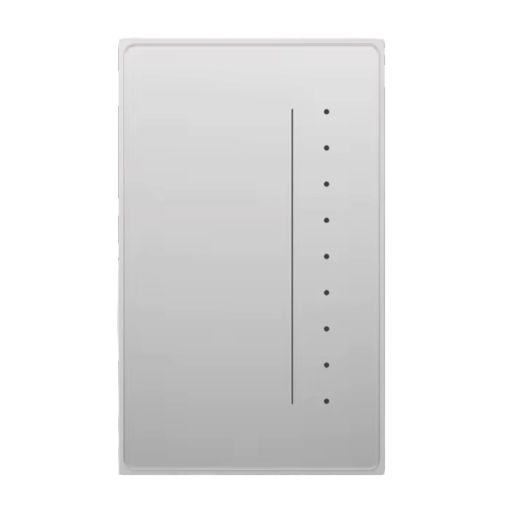 |
Options
How to use device type specific configuration
time_start: Reply to Tuya-specific time synchronization requests: "1970" - Reply with seconds since 1970/01/01 (recommended, should stop the device from asking), "2000" - Reply with seconds since 2000/01/01 (use if the weekday is wrong with 1970), "off" - Don't reply (use if replying causes too much traffic). Default for this device: "off". The value must be one of1970,2000,off
Exposes
Light
This light supports the following features: state, brightness, min_brightness, max_brightness.
state: To control the state publish a message to topiczigbee2mqtt/FRIENDLY_NAME/setwith payload{"state": "ON"},{"state": "OFF"}or{"state": "TOGGLE"}. To read the state send a message tozigbee2mqtt/FRIENDLY_NAME/getwith payload{"state": ""}.brightness: To control the brightness publish a message to topiczigbee2mqtt/FRIENDLY_NAME/setwith payload{"brightness": VALUE}whereVALUEis a number between0and254. To read the brightness send a message tozigbee2mqtt/FRIENDLY_NAME/getwith payload{"brightness": ""}.
Light type (enum)
Type of light attached to the device. Value can be found in the published state on the light_type property. It's not possible to read (/get) this value. To write (/set) a value publish a message to topic zigbee2mqtt/FRIENDLY_NAME/set with payload {"light_type": NEW_VALUE}. The possible values are: led, incandescent, halogen.
Countdown (numeric)
Toggle the device after a set duration (one time action). Value can be found in the published state on the countdown property. It's not possible to read (/get) this value. To write (/set) a value publish a message to topic zigbee2mqtt/FRIENDLY_NAME/set with payload {"countdown": NEW_VALUE}. The minimal value is 0 and the maximum value is 43200. The unit of this value is s.
Power-on behavior (enum)
Controls the behavior when the device is powered on after power loss. Value can be found in the published state on the power_on_behavior property. It's not possible to read (/get) this value. To write (/set) a value publish a message to topic zigbee2mqtt/FRIENDLY_NAME/set with payload {"power_on_behavior": NEW_VALUE}. The possible values are: off, previous, on.
Backlight mode (enum)
Mode of the backlight. Value can be found in the published state on the backlight_mode property. It's not possible to read (/get) this value. To write (/set) a value publish a message to topic zigbee2mqtt/FRIENDLY_NAME/set with payload {"backlight_mode": NEW_VALUE}. The possible values are: off, normal, inverted.
Induction mode (enum)
Induction mode. Value can be found in the published state on the induction_mode property. To read (/get) the value publish a message to topic zigbee2mqtt/FRIENDLY_NAME/get with payload {"induction_mode": ""}. To write (/set) a value publish a message to topic zigbee2mqtt/FRIENDLY_NAME/set with payload {"induction_mode": NEW_VALUE}. The possible values are: ON, OFF.
Indicator status (enum)
Indicator status. Value can be found in the published state on the indicator_status property. To read (/get) the value publish a message to topic zigbee2mqtt/FRIENDLY_NAME/get with payload {"indicator_status": ""}. To write (/set) a value publish a message to topic zigbee2mqtt/FRIENDLY_NAME/set with payload {"indicator_status": NEW_VALUE}. The possible values are: off, relay, invert.
Vibration mode (enum)
Vibration. Value can be found in the published state on the vibration_mode property. To read (/get) the value publish a message to topic zigbee2mqtt/FRIENDLY_NAME/get with payload {"vibration_mode": ""}. To write (/set) a value publish a message to topic zigbee2mqtt/FRIENDLY_NAME/set with payload {"vibration_mode": NEW_VALUE}. The possible values are: Gear 0, Gear 1, Gear 2, Gear 3.