
Shelly SBMO-103Z
| Model | SBMO-103Z |
| Vendor | Shelly |
| Description | BLU Motion ZB |
| Exposes | occupancy, battery_low, battery, light_level, dark_threshold, bright_threshold, motion_sensitivity, identify |
| Picture | 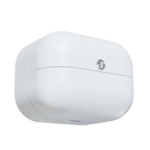 |
Firmware
It is recommended to connect Shelly devices by WiFi / Bluetooth, and update their firmware, until they gain support for OTA updates over Zigbee.
The latest firmware fixes known issues like negative power readings on some models.
Note they roll-out updates in phases. Check "beta" channels if you are specifically looking for a fix.
Options
How to use device type specific configuration
identify_timeout: Sets the duration of the identification procedure in seconds (i.e., how long the device would flash).The value ranges from 1 to 30 seconds (default: 3). The value must be a number with a minimum value of1and with a maximum value of30
Exposes
Occupancy (binary)
Indicates whether the device detected occupancy. Value can be found in the published state on the occupancy property. It's not possible to read (/get) or write (/set) this value. If value equals true occupancy is ON, if false OFF.
Battery low (binary)
Indicates whether the battery of the device is almost empty. Value can be found in the published state on the battery_low property. It's not possible to read (/get) or write (/set) this value. If value equals true battery low is ON, if false OFF.
Battery (numeric)
Remaining battery in %. Value can be found in the published state on the battery property. To read (/get) the value publish a message to topic zigbee2mqtt/FRIENDLY_NAME/get with payload {"battery": ""}. It's not possible to write (/set) this value. The minimal value is 0 and the maximum value is 100. The unit of this value is %.
Light level (enum)
Coarse light level. Value can be found in the published state on the light_level property. To read (/get) the value publish a message to topic zigbee2mqtt/FRIENDLY_NAME/get with payload {"light_level": ""}. It's not possible to write (/set) this value. The possible values are: dark, twilight, bright.
Dark threshold (numeric)
Lux threshold below which light level is dark. Value can be found in the published state on the dark_threshold property. To read (/get) the value publish a message to topic zigbee2mqtt/FRIENDLY_NAME/get with payload {"dark_threshold": ""}. To write (/set) a value publish a message to topic zigbee2mqtt/FRIENDLY_NAME/set with payload {"dark_threshold": NEW_VALUE}. The minimal value is 0 and the maximum value is 65535. The unit of this value is lx.
Bright threshold (numeric)
Lux threshold above which light level is bright. Value can be found in the published state on the bright_threshold property. To read (/get) the value publish a message to topic zigbee2mqtt/FRIENDLY_NAME/get with payload {"bright_threshold": ""}. To write (/set) a value publish a message to topic zigbee2mqtt/FRIENDLY_NAME/set with payload {"bright_threshold": NEW_VALUE}. The minimal value is 0 and the maximum value is 65535. The unit of this value is lx.
Motion sensitivity (enum)
Motion sensor sensitivity. Value can be found in the published state on the motion_sensitivity property. To read (/get) the value publish a message to topic zigbee2mqtt/FRIENDLY_NAME/get with payload {"motion_sensitivity": ""}. To write (/set) a value publish a message to topic zigbee2mqtt/FRIENDLY_NAME/set with payload {"motion_sensitivity": NEW_VALUE}. The possible values are: low, medium, high.
Identify (enum)
Initiate device identification. Value will not be published in the state. It's not possible to read (/get) this value. To write (/set) a value publish a message to topic zigbee2mqtt/FRIENDLY_NAME/set with payload {"identify": NEW_VALUE}. The possible values are: identify.