
Shelly SBDW-302C
| Model | SBDW-302C |
| Vendor | Shelly |
| Description | BLU DoorWindow Outdoor ZB |
| Exposes | contact, handle_position, battery_low, battery, identify |
| Picture | 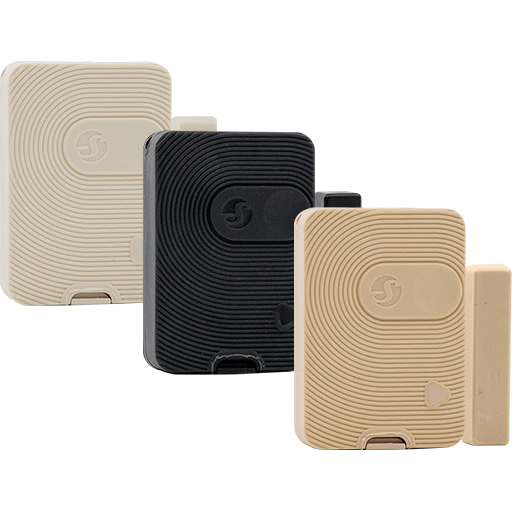 |
Firmware
It is recommended to connect Shelly devices by WiFi / Bluetooth, and update their firmware, until they gain support for OTA updates over Zigbee.
The latest firmware fixes known issues like negative power readings on some models.
Note they roll-out updates in phases. Check "beta" channels if you are specifically looking for a fix.
Options
How to use device type specific configuration
identify_timeout: Sets the duration of the identification procedure in seconds (i.e., how long the device would flash).The value ranges from 1 to 30 seconds (default: 3). The value must be a number with a minimum value of1and with a maximum value of30
Exposes
Contact (binary)
Indicates if the contact is closed (= true) or open (= false). Value can be found in the published state on the contact property. It's not possible to read (/get) or write (/set) this value. If value equals false contact is ON, if true OFF.
Handle position (enum)
Handle position: closed, tilted (partly open), or open. Value can be found in the published state on the handle_position property. It's not possible to read (/get) or write (/set) this value. The possible values are: closed, tilted, open.
Battery low (binary)
Indicates if the battery of this device is almost empty. Value can be found in the published state on the battery_low property. It's not possible to read (/get) or write (/set) this value. If value equals true battery low is ON, if false OFF.
Battery (numeric)
Remaining battery in %. Value can be found in the published state on the battery property. To read (/get) the value publish a message to topic zigbee2mqtt/FRIENDLY_NAME/get with payload {"battery": ""}. It's not possible to write (/set) this value. The minimal value is 0 and the maximum value is 100. The unit of this value is %.
Identify (enum)
Initiate device identification. Value will not be published in the state. It's not possible to read (/get) this value. To write (/set) a value publish a message to topic zigbee2mqtt/FRIENDLY_NAME/set with payload {"identify": "VALUE"}. The possible values are: identify.