
Ariston Rem4 Heater
| Model | Rem4 Heater |
| Vendor | Ariston |
| Description | Boiler gateway (room thermostat interface) |
| Exposes | switch (state), climate (local_temperature, occupied_heating_setpoint, system_mode, control_sequence_of_operation), outdoor_temperature |
| Picture | 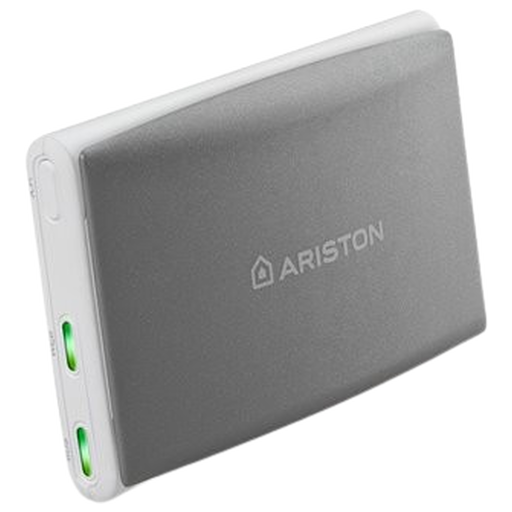 |
Notes
Scope
This is the Zigbee interface of the Ariston boiler gateway. It acts as a room thermostat for the boiler heating zone and only implements the standard On/Off and Thermostat clusters. Domestic hot water, plant mode (summer/winter), flame state, pressure, errors and energy data are not available over Zigbee and still require the Ariston NET cloud.
Pairing
Press and hold the pair button on the side of the gateway for 5 seconds; the status LED starts blinking orange. Once pairing is done, it blinks green and orange, then stays green.
Requirements
A room thermostat must be connected to the boiler. Without one, the gateway does not expose the thermostat endpoint and nothing can be controlled or reported.
The boiler supports up to 6 zone thermostats. Only a single zone has been tested; additional zones probably appear as additional endpoints, which are not supported yet.
Behaviour
- Changing
occupied_heating_setpointcreates a temporary override of the zone time program, which lasts 2 hours (shown in the Ariston NET app). The override is also cancelled when the plant mode is changed. system_modeturns heating of the zoneoffor back toheat; it does not change the plant mode. When the boiler is in summer mode, the zone reportsoffwith the setpoint at its minimum (8.5 °C).statemirrorssystem_mode(ON=heat,OFF=off).- Changes made over Zigbee show up in the Ariston NET app after a few seconds.
Options
How to use device type specific configuration
thermostat_unit: Controls the temperature unit of the thermostat (default celsius). The value must be one ofcelsius,fahrenheitstate_action: State actions will also be published as 'action' when true (default false). The value must betrueorfalse
Exposes
Switch
The current state of this switch is in the published state under the state property (value is ON or OFF). To control this switch publish a message to topic zigbee2mqtt/FRIENDLY_NAME/set with payload {"state": "ON"}, {"state": "OFF"} or {"state": "TOGGLE"}. To read the current state of this switch publish a message to topic zigbee2mqtt/FRIENDLY_NAME/get with payload {"state": ""}.
On with timed off
When setting the state to ON, it might be possible to specify an automatic shutoff after a certain amount of time. To do this add an additional property on_time to the payload which is the time in seconds the state should remain on. Additionally an off_wait_time property can be added to the payload to specify the cooldown time in seconds when the switch will not answer to other on with timed off commands. Support depends on the switch firmware. Some devices might require both on_time and off_wait_time to work Examples : {"state" : "ON", "on_time": 300}, {"state" : "ON", "on_time": 300, "off_wait_time": 120}.
Climate
This climate device supports the following features: local_temperature, occupied_heating_setpoint, system_mode, control_sequence_of_operation.
occupied_heating_setpoint: Temperature setpoint. To control publish a message to topiczigbee2mqtt/FRIENDLY_NAME/setwith payload{"occupied_heating_setpoint": VALUE}whereVALUEis the °C between8.5and30. To read send a message tozigbee2mqtt/FRIENDLY_NAME/getwith payload{"occupied_heating_setpoint": ""}.local_temperature: Room temperature measured by the boiler room unit (in °C). To read send a message tozigbee2mqtt/FRIENDLY_NAME/getwith payload{"local_temperature": ""}.system_mode: Mode of this device. To control publish a message to topiczigbee2mqtt/FRIENDLY_NAME/setwith payload{"system_mode": "VALUE"}whereVALUEis one of:off,heat. To read send a message tozigbee2mqtt/FRIENDLY_NAME/getwith payload{"system_mode": ""}.
Outdoor temperature (numeric)
Outdoor temperature known by the boiler. Value can be found in the published state on the outdoor_temperature property. To read (/get) the value publish a message to topic zigbee2mqtt/FRIENDLY_NAME/get with payload {"outdoor_temperature": ""}. It's not possible to write (/set) this value. The unit of this value is °C.