
Tervix Pro Line X10
| Model | Pro Line X10 |
| Vendor | Tervix |
| Description | Underfloor heating controller - 8 zones |
| Exposes | power, system_mode, zone_1, zone_2, zone_3, zone_4, zone_5, zone_6, zone_7, zone_8, pump, boiler |
| Picture | 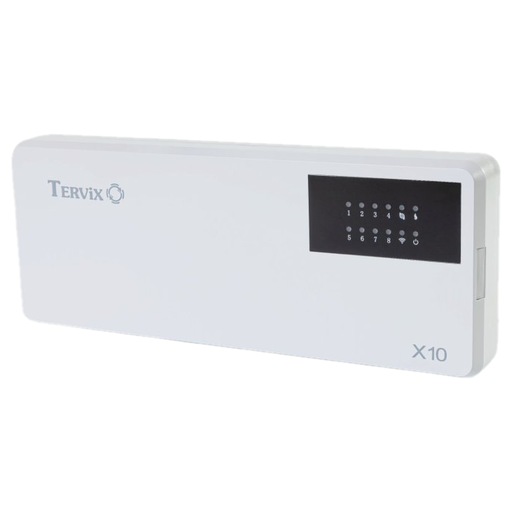 |
Options
How to use device type specific configuration
time_start: Reply to Tuya-specific time synchronization requests: "1970" - Reply with seconds since 1970/01/01 (recommended, should stop the device from asking), "2000" - Reply with seconds since 2000/01/01 (use if the weekday is wrong with 1970), "off" - Don't reply (use if replying causes too much traffic). Default for this device: "off". The value must be one of1970,2000,off
Exposes
Power (binary)
Main power, OFF switches all zones off. Value can be found in the published state on the power property. It's not possible to read (/get) this value. To write (/set) a value publish a message to topic zigbee2mqtt/FRIENDLY_NAME/set with payload {"power": NEW_VALUE}. If value equals ON power is ON, if OFF OFF.
System mode (enum)
Heating or cooling mode. Value can be found in the published state on the system_mode property. It's not possible to read (/get) this value. To write (/set) a value publish a message to topic zigbee2mqtt/FRIENDLY_NAME/set with payload {"system_mode": NEW_VALUE}. The possible values are: heat, cool.
Zone 1 (binary)
Zone 1 actuator. Value can be found in the published state on the zone_1 property. It's not possible to read (/get) this value. To write (/set) a value publish a message to topic zigbee2mqtt/FRIENDLY_NAME/set with payload {"zone_1": NEW_VALUE}. If value equals ON zone 1 is ON, if OFF OFF.
Zone 2 (binary)
Zone 2 actuator. Value can be found in the published state on the zone_2 property. It's not possible to read (/get) this value. To write (/set) a value publish a message to topic zigbee2mqtt/FRIENDLY_NAME/set with payload {"zone_2": NEW_VALUE}. If value equals ON zone 2 is ON, if OFF OFF.
Zone 3 (binary)
Zone 3 actuator. Value can be found in the published state on the zone_3 property. It's not possible to read (/get) this value. To write (/set) a value publish a message to topic zigbee2mqtt/FRIENDLY_NAME/set with payload {"zone_3": NEW_VALUE}. If value equals ON zone 3 is ON, if OFF OFF.
Zone 4 (binary)
Zone 4 actuator. Value can be found in the published state on the zone_4 property. It's not possible to read (/get) this value. To write (/set) a value publish a message to topic zigbee2mqtt/FRIENDLY_NAME/set with payload {"zone_4": NEW_VALUE}. If value equals ON zone 4 is ON, if OFF OFF.
Zone 5 (binary)
Zone 5 actuator. Value can be found in the published state on the zone_5 property. It's not possible to read (/get) this value. To write (/set) a value publish a message to topic zigbee2mqtt/FRIENDLY_NAME/set with payload {"zone_5": NEW_VALUE}. If value equals ON zone 5 is ON, if OFF OFF.
Zone 6 (binary)
Zone 6 actuator. Value can be found in the published state on the zone_6 property. It's not possible to read (/get) this value. To write (/set) a value publish a message to topic zigbee2mqtt/FRIENDLY_NAME/set with payload {"zone_6": NEW_VALUE}. If value equals ON zone 6 is ON, if OFF OFF.
Zone 7 (binary)
Zone 7 actuator. Value can be found in the published state on the zone_7 property. It's not possible to read (/get) this value. To write (/set) a value publish a message to topic zigbee2mqtt/FRIENDLY_NAME/set with payload {"zone_7": NEW_VALUE}. If value equals ON zone 7 is ON, if OFF OFF.
Zone 8 (binary)
Zone 8 actuator. Value can be found in the published state on the zone_8 property. It's not possible to read (/get) this value. To write (/set) a value publish a message to topic zigbee2mqtt/FRIENDLY_NAME/set with payload {"zone_8": NEW_VALUE}. If value equals ON zone 8 is ON, if OFF OFF.
Pump (binary)
Pump output, switches on 60 s after a zone demands. Value can be found in the published state on the pump property. It's not possible to read (/get) or write (/set) this value. If value equals ON pump is ON, if OFF OFF.
Boiler (binary)
Boiler dry contact, only active in heat mode. Value can be found in the published state on the boiler property. It's not possible to read (/get) or write (/set) this value. If value equals ON boiler is ON, if OFF OFF.