
Custom devices (DiY) MiCASAGasCounter
| Model | MiCASAGasCounter |
| Vendor | Custom devices (DiY) |
| Description | Zigbee Gas counter |
| Exposes | gas, battery, voltage, battery_low, gas_counter_set |
| Picture | 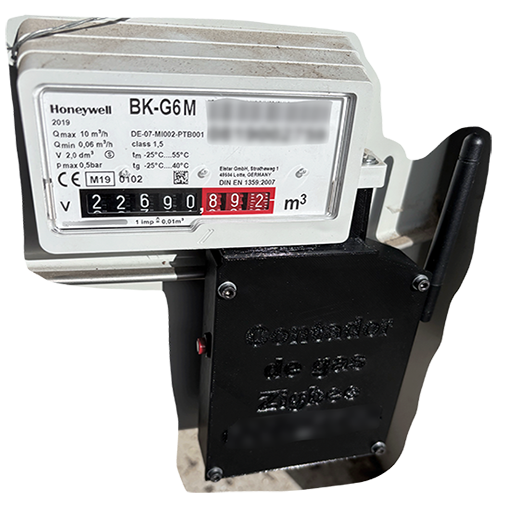 |
Notes
Zigbee Gas Counter so it counts gas consumption from the counter directly and reports back the value to the coordinator. The idea was to have a device counting without intervention of your server at home. This is a DIY device so you have to checkout the documentation. To use this device with Zigbee2MQTT a custom firmware has to be flashed which is explained here and build your own unit.
OTA updates
This device supports OTA updates, for more information see OTA updates.
Exposes
Gas (numeric)
Total gas consumption in m³. Value can be found in the published state on the gas property. To read (/get) the value publish a message to topic zigbee2mqtt/FRIENDLY_NAME/get with payload {"gas": ""}. It's not possible to write (/set) this value. The unit of this value is m³.
Battery (numeric)
Remaining battery in %. Value can be found in the published state on the battery property. To read (/get) the value publish a message to topic zigbee2mqtt/FRIENDLY_NAME/get with payload {"battery": ""}. It's not possible to write (/set) this value. The minimal value is 0 and the maximum value is 100. The unit of this value is %.
Voltage (numeric)
Reported battery voltage in millivolts. Value can be found in the published state on the voltage property. To read (/get) the value publish a message to topic zigbee2mqtt/FRIENDLY_NAME/get with payload {"voltage": ""}. It's not possible to write (/set) this value. The unit of this value is mV.
Battery low (binary)
Empty battery indicator. Value can be found in the published state on the battery_low property. It's not possible to read (/get) or write (/set) this value. If value equals true battery low is ON, if false OFF.
Gas counter set (numeric)
Write absolute gas meter value. Value will not be published in the state. It's not possible to read (/get) this value. To write (/set) a value publish a message to topic zigbee2mqtt/FRIENDLY_NAME/set with payload {"gas_counter_set": NEW_VALUE}. The minimal value is 0 and the maximum value is 281474976710655.