
Tuya MS032Z
| Model | MS032Z |
| Vendor | Tuya |
| Description | LED smart stair light controller (32 steps) |
| Exposes | light (state, brightness), effect, speed, step_count, light_off_delay, motion_up, motion_down, strip_led_count, rgb_order, led_chip |
| Picture | 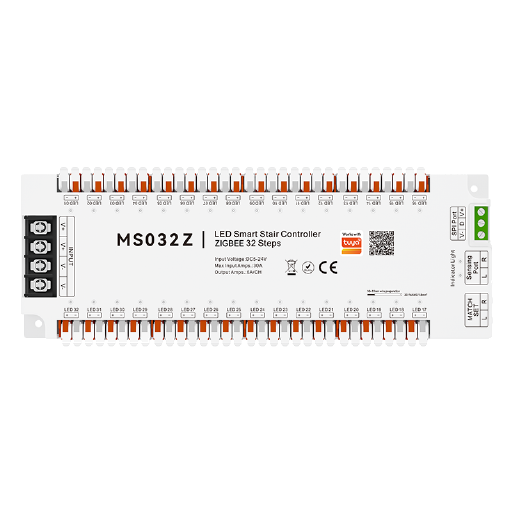 |
Options
How to use device type specific configuration
time_start: Reply to Tuya-specific time synchronization requests: "1970" - Reply with seconds since 1970/01/01 (recommended, should stop the device from asking), "2000" - Reply with seconds since 2000/01/01 (use if the weekday is wrong with 1970), "off" - Don't reply (use if replying causes too much traffic). Default for this device: "off". The value must be one of1970,2000,off
Exposes
Light
This light supports the following features: state, brightness.
state: To control the state publish a message to topiczigbee2mqtt/FRIENDLY_NAME/setwith payload{"state": "ON"},{"state": "OFF"}or{"state": "TOGGLE"}. To read the state send a message tozigbee2mqtt/FRIENDLY_NAME/getwith payload{"state": ""}.brightness: To control the brightness publish a message to topiczigbee2mqtt/FRIENDLY_NAME/setwith payload{"brightness": VALUE}whereVALUEis a number between0and254. To read the brightness send a message tozigbee2mqtt/FRIENDLY_NAME/getwith payload{"brightness": ""}.
Effect (enum)
Running-light effect. Applies to the steps and the side strip together. Value can be found in the published state on the effect property. It's not possible to read (/get) this value. To write (/set) a value publish a message to topic zigbee2mqtt/FRIENDLY_NAME/set with payload {"effect": NEW_VALUE}. The possible values are: running_water, septum, full_bright, following, colorful, smear.
Speed (numeric)
Speed at which the steps light up one after another. Value can be found in the published state on the speed property. It's not possible to read (/get) this value. To write (/set) a value publish a message to topic zigbee2mqtt/FRIENDLY_NAME/set with payload {"speed": NEW_VALUE}. The minimal value is 1 and the maximum value is 100.
Step count (numeric)
Number of steps connected. Value can be found in the published state on the step_count property. It's not possible to read (/get) this value. To write (/set) a value publish a message to topic zigbee2mqtt/FRIENDLY_NAME/set with payload {"step_count": NEW_VALUE}. The minimal value is 1 and the maximum value is 32.
Light off delay (numeric)
Time the lights stay on after the motion sensor stops detecting. Value can be found in the published state on the light_off_delay property. It's not possible to read (/get) this value. To write (/set) a value publish a message to topic zigbee2mqtt/FRIENDLY_NAME/set with payload {"light_off_delay": NEW_VALUE}. The minimal value is 1 and the maximum value is 30. The unit of this value is s.
Motion up (binary)
Motion detected by the sensor at the top of the stairs. Value can be found in the published state on the motion_up property. It's not possible to read (/get) or write (/set) this value. If value equals ON motion up is ON, if OFF OFF.
Motion down (binary)
Motion detected by the sensor at the bottom of the stairs. Value can be found in the published state on the motion_down property. It's not possible to read (/get) or write (/set) this value. If value equals ON motion down is ON, if OFF OFF.
Strip led count (numeric)
Number of LEDs on the addressable strip. Value can be found in the published state on the strip_led_count property. It's not possible to read (/get) this value. To write (/set) a value publish a message to topic zigbee2mqtt/FRIENDLY_NAME/set with payload {"strip_led_count": NEW_VALUE}. The minimal value is 1 and the maximum value is 1024.
Rgb order (enum)
Colour channel order of the addressable strip. Value can be found in the published state on the rgb_order property. It's not possible to read (/get) this value. To write (/set) a value publish a message to topic zigbee2mqtt/FRIENDLY_NAME/set with payload {"rgb_order": NEW_VALUE}. The possible values are: RGB, RBG, GRB, GBR, BRG, BGR.
Led chip (enum)
LED driver chip used by the strip. Value can be found in the published state on the led_chip property. It's not possible to read (/get) this value. To write (/set) a value publish a message to topic zigbee2mqtt/FRIENDLY_NAME/set with payload {"led_chip": NEW_VALUE}. The possible values are: WS2811, DMX512, FW1935, type_3, type_4, type_5, type_6, type_7, type_8, type_9, type_10, type_11, type_12, type_13, type_14, type_15.