
SONOFF MINI-ZB1GP
| Model | MINI-ZB1GP |
| Vendor | SONOFF |
| Description | Zigbee smart power monitoring sensor |
| Exposes | network_indicator, turbo_mode, power, current, voltage, energy_today, output_energy_today, energy_month, output_energy_month, total_energy, total_output_energy, metering_communication_error, overload_protection, power_protector |
| Picture | 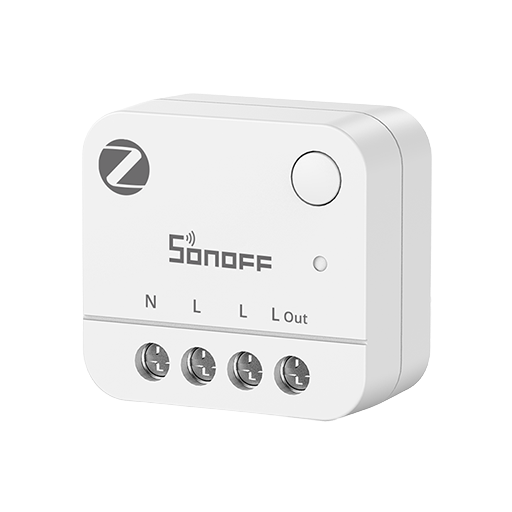 |
OTA updates
This device supports OTA updates, for more information see OTA updates.
Options
How to use device type specific configuration
power_calibration: Calibrates the power value (percentual offset), takes into effect on next report of device. The value must be a number.power_precision: Number of digits after decimal point for power, takes into effect on next report of device. This option can only decrease the precision, not increase it. The value must be a number with a minimum value of0and with a maximum value of3current_calibration: Calibrates the current value (percentual offset), takes into effect on next report of device. The value must be a number.current_precision: Number of digits after decimal point for current, takes into effect on next report of device. This option can only decrease the precision, not increase it. The value must be a number with a minimum value of0and with a maximum value of3voltage_calibration: Calibrates the voltage value (percentual offset), takes into effect on next report of device. The value must be a number.voltage_precision: Number of digits after decimal point for voltage, takes into effect on next report of device. This option can only decrease the precision, not increase it. The value must be a number with a minimum value of0and with a maximum value of3
Exposes
Network indicator (binary)
Turn the blue network status indicator on or off.. Value can be found in the published state on the network_indicator property. To read (/get) the value publish a message to topic zigbee2mqtt/FRIENDLY_NAME/get with payload {"network_indicator": ""}. To write (/set) a value publish a message to topic zigbee2mqtt/FRIENDLY_NAME/set with payload {"network_indicator": NEW_VALUE}. If value equals true network indicator is ON, if false OFF.
Turbo mode (binary)
Boost Zigbee radio transmit power to improve range.. Value can be found in the published state on the turbo_mode property. To read (/get) the value publish a message to topic zigbee2mqtt/FRIENDLY_NAME/get with payload {"turbo_mode": ""}. To write (/set) a value publish a message to topic zigbee2mqtt/FRIENDLY_NAME/set with payload {"turbo_mode": NEW_VALUE}. If value equals true turbo mode is ON, if false OFF.
Power (numeric)
Power used by the connected load.. Value can be found in the published state on the power property. To read (/get) the value publish a message to topic zigbee2mqtt/FRIENDLY_NAME/get with payload {"power": ""}. It's not possible to write (/set) this value. The unit of this value is W.
Current (numeric)
Current drawn by the connected load.. Value can be found in the published state on the current property. To read (/get) the value publish a message to topic zigbee2mqtt/FRIENDLY_NAME/get with payload {"current": ""}. It's not possible to write (/set) this value. The unit of this value is A.
Voltage (numeric)
Supply voltage measured by the plug.. Value can be found in the published state on the voltage property. To read (/get) the value publish a message to topic zigbee2mqtt/FRIENDLY_NAME/get with payload {"voltage": ""}. It's not possible to write (/set) this value. The unit of this value is V.
Energy today (numeric)
Energy used today by the connected load.. Value can be found in the published state on the energy_today property. To read (/get) the value publish a message to topic zigbee2mqtt/FRIENDLY_NAME/get with payload {"energy_today": ""}. It's not possible to write (/set) this value. The unit of this value is kWh.
Export energy today (numeric)
Energy fed back today through the plug.. Value can be found in the published state on the output_energy_today property. To read (/get) the value publish a message to topic zigbee2mqtt/FRIENDLY_NAME/get with payload {"output_energy_today": ""}. It's not possible to write (/set) this value. The unit of this value is kWh.
Energy this month (numeric)
Energy used this month by the connected load.. Value can be found in the published state on the energy_month property. To read (/get) the value publish a message to topic zigbee2mqtt/FRIENDLY_NAME/get with payload {"energy_month": ""}. It's not possible to write (/set) this value. The unit of this value is kWh.
Export energy this month (numeric)
Energy fed back this month through the plug.. Value can be found in the published state on the output_energy_month property. To read (/get) the value publish a message to topic zigbee2mqtt/FRIENDLY_NAME/get with payload {"output_energy_month": ""}. It's not possible to write (/set) this value. The unit of this value is kWh.
Total energy (numeric)
Total energy used by the connected load.. Value can be found in the published state on the total_energy property. To read (/get) the value publish a message to topic zigbee2mqtt/FRIENDLY_NAME/get with payload {"total_energy": ""}. It's not possible to write (/set) this value. The unit of this value is kWh.
Total export energy (numeric)
Total energy fed back through the plug.. Value can be found in the published state on the total_output_energy property. To read (/get) the value publish a message to topic zigbee2mqtt/FRIENDLY_NAME/get with payload {"total_output_energy": ""}. It's not possible to write (/set) this value. The unit of this value is kWh.
Metering communication error (binary)
Value can be found in the published state on the metering_communication_error property. To read (/get) the value publish a message to topic zigbee2mqtt/FRIENDLY_NAME/get with payload {"metering_communication_error": ""}. It's not possible to write (/set) this value. If value equals Alarm Active metering communication error is ON, if Normal OFF.
Electrical Status (binary)
Value can be found in the published state on the overload_protection property. To read (/get) the value publish a message to topic zigbee2mqtt/FRIENDLY_NAME/get with payload {"overload_protection": ""}. It's not possible to write (/set) this value. If value equals Alarm Active electrical Status is ON, if Normal OFF.
Electrical Monitoring (composite)
Can be set by publishing to zigbee2mqtt/FRIENDLY_NAME/set with payload {"power_protector": {"max_current_protect": VALUE, "max_power_protect": VALUE, "max_voltage_protect_enabled": VALUE, "max_voltage_protect": VALUE, "min_voltage_protect_enabled": VALUE, "min_voltage_protect": VALUE}}
max_current_protect(numeric) min value is 0.1, max value is 16, unit is Amax_power_protect(numeric) min value is 2, max value is 3840, unit is Wmax_voltage_protect_enabled(binary) allowed values:trueorfalsemax_voltage_protect(numeric) min value is 85, max value is 277, unit is Vmin_voltage_protect_enabled(binary) allowed values:trueorfalsemin_voltage_protect(numeric) min value is 85, max value is 277, unit is V