
ION Industries ID200W-ZIGB
| Model | ID200W-ZIGB |
| Vendor | ION Industries |
| Description | LED Zigbee Dimmer |
| Exposes | light (state, brightness, min_brightness, max_brightness), countdown, power_on_behavior, light_type, backlight_mode |
| Picture | 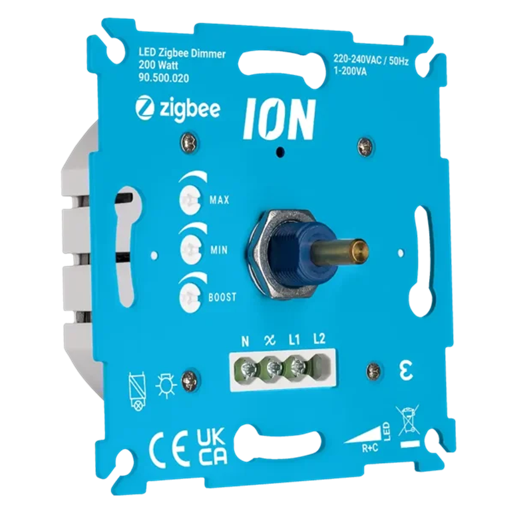 |
Pairing
Turn on the light (press the rotary knob briefly). Press the rotary knob twice briefly. Now hold down the rotary knob until the light starts flashing.
Options
How to use device type specific configuration
time_start: Reply to Tuya-specific time synchronization requests: "1970" - Reply with seconds since 1970/01/01 (recommended, should stop the device from asking), "2000" - Reply with seconds since 2000/01/01 (use if the weekday is wrong with 1970), "off" - Don't reply (use if replying causes too much traffic). Default for this device: "off". The value must be one of1970,2000,offstate_action: State actions will also be published as 'action' when true (default false). The value must betrueorfalse
Exposes
Light
This light supports the following features: state, brightness, min_brightness, max_brightness.
state: To control the state publish a message to topiczigbee2mqtt/FRIENDLY_NAME/setwith payload{"state": "ON"},{"state": "OFF"}or{"state": "TOGGLE"}. To read the state send a message tozigbee2mqtt/FRIENDLY_NAME/getwith payload{"state": ""}.brightness: To control the brightness publish a message to topiczigbee2mqtt/FRIENDLY_NAME/setwith payload{"brightness": VALUE}whereVALUEis a number between0and254. To read the brightness send a message tozigbee2mqtt/FRIENDLY_NAME/getwith payload{"brightness": ""}.
Countdown (numeric)
Toggle the device after a set duration (one time action). Value can be found in the published state on the countdown property. It's not possible to read (/get) this value. To write (/set) a value publish a message to topic zigbee2mqtt/FRIENDLY_NAME/set with payload {"countdown": NEW_VALUE}. The minimal value is 0 and the maximum value is 43200. The unit of this value is s.
Power-on behavior (enum)
Controls the behavior when the device is powered on after power loss. Value can be found in the published state on the power_on_behavior property. It's not possible to read (/get) this value. To write (/set) a value publish a message to topic zigbee2mqtt/FRIENDLY_NAME/set with payload {"power_on_behavior": NEW_VALUE}. The possible values are: off, previous, on.