
Sinopé HP6000ZB
| Model | HP6000ZB |
| Vendor | Sinopé |
| Description | Mini-split air conditioner interface |
| Exposes | climate (local_temperature, occupied_heating_setpoint, system_mode, fan_mode), swing_mode, display_led |
| Picture | 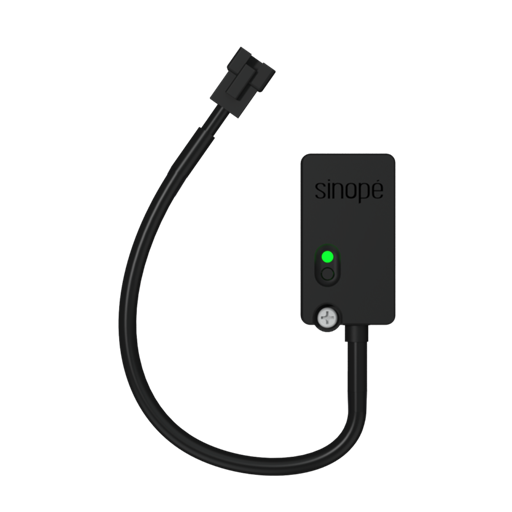 |
Exposes
Climate
This climate device supports the following features: local_temperature, occupied_heating_setpoint, system_mode, fan_mode.
occupied_heating_setpoint: Temperature setpoint. To control publish a message to topiczigbee2mqtt/FRIENDLY_NAME/setwith payload{"occupied_heating_setpoint": VALUE}whereVALUEis the °C between16and30. To read send a message tozigbee2mqtt/FRIENDLY_NAME/getwith payload{"occupied_heating_setpoint": ""}.local_temperature: Current temperature measured on the device (in °C). To read send a message tozigbee2mqtt/FRIENDLY_NAME/getwith payload{"local_temperature": ""}.system_mode: Mode of this device. To control publish a message to topiczigbee2mqtt/FRIENDLY_NAME/setwith payload{"system_mode": VALUE}whereVALUEis one of:off,heat,cool,dry,fan_only. To read send a message tozigbee2mqtt/FRIENDLY_NAME/getwith payload{"system_mode": ""}.
Swing mode (binary)
Vertical Swing. Value can be found in the published state on the swing_mode property. To read (/get) the value publish a message to topic zigbee2mqtt/FRIENDLY_NAME/get with payload {"swing_mode": ""}. To write (/set) a value publish a message to topic zigbee2mqtt/FRIENDLY_NAME/set with payload {"swing_mode": NEW_VALUE}. If value equals ON swing mode is ON, if OFF OFF.
Display led (binary)
Display LED. Value can be found in the published state on the display_led property. To read (/get) the value publish a message to topic zigbee2mqtt/FRIENDLY_NAME/get with payload {"display_led": ""}. To write (/set) a value publish a message to topic zigbee2mqtt/FRIENDLY_NAME/set with payload {"display_led": NEW_VALUE}. If value equals ON display led is ON, if OFF OFF.