
MultIR HE300_ZB
| Model | HE300_ZB |
| Vendor | MultIR |
| Description | Human presence sensor |
| Exposes | occupancy, human_motion_state, illuminance, occupancy_distance, unmanned_duration, sensitivity |
| Picture | 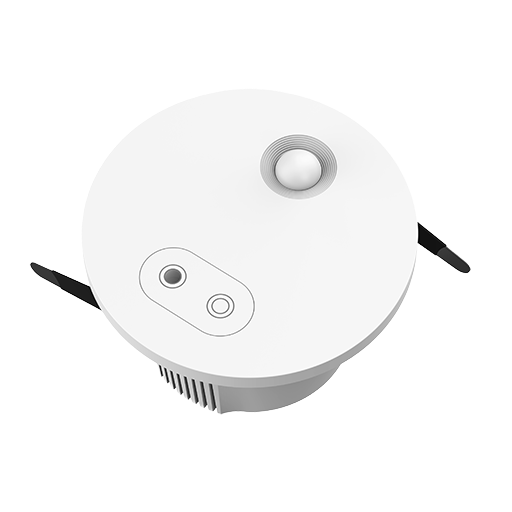 |
Options
How to use device type specific configuration
illuminance_calibration: Calibrates the illuminance value (percentual offset), takes into effect on next report of device. The value must be a number.no_occupancy_since: Sends a message after the last time no occupancy (occupancy: false) was detected. When setting this for example to [10, 60] a{"no_occupancy_since": 10}will be sent after 10 seconds and a{"no_occupancy_since": 60}after 60 seconds. The value must be a list of numbers.illuminance_raw: Expose the raw illuminance value. The value must betrueorfalse
Exposes
Occupancy (binary)
Indicates whether the device detected occupancy. Value can be found in the published state on the occupancy property. It's not possible to read (/get) or write (/set) this value. If value equals true occupancy is ON, if false OFF.
Human motion state (enum)
Human Motion State. Value can be found in the published state on the human_motion_state property. It's not possible to read (/get) or write (/set) this value. The possible values are: none, active, static.
Illuminance (numeric)
Measured illuminance. 0 = too low to be measured. Value can be found in the published state on the illuminance property. To read (/get) the value publish a message to topic zigbee2mqtt/FRIENDLY_NAME/get with payload {"illuminance": ""}. It's not possible to write (/set) this value. The unit of this value is lx.
Occupancy distance (numeric)
Motion Range Detection (meter). Value can be found in the published state on the occupancy_distance property. To read (/get) the value publish a message to topic zigbee2mqtt/FRIENDLY_NAME/get with payload {"occupancy_distance": ""}. To write (/set) a value publish a message to topic zigbee2mqtt/FRIENDLY_NAME/set with payload {"occupancy_distance": NEW_VALUE}. The minimal value is 2 and the maximum value is 6.
Unmanned duration (numeric)
Ultrasonic occupied to unoccupied delay (seconds). Value can be found in the published state on the unmanned_duration property. To read (/get) the value publish a message to topic zigbee2mqtt/FRIENDLY_NAME/get with payload {"unmanned_duration": ""}. To write (/set) a value publish a message to topic zigbee2mqtt/FRIENDLY_NAME/set with payload {"unmanned_duration": NEW_VALUE}. The minimal value is 0 and the maximum value is 65535.
Sensitivity (enum)
Sensitivity of human presence detection. Value can be found in the published state on the sensitivity property. To read (/get) the value publish a message to topic zigbee2mqtt/FRIENDLY_NAME/get with payload {"sensitivity": ""}. To write (/set) a value publish a message to topic zigbee2mqtt/FRIENDLY_NAME/set with payload {"sensitivity": NEW_VALUE}. The possible values are: low, medium, high.