
Custom devices (DiY) EFR32MG21.Router.1
| Model | EFR32MG21.Router.1 |
| Vendor | Custom devices (DiY) |
| Description | EFR32MG21 Zigbee bridge router |
| Exposes | |
| Picture | 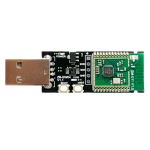 |
Notes
This is a SONOFF ZBBridge (Zigbee Bridge) whose EFR32MG21 radio has been flashed with router firmware, turning the bridge into a mains-powered Zigbee router. The radio reports manufacturer easyiot and model UT-01. The Wi-Fi side keeps running Tasmota, which is used to flash the radio and to trigger pairing. Current Zigbee2MQTT recognises the device natively, the external silabs.js converter from older guides is no longer needed.
Firmware
Router firmware for the bridge's SM-011 radio module: digiblur/Tasmota hosts efr32mg21_zigbee_router_signed-6.7.10.gbl.ota; xsp1989/zigbeeFirmware, where the firmware originates, hosts efr32mg21_zigbee_router_6.7.10.ota. 6.7.10 is the only router build published in either place. The ncp-uart-* files in xsp1989's ZigbeeBridge_SM-011-signed directory are coordinator (NCP) firmware and would turn the bridge back into a coordinator. To flash, follow digiblur's guide: with the tasmota-zbbridge build installed, select module Sonoff ZbBridge (75), upload the .gbl.ota file under Firmware Upgrade, then apply the Sonoff ZigRouter template from the guide.
Pairing
Enable permit join in Zigbee2MQTT, then put the bridge into pairing mode: briefly press the reset button next to the USB port (a paper clip fits); the green LED lights up. Wait 5-6 seconds and press it again; the LED goes off and the bridge is in pairing mode. Alternatively, in the Tasmota web UI switch Toggle 1 on, wait 5-6 seconds and switch it off again. Once joined, the bridge rejoins its network automatically after a power cycle.
LED
The LEDs belong to Tasmota, not to the radio: the blue LED is the Wi-Fi/MQTT link indicator and the green LED follows Toggle 1. Neither indicates Zigbee network state. At power-up both flash briefly, then the blue LED stays on and blinks while Tasmota connects to Wi-Fi and MQTT and goes off once connected; in normal operation both are off.