
ENGO E25-BATB
| Model | E25-BATB |
| Vendor | ENGO |
| Description | Zigbee Smart Thermostat Wireless |
| Exposes | state, climate (current_heating_setpoint, local_temperature, local_temperature_calibration, system_mode, running_state, preset), max_temperature, min_temperature, battery, child_lock, backlight_brightness, control_type, delta_t_rcwc_alg, device_pair_state, frost_set, valve_protection, schedule_monday, schedule_tuesday, schedule_wednesday, schedule_thursday, schedule_friday, schedule_saturday, schedule_sunday, trv_work_state, trv_frost_protection, trv_latest_firmware, trv_firmware |
| Picture | 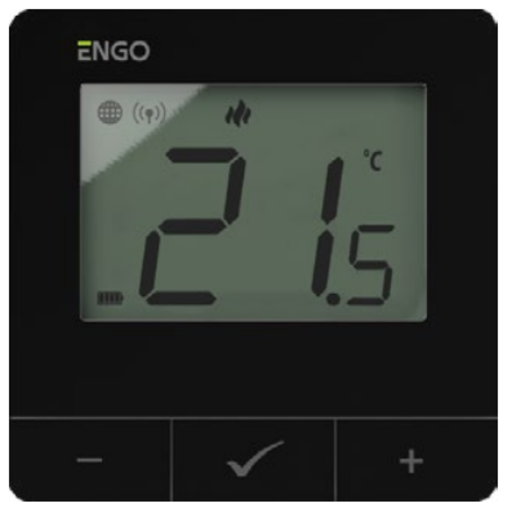 |
Options
How to use device type specific configuration
time_start: Reply to Tuya-specific time synchronization requests: "1970" - Reply with seconds since 1970/01/01 (recommended, should stop the device from asking), "2000" - Reply with seconds since 2000/01/01 (use if the weekday is wrong with 1970), "off" - Don't reply (use if replying causes too much traffic). Default for this device: "off". The value must be one of1970,2000,off
Exposes
State (binary)
Turn the thermostat ON/OFF. Value can be found in the published state on the state property. It's not possible to read (/get) this value. To write (/set) a value publish a message to topic zigbee2mqtt/FRIENDLY_NAME/set with payload {"state": NEW_VALUE}. If value equals ON state is ON, if OFF OFF.
Climate
This climate device supports the following features: current_heating_setpoint, local_temperature, local_temperature_calibration, system_mode, running_state, preset.
current_heating_setpoint: Temperature setpoint. To control publish a message to topiczigbee2mqtt/FRIENDLY_NAME/setwith payload{"current_heating_setpoint": VALUE}whereVALUEis the °C between5and35. Reading (/get) this attribute is not possible.local_temperature: Current temperature measured on the device (in °C). Reading (/get) this attribute is not possible.system_mode: Mode of this device. To control publish a message to topiczigbee2mqtt/FRIENDLY_NAME/setwith payload{"system_mode": VALUE}whereVALUEis one of:heat,cool. Reading (/get) this attribute is not possible.preset: Mode of this device (similar to system_mode). To control publish a message to topiczigbee2mqtt/FRIENDLY_NAME/setwith payload{"preset": VALUE}whereVALUEis one of:manual,schedule,frost protection. Reading (/get) this attribute is not possible.running_state: The current running state. Possible values are:idle,heat,cool. Reading (/get) this attribute is not possible.local_temperature_calibration: Offset to add/subtract to the local temperature. To control publish a message to topiczigbee2mqtt/FRIENDLY_NAME/setwith payload{"local_temperature_calibration": VALUE}.The minimal value is-3and the maximum value is3with a step size of0.5.
Max temperature (numeric)
Maximum temperature. Value can be found in the published state on the max_temperature property. It's not possible to read (/get) this value. To write (/set) a value publish a message to topic zigbee2mqtt/FRIENDLY_NAME/set with payload {"max_temperature": NEW_VALUE}. The minimal value is 5 and the maximum value is 45. The unit of this value is °C.
Min temperature (numeric)
Minimum temperature. Value can be found in the published state on the min_temperature property. It's not possible to read (/get) this value. To write (/set) a value publish a message to topic zigbee2mqtt/FRIENDLY_NAME/set with payload {"min_temperature": NEW_VALUE}. The minimal value is 5 and the maximum value is 45. The unit of this value is °C.
Battery (numeric)
Remaining battery in %, can take up to 24 hours before reported. Value can be found in the published state on the battery property. It's not possible to read (/get) or write (/set) this value. The minimal value is 0 and the maximum value is 100. The unit of this value is %.
Child lock (binary)
Enables/disables physical input on the device. Value can be found in the published state on the child_lock property. It's not possible to read (/get) this value. To write (/set) a value publish a message to topic zigbee2mqtt/FRIENDLY_NAME/set with payload {"child_lock": NEW_VALUE}. If value equals LOCK child lock is ON, if UNLOCK OFF.
Backlight Brightness (numeric)
Value can be found in the published state on the backlight_brightness property. It's not possible to read (/get) this value. To write (/set) a value publish a message to topic zigbee2mqtt/FRIENDLY_NAME/set with payload {"backlight_brightness": NEW_VALUE}. The minimal value is 10 and the maximum value is 100. The unit of this value is %.
Control Type (enum)
Type of device controlled: Any for heating machines, histeresis only for cooling (non-invertor ACs). Value can be found in the published state on the control_type property. It's not possible to read (/get) this value. To write (/set) a value publish a message to topic zigbee2mqtt/FRIENDLY_NAME/set with payload {"control_type": NEW_VALUE}. The possible values are: TPI_UFH, TPI_RAD, TPI_ELE, HIS_02, HIS_04, HIS_08, HIS_12, HIS_16, HIS_20, HIS_30, HIS_40.
Delta RCWC Algorithm (numeric)
Defines how fast the TRV will react on temperature change. Defaults to 2.0. Value can be found in the published state on the delta_t_rcwc_alg property. It's not possible to read (/get) this value. To write (/set) a value publish a message to topic zigbee2mqtt/FRIENDLY_NAME/set with payload {"delta_t_rcwc_alg": NEW_VALUE}. The minimal value is 0.5 and the maximum value is 5. The unit of this value is °C.
Device Pair State (enum)
Defines paired devices type: None, Commutation Center or TRV. Value can be found in the published state on the device_pair_state property. It's not possible to read (/get) or write (/set) this value. The possible values are: none, commutation_center, trv.
Frost Mode Temperature (numeric)
Defines temperature for frost mode. Defaults to 7.0. Value can be found in the published state on the frost_set property. It's not possible to read (/get) this value. To write (/set) a value publish a message to topic zigbee2mqtt/FRIENDLY_NAME/set with payload {"frost_set": NEW_VALUE}. The minimal value is 5 and the maximum value is 17. The unit of this value is °C.
Valve Protection (binary)
Prevents valve blockage during long periods of inactivity. Value can be found in the published state on the valve_protection property. It's not possible to read (/get) this value. To write (/set) a value publish a message to topic zigbee2mqtt/FRIENDLY_NAME/set with payload {"valve_protection": NEW_VALUE}. If value equals ON valve Protection is ON, if OFF OFF.
Schedule monday (text)
Schedule for monday, example: "HH:MM/C HH:MM/C HH:MM/C HH:MM/C HH:MM/C HH:MM/C". Value can be found in the published state on the schedule_monday property. It's not possible to read (/get) this value. To write (/set) a value publish a message to topic zigbee2mqtt/FRIENDLY_NAME/set with payload {"schedule_monday": NEW_VALUE}.
Schedule tuesday (text)
Schedule for tuesday, example: "HH:MM/C HH:MM/C HH:MM/C HH:MM/C HH:MM/C HH:MM/C". Value can be found in the published state on the schedule_tuesday property. It's not possible to read (/get) this value. To write (/set) a value publish a message to topic zigbee2mqtt/FRIENDLY_NAME/set with payload {"schedule_tuesday": NEW_VALUE}.
Schedule wednesday (text)
Schedule for wednesday, example: "HH:MM/C HH:MM/C HH:MM/C HH:MM/C HH:MM/C HH:MM/C". Value can be found in the published state on the schedule_wednesday property. It's not possible to read (/get) this value. To write (/set) a value publish a message to topic zigbee2mqtt/FRIENDLY_NAME/set with payload {"schedule_wednesday": NEW_VALUE}.
Schedule thursday (text)
Schedule for thursday, example: "HH:MM/C HH:MM/C HH:MM/C HH:MM/C HH:MM/C HH:MM/C". Value can be found in the published state on the schedule_thursday property. It's not possible to read (/get) this value. To write (/set) a value publish a message to topic zigbee2mqtt/FRIENDLY_NAME/set with payload {"schedule_thursday": NEW_VALUE}.
Schedule friday (text)
Schedule for friday, example: "HH:MM/C HH:MM/C HH:MM/C HH:MM/C HH:MM/C HH:MM/C". Value can be found in the published state on the schedule_friday property. It's not possible to read (/get) this value. To write (/set) a value publish a message to topic zigbee2mqtt/FRIENDLY_NAME/set with payload {"schedule_friday": NEW_VALUE}.
Schedule saturday (text)
Schedule for saturday, example: "HH:MM/C HH:MM/C HH:MM/C HH:MM/C HH:MM/C HH:MM/C". Value can be found in the published state on the schedule_saturday property. It's not possible to read (/get) this value. To write (/set) a value publish a message to topic zigbee2mqtt/FRIENDLY_NAME/set with payload {"schedule_saturday": NEW_VALUE}.
Schedule sunday (text)
Schedule for sunday, example: "HH:MM/C HH:MM/C HH:MM/C HH:MM/C HH:MM/C HH:MM/C". Value can be found in the published state on the schedule_sunday property. It's not possible to read (/get) this value. To write (/set) a value publish a message to topic zigbee2mqtt/FRIENDLY_NAME/set with payload {"schedule_sunday": NEW_VALUE}.
TRV Current State (numeric)
Shows TRV current state for each TRV. Opened or closed. Value can be found in the published state on the trv_work_state property. It's not possible to read (/get) or write (/set) this value.
TRV Frost Protection (binary)
Enables frost protection for TRVs. Value can be found in the published state on the trv_frost_protection property. It's not possible to read (/get) this value. To write (/set) a value publish a message to topic zigbee2mqtt/FRIENDLY_NAME/set with payload {"trv_frost_protection": NEW_VALUE}. If value equals ON tRV Frost Protection is ON, if OFF OFF.
TRV Latest Firmware (numeric)
Shows TRV latest firmware option. Value can be found in the published state on the trv_latest_firmware property. It's not possible to read (/get) or write (/set) this value.
TRV Current Firmware (numeric)
Shows TRV current firmware for each TRV. Value can be found in the published state on the trv_firmware property. It's not possible to read (/get) or write (/set) this value.