
Yoolax Day-Night Shade
| Model | Day-Night Shade |
| Vendor | Yoolax |
| Description | Top-down bottom-up day/night shade |
| Exposes | cover (state, position), battery |
| Picture | 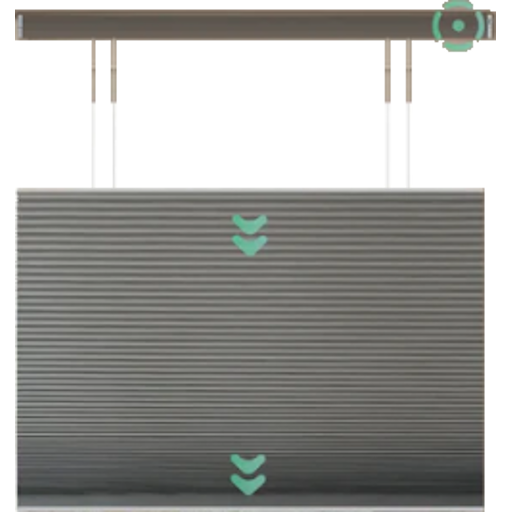 |
Options
How to use device type specific configuration
invert_top_rail: Invert the top rail so that 'open' (position 100) raises the rail instead of lowering it; default false keeps the upstream convention (position 100 = down). The value must betrueorfalse
Exposes
Cover
The current state of this cover is in the published state under the state property (value is OPEN or CLOSE). To control this cover publish a message to topic zigbee2mqtt/FRIENDLY_NAME/set with payload {"state": "OPEN"}, {"state": "CLOSE"}, {"state": "STOP"}. It's not possible to read (/get) this value. To change the position publish a message to topic zigbee2mqtt/FRIENDLY_NAME/set with payload {"position": VALUE} where VALUE is a number between 0 and 100.
Cover (bottom endpoint)
The current state of this cover is in the published state under the state_bottom property (value is OPEN or CLOSE). To control this cover publish a message to topic zigbee2mqtt/FRIENDLY_NAME/set with payload {"state_bottom": "OPEN"}, {"state_bottom": "CLOSE"}, {"state_bottom": "STOP"}. It's not possible to read (/get) this value. To change the position publish a message to topic zigbee2mqtt/FRIENDLY_NAME/set with payload {"position_bottom": VALUE} where VALUE is a number between 0 and 100.
Cover (top endpoint)
The current state of this cover is in the published state under the state_top property (value is OPEN or CLOSE). To control this cover publish a message to topic zigbee2mqtt/FRIENDLY_NAME/set with payload {"state_top": "OPEN"}, {"state_top": "CLOSE"}, {"state_top": "STOP"}. It's not possible to read (/get) this value. To change the position publish a message to topic zigbee2mqtt/FRIENDLY_NAME/set with payload {"position_top": VALUE} where VALUE is a number between 0 and 100.
Battery (numeric)
Remaining battery in %. Value can be found in the published state on the battery property. To read (/get) the value publish a message to topic zigbee2mqtt/FRIENDLY_NAME/get with payload {"battery": ""}. It's not possible to write (/set) this value. The minimal value is 0 and the maximum value is 100. The unit of this value is %.