
Cigol Electronics Cigol Connect
| Model | Cigol Connect |
| Vendor | Cigol Electronics |
| Description | Zigbee interface module for LK IHC installations |
| Exposes | state |
| Picture | 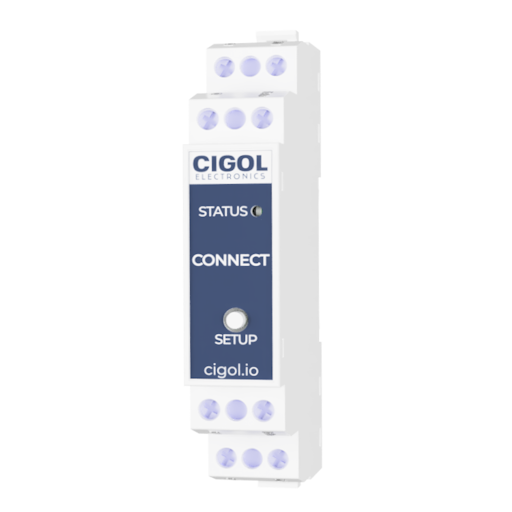 |
Notes
Overview
Cigol Connect is a Zigbee interface module designed to integrate LK IHC installations into a Zigbee network.
The device acts as a bridge between Zigbee and connected IHC input/output modules via the IHC bus.
Endpoint structure
The device exposes multiple endpoints corresponding directly to the numbering of connected IHC modules.
Inputs:
- Bus A: endpoints 1–8 and 11–18
- Bus B: endpoints 31–38 and 41–48
Outputs:
- Bus A: endpoints 21–28
- Bus B: endpoints 51–58
Each endpoint represents a physical input or output on the connected IHC modules.
Input behavior (Multistate Input cluster)
Input events are reported via the Multistate Input cluster (genMultistateInput).
Each input can report the following states:
- Off
- Single
- Double
- Hold
These values represent user interaction patterns (e.g. short press, double press, long press) and can be used for automation logic in Zigbee2MQTT or external systems.
Direct Zigbee binding (recommended)
Inputs can also be used directly via Zigbee binding, without involving the coordinator.
Each input endpoint supports sending commands to other Zigbee devices:
On/Off cluster (
genOnOff)- Used for switching loads on or off.
Level Control cluster (
genLevelCtrl)- Used for dimming control (e.g. brightness up/down).
This allows direct device-to-device control with minimal latency and without dependency on the Zigbee coordinator.
Output control
Outputs are controlled via the On/Off cluster (genOnOff).
Each output endpoint behaves as a standard Zigbee on/off device and can be controlled by:
- Zigbee2MQTT.
- bindings from other Zigbee devices.
- internal input logic (see below).
Switch action configuration (On/Off Switch Configuration cluster)
Each input can be configured using the On/Off Switch Configuration cluster (genOnOffSwitchCfg).
This determines how the input behaves when activated.
Supported modes:
on→ always send ON command.off→ always send OFF command.toggle→ alternate between ON and OFF.
This configuration applies when the input is used to control:
- On/Off cluster devices.
- Level Control cluster devices (in combination with dimming behavior).
Interaction between input modes and bindings
There are two primary ways to use inputs:
Event-based control (via Multistate Input cluster)
- Use reported actions (Single, Double, Hold) in automations.
Direct binding
- Inputs directly control other Zigbee devices using On/Off or Level Control clusters.
These two approaches can be used independently depending on system design.
Binding considerations
When configuring Zigbee bindings:
- Always select the correct endpoint
- Ensure the target device supports the relevant cluster:
genOnOfffor switchinggenLevelCtrlfor dimming
Correct endpoint selection is critical due to the multi-endpoint structure of the device.
Important notes
- Endpoint numbering directly reflects the physical layout of connected IHC modules (detected at startup when not joined to a network).
- Bus A and Bus B are separated in endpoint numbering.
- The device is designed for flexible integration using both Zigbee bindings and automation logic.
OTA updates
This device supports OTA updates, for more information see OTA updates.
Exposes
State (binary)
Output state. Value can be found in the published state on the state property. It's not possible to read (/get) this value. To write (/set) a value publish a message to topic zigbee2mqtt/FRIENDLY_NAME/set with payload {"state": NEW_VALUE}. If value equals ON state is ON, if OFF OFF.