
Futurehome Charge
| Model | Charge |
| Vendor | Futurehome |
| Description | Futurehome Charge (EV Charger) |
| Exposes | status, charging_start, charging_stop, charging_pause, setpoint_charging_current, auto_charge, plug_locked_permanently, state, charging_current_limit, session_energy, energy_meter_start, energy_meter_now, charging_duration, power, voltage, current, energy, voltage_phase_b, voltage_phase_c, current_phase_b, current_phase_c, is_charging, charging_start_datetime, charging_end_datetime, is_plug_connected, connected_start_datetime, connected_end_datetime, plug_lock_state |
| Picture | 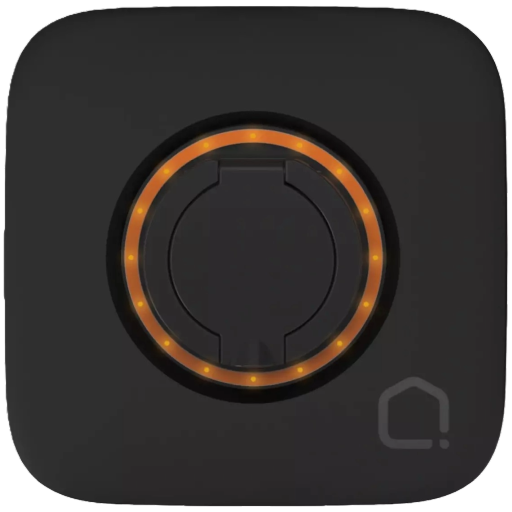 |
Notes
Pairing
You can initiate pairing mode using one of the following methods:
- Futurehome Hub: Use the hub to put the charger into pairing mode, and then press "Permit join" in the Zigbee2MQTT UI.
- Home Assistant: Ensure the Bluetooth integration is enabled. Install Futurehome Charge – Trigger Zigbee Pairing via HACS, review the documentation, and run the required action to activate pairing mode.
- Python Script: Execute the code from the Futurehome Charge Zigbee repository.
A successful Bluetooth connection is indicated by a clockwise-rotating orange light with a solid blue light at the bottom.
Options
How to use device type specific configuration
power_calibration: Calibrates the power value (percentual offset), takes into effect on next report of device. The value must be a number.power_precision: Number of digits after decimal point for power, takes into effect on next report of device. This option can only decrease the precision, not increase it. The value must be a number with a minimum value of0and with a maximum value of3voltage_calibration: Calibrates the voltage value (percentual offset), takes into effect on next report of device. The value must be a number.voltage_precision: Number of digits after decimal point for voltage, takes into effect on next report of device. This option can only decrease the precision, not increase it. The value must be a number with a minimum value of0and with a maximum value of3current_calibration: Calibrates the current value (percentual offset), takes into effect on next report of device. The value must be a number.current_precision: Number of digits after decimal point for current, takes into effect on next report of device. This option can only decrease the precision, not increase it. The value must be a number with a minimum value of0and with a maximum value of3energy_calibration: Calibrates the energy value (percentual offset), takes into effect on next report of device. The value must be a number.energy_precision: Number of digits after decimal point for energy, takes into effect on next report of device. This option can only decrease the precision, not increase it. The value must be a number with a minimum value of0and with a maximum value of3voltage_phase_b_calibration: Calibrates the voltage_phase_b value (percentual offset), takes into effect on next report of device. The value must be a number.voltage_phase_b_precision: Number of digits after decimal point for voltage_phase_b, takes into effect on next report of device. This option can only decrease the precision, not increase it. The value must be a number with a minimum value of0and with a maximum value of3voltage_phase_c_calibration: Calibrates the voltage_phase_c value (percentual offset), takes into effect on next report of device. The value must be a number.voltage_phase_c_precision: Number of digits after decimal point for voltage_phase_c, takes into effect on next report of device. This option can only decrease the precision, not increase it. The value must be a number with a minimum value of0and with a maximum value of3current_phase_b_calibration: Calibrates the current_phase_b value (percentual offset), takes into effect on next report of device. The value must be a number.current_phase_b_precision: Number of digits after decimal point for current_phase_b, takes into effect on next report of device. This option can only decrease the precision, not increase it. The value must be a number with a minimum value of0and with a maximum value of3current_phase_c_calibration: Calibrates the current_phase_c value (percentual offset), takes into effect on next report of device. The value must be a number.current_phase_c_precision: Number of digits after decimal point for current_phase_c, takes into effect on next report of device. This option can only decrease the precision, not increase it. The value must be a number with a minimum value of0and with a maximum value of3
Exposes
Status (enum)
Status. Value can be found in the published state on the status property. To read (/get) the value publish a message to topic zigbee2mqtt/FRIENDLY_NAME/get with payload {"status": ""}. It's not possible to write (/set) this value. The possible values are: plugged_out, off, plugged_in_charging, plugged_in_paused, plugged_in, stopped.
Start charging (enum)
Press to start charging. Value will not be published in the state. It's not possible to read (/get) this value. To write (/set) a value publish a message to topic zigbee2mqtt/FRIENDLY_NAME/set with payload {"charging_start": NEW_VALUE}. The possible values are: start.
Stop charging (enum)
Press to stop charging. Value will not be published in the state. It's not possible to read (/get) this value. To write (/set) a value publish a message to topic zigbee2mqtt/FRIENDLY_NAME/set with payload {"charging_stop": NEW_VALUE}. The possible values are: stop.
Pause charging (enum)
Press to pause charging. Value will not be published in the state. It's not possible to read (/get) this value. To write (/set) a value publish a message to topic zigbee2mqtt/FRIENDLY_NAME/set with payload {"charging_pause": NEW_VALUE}. The possible values are: pause.
Setpoint charging current (numeric)
Setpoint charging current. Value can be found in the published state on the setpoint_charging_current property. To read (/get) the value publish a message to topic zigbee2mqtt/FRIENDLY_NAME/get with payload {"setpoint_charging_current": ""}. To write (/set) a value publish a message to topic zigbee2mqtt/FRIENDLY_NAME/set with payload {"setpoint_charging_current": NEW_VALUE}. The minimal value is 6 and the maximum value is 32. The unit of this value is A.
Auto charge (binary)
Automatically start charging when a car is connected.. Value can be found in the published state on the auto_charge property. To read (/get) the value publish a message to topic zigbee2mqtt/FRIENDLY_NAME/get with payload {"auto_charge": ""}. To write (/set) a value publish a message to topic zigbee2mqtt/FRIENDLY_NAME/set with payload {"auto_charge": NEW_VALUE}. If value equals ON auto charge is ON, if OFF OFF.
Plug locked when not charging (binary)
Permanently lock plug (cable) when not charging.. Value can be found in the published state on the plug_locked_permanently property. To read (/get) the value publish a message to topic zigbee2mqtt/FRIENDLY_NAME/get with payload {"plug_locked_permanently": ""}. To write (/set) a value publish a message to topic zigbee2mqtt/FRIENDLY_NAME/set with payload {"plug_locked_permanently": NEW_VALUE}. If value equals LOCK plug locked when not charging is ON, if UNLOCK OFF.
Force plug to unlock (enum)
Try this if the plug is locked in the charger after charging is completed.. Value can be found in the published state on the state property. To read (/get) the value publish a message to topic zigbee2mqtt/FRIENDLY_NAME/get with payload {"state": ""}. To write (/set) a value publish a message to topic zigbee2mqtt/FRIENDLY_NAME/set with payload {"state": NEW_VALUE}. The possible values are: UNLOCK.
Charging current limit (numeric)
Maximum charging current.. Value can be found in the published state on the charging_current_limit property. To read (/get) the value publish a message to topic zigbee2mqtt/FRIENDLY_NAME/get with payload {"charging_current_limit": ""}. To write (/set) a value publish a message to topic zigbee2mqtt/FRIENDLY_NAME/set with payload {"charging_current_limit": NEW_VALUE}. The minimal value is 6 and the maximum value is 32. The unit of this value is A.
Session energy (numeric)
For ongoining or last session as reported by the charger.. Value can be found in the published state on the session_energy property. It's not possible to read (/get) or write (/set) this value. The unit of this value is kWh.
Energy meter start (numeric)
Energy reading at the start of the session.. Value can be found in the published state on the energy_meter_start property. It's not possible to read (/get) or write (/set) this value. The unit of this value is kWh.
Energy meter now (numeric)
Current or final energy reading of the session.. Value can be found in the published state on the energy_meter_now property. It's not possible to read (/get) or write (/set) this value. The unit of this value is kWh.
Charging duration (numeric)
Duration of the active or most recent charging session, measured from charge start to cable disconnect.. Value can be found in the published state on the charging_duration property. It's not possible to read (/get) or write (/set) this value. The unit of this value is s.
Power (numeric)
Power. Value can be found in the published state on the power property. To read (/get) the value publish a message to topic zigbee2mqtt/FRIENDLY_NAME/get with payload {"power": ""}. It's not possible to write (/set) this value. The unit of this value is W.
Voltage (numeric)
Measured electrical potential value. Value can be found in the published state on the voltage property. To read (/get) the value publish a message to topic zigbee2mqtt/FRIENDLY_NAME/get with payload {"voltage": ""}. It's not possible to write (/set) this value. The unit of this value is V.
Current (numeric)
Instantaneous measured electrical current. Value can be found in the published state on the current property. To read (/get) the value publish a message to topic zigbee2mqtt/FRIENDLY_NAME/get with payload {"current": ""}. It's not possible to write (/set) this value. The unit of this value is A.
Energy (numeric)
Sum of consumed energy. Value can be found in the published state on the energy property. To read (/get) the value publish a message to topic zigbee2mqtt/FRIENDLY_NAME/get with payload {"energy": ""}. It's not possible to write (/set) this value. The unit of this value is kWh.
Voltage phase B (numeric)
Measured electrical potential value on phase B. Value can be found in the published state on the voltage_phase_b property. To read (/get) the value publish a message to topic zigbee2mqtt/FRIENDLY_NAME/get with payload {"voltage_phase_b": ""}. It's not possible to write (/set) this value. The unit of this value is V.
Voltage phase C (numeric)
Measured electrical potential value on phase C. Value can be found in the published state on the voltage_phase_c property. To read (/get) the value publish a message to topic zigbee2mqtt/FRIENDLY_NAME/get with payload {"voltage_phase_c": ""}. It's not possible to write (/set) this value. The unit of this value is V.
Current phase B (numeric)
Instantaneous measured electrical current on phase B. Value can be found in the published state on the current_phase_b property. To read (/get) the value publish a message to topic zigbee2mqtt/FRIENDLY_NAME/get with payload {"current_phase_b": ""}. It's not possible to write (/set) this value. The unit of this value is A.
Current phase C (numeric)
Instantaneous measured electrical current on phase C. Value can be found in the published state on the current_phase_c property. To read (/get) the value publish a message to topic zigbee2mqtt/FRIENDLY_NAME/get with payload {"current_phase_c": ""}. It's not possible to write (/set) this value. The unit of this value is A.
Is charging (binary)
Indicates if an active charging session is ongoing.. Value can be found in the published state on the is_charging property. It's not possible to read (/get) or write (/set) this value. If value equals true is charging is ON, if false OFF.
Charging start datetime (text)
Date and time when charging started.. Value can be found in the published state on the charging_start_datetime property. It's not possible to read (/get) or write (/set) this value.
Charging end datetime (text)
Date and time when charging ended.. Value can be found in the published state on the charging_end_datetime property. It's not possible to read (/get) or write (/set) this value.
Is plug connected (binary)
Indicates if the plug is connected.. Value can be found in the published state on the is_plug_connected property. It's not possible to read (/get) or write (/set) this value. If value equals true is plug connected is ON, if false OFF.
Connected start datetime (text)
Date and time when charger was connected.. Value can be found in the published state on the connected_start_datetime property. It's not possible to read (/get) or write (/set) this value.
Connected end datetime (text)
Date and time when charger was disconnected.. Value can be found in the published state on the connected_end_datetime property. It's not possible to read (/get) or write (/set) this value.
Plug lock state (binary)
Plug (cable) lock state. Value can be found in the published state on the plug_lock_state property. To read (/get) the value publish a message to topic zigbee2mqtt/FRIENDLY_NAME/get with payload {"plug_lock_state": ""}. It's not possible to write (/set) this value. If value equals false plug lock state is ON, if true OFF.