
Namron 4566700
| Model | 4566700 |
| Vendor | Namron |
| Description | Namron Edge Dimmer |
| Exposes | firmware_version, firmware_date, light (state, brightness), power, energy, min_brightness, max_brightness, dimming_speed, move_rate_zigbee, transition_time_physical, move_rate_physical, start_brightness, screen_on_time, display_brightness |
| Picture | 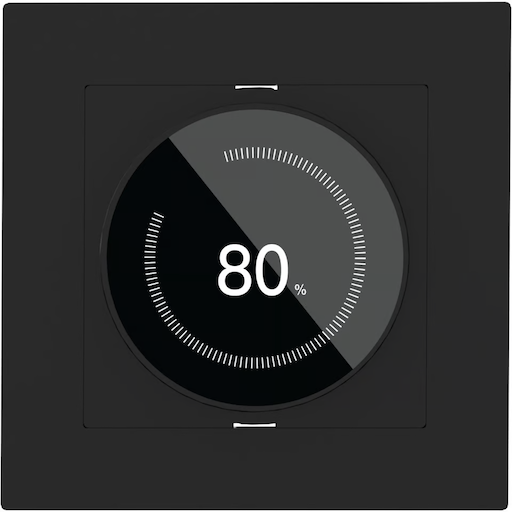 |
| White-label | HZC Electric D692-ZG |
OTA updates
This device supports OTA updates, for more information see OTA updates.
Options
How to use device type specific configuration
power_calibration: Calibrates the power value (percentual offset), takes into effect on next report of device. The value must be a number.power_precision: Number of digits after decimal point for power, takes into effect on next report of device. This option can only decrease the precision, not increase it. The value must be a number with a minimum value of0and with a maximum value of3energy_calibration: Calibrates the energy value (percentual offset), takes into effect on next report of device. The value must be a number.energy_precision: Number of digits after decimal point for energy, takes into effect on next report of device. This option can only decrease the precision, not increase it. The value must be a number with a minimum value of0and with a maximum value of3transition: Controls the transition time (in seconds) of on/off, brightness, color temperature (if applicable) and color (if applicable) changes. Defaults to0(no transition). The value must be a number with a minimum value of0state_action: State actions will also be published as 'action' when true (default false). The value must betrueorfalse
Exposes
Firmware version (text)
Value can be found in the published state on the firmware_version property. It's not possible to read (/get) or write (/set) this value.
Firmware date (text)
Value can be found in the published state on the firmware_date property. It's not possible to read (/get) or write (/set) this value.
Light
This light supports the following features: state, brightness.
state: To control the state publish a message to topiczigbee2mqtt/FRIENDLY_NAME/setwith payload{"state": "ON"},{"state": "OFF"}or{"state": "TOGGLE"}. To read the state send a message tozigbee2mqtt/FRIENDLY_NAME/getwith payload{"state": ""}.brightness: To control the brightness publish a message to topiczigbee2mqtt/FRIENDLY_NAME/setwith payload{"brightness": VALUE}whereVALUEis a number between0and254. To read the brightness send a message tozigbee2mqtt/FRIENDLY_NAME/getwith payload{"brightness": ""}.
On with timed off
When setting the state to ON, it might be possible to specify an automatic shutoff after a certain amount of time. To do this add an additional property on_time to the payload which is the time in seconds the state should remain on. Additionally an off_wait_time property can be added to the payload to specify the cooldown time in seconds when the light will not answer to other on with timed off commands. Support depends on the light firmware. Some devices might require both on_time and off_wait_time to work Examples : {"state" : "ON", "on_time": 300}, {"state" : "ON", "on_time": 300, "off_wait_time": 120}.
Transition
For all of the above mentioned features it is possible to do a transition of the value over time. To do this add an additional property transition to the payload which is the transition time in seconds. Examples: {"brightness":156,"transition":3}, {"color_temp":241,"transition":1}.
Moving/stepping
Instead of setting a value (e.g. brightness) directly it is also possible to:
- move: this will automatically move the value over time, to stop send value
stopor0. - step: this will increment/decrement the current value by the given one.
The direction of move and step can be either up or down, provide a negative value to move/step down, a positive value to move/step up. To do this send a payload like below to zigbee2mqtt/FRIENDLY_NAME/set
NOTE: brightness move/step will stop at the minimum brightness and won't turn on the light when it's off. In this case use brightness_move_onoff/brightness_step_onoff
{
  "brightness_move": -40, // Starts moving brightness down at 40 units per second
  "brightness_move": 0, // Stop moving brightness
  "brightness_step": 40 // Increases brightness by 40
}
Power (numeric)
Instantaneous measured power. Value can be found in the published state on the power property. To read (/get) the value publish a message to topic zigbee2mqtt/FRIENDLY_NAME/get with payload {"power": ""}. It's not possible to write (/set) this value. The unit of this value is W.
Energy (numeric)
Sum of consumed energy. Value can be found in the published state on the energy property. To read (/get) the value publish a message to topic zigbee2mqtt/FRIENDLY_NAME/get with payload {"energy": ""}. It's not possible to write (/set) this value. The unit of this value is kWh.
Min brightness (numeric)
genLevelCtrl 0xA000 (minimumBrightness).. Value can be found in the published state on the min_brightness property. To read (/get) the value publish a message to topic zigbee2mqtt/FRIENDLY_NAME/get with payload {"min_brightness": ""}. To write (/set) a value publish a message to topic zigbee2mqtt/FRIENDLY_NAME/set with payload {"min_brightness": NEW_VALUE}. The minimal value is 1 and the maximum value is 50. The unit of this value is %.
Max brightness (numeric)
genLevelCtrl 0xA003 (devicemaxlevel).. Value can be found in the published state on the max_brightness property. To read (/get) the value publish a message to topic zigbee2mqtt/FRIENDLY_NAME/get with payload {"max_brightness": ""}. To write (/set) a value publish a message to topic zigbee2mqtt/FRIENDLY_NAME/set with payload {"max_brightness": NEW_VALUE}. The minimal value is 51 and the maximum value is 100. The unit of this value is %.
Dimming speed (numeric)
genLevelCtrl 0xA006 (transtiontimezigbee).. Value can be found in the published state on the dimming_speed property. To read (/get) the value publish a message to topic zigbee2mqtt/FRIENDLY_NAME/get with payload {"dimming_speed": ""}. To write (/set) a value publish a message to topic zigbee2mqtt/FRIENDLY_NAME/set with payload {"dimming_speed": NEW_VALUE}. The minimal value is 0 and the maximum value is 30.
Move rate zigbee (numeric)
genLevelCtrl 0xA008 (moveratezigbee).. Value can be found in the published state on the move_rate_zigbee property. To read (/get) the value publish a message to topic zigbee2mqtt/FRIENDLY_NAME/get with payload {"move_rate_zigbee": ""}. To write (/set) a value publish a message to topic zigbee2mqtt/FRIENDLY_NAME/set with payload {"move_rate_zigbee": NEW_VALUE}. The minimal value is 0 and the maximum value is 30.
Transition time physical (numeric)
genLevelCtrl 0xA005 (transitiontimephysical) - dimming speed when using the physical dial. Matches the Namron Simplify app's "Transition Time Physical" (0-10). Confirmed working write on real hardware.. Value can be found in the published state on the transition_time_physical property. To read (/get) the value publish a message to topic zigbee2mqtt/FRIENDLY_NAME/get with payload {"transition_time_physical": ""}. To write (/set) a value publish a message to topic zigbee2mqtt/FRIENDLY_NAME/set with payload {"transition_time_physical": NEW_VALUE}. The minimal value is 0 and the maximum value is 10.
Move rate physical (numeric)
genLevelCtrl 0xA007 (moveratephysical) - move rate when using the physical dial. Matches the Namron Simplify app's "Move rate Physical" (0-10). Confirmed working write on real hardware.. Value can be found in the published state on the move_rate_physical property. To read (/get) the value publish a message to topic zigbee2mqtt/FRIENDLY_NAME/get with payload {"move_rate_physical": ""}. To write (/set) a value publish a message to topic zigbee2mqtt/FRIENDLY_NAME/set with payload {"move_rate_physical": NEW_VALUE}. The minimal value is 0 and the maximum value is 10.
Start brightness (numeric)
genLevelCtrl 0x0011 (onLevel) - brightness level the light goes to when turned on. Write must explicitly use disableDefaultResponse:false or the device silently reverts to the ZCL "previous" sentinel within ~1s. Confirmed stable (no reset) for 4+ minutes on real hardware.. Value can be found in the published state on the start_brightness property. To read (/get) the value publish a message to topic zigbee2mqtt/FRIENDLY_NAME/get with payload {"start_brightness": ""}. To write (/set) a value publish a message to topic zigbee2mqtt/FRIENDLY_NAME/set with payload {"start_brightness": NEW_VALUE}. The minimal value is 1 and the maximum value is 100. The unit of this value is %.
Screen on time (enum)
genLevelCtrl 0xA001 (screenConstantTime), raw value is a seconds count (0/10/30/60).. Value can be found in the published state on the screen_on_time property. To read (/get) the value publish a message to topic zigbee2mqtt/FRIENDLY_NAME/get with payload {"screen_on_time": ""}. To write (/set) a value publish a message to topic zigbee2mqtt/FRIENDLY_NAME/set with payload {"screen_on_time": NEW_VALUE}. The possible values are: always_on, 10s, 30s, 60s.
Display brightness (numeric)
genLevelCtrl 0xA002 (backlight). Equivalent of the Edge Thermostat panel_brightness.. Value can be found in the published state on the display_brightness property. To read (/get) the value publish a message to topic zigbee2mqtt/FRIENDLY_NAME/get with payload {"display_brightness": ""}. To write (/set) a value publish a message to topic zigbee2mqtt/FRIENDLY_NAME/set with payload {"display_brightness": NEW_VALUE}. The minimal value is 0 and the maximum value is 100.