
easyiot ZB-24GMS02
| Model | ZB-24GMS02 |
| Vendor | easyiot |
| Description | Zigbee motion and radar sensor |
| Exposes | occupancy, detection_range, pir_u2o_delay, ultrasonic_o2u_delay, ultrasonic_u2o_delay, auto_calibration, auto_calibration_progress, work_mode |
| Picture | 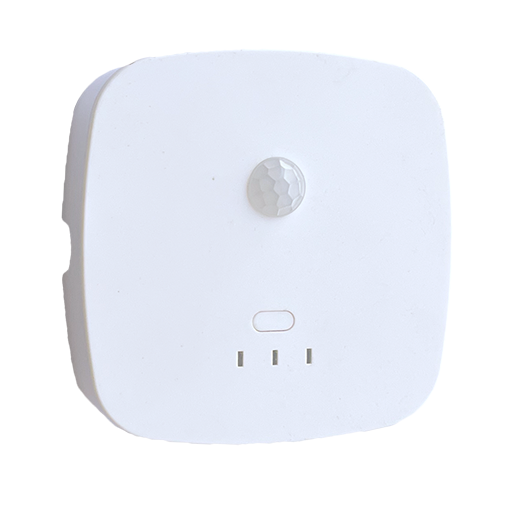 |
Exposes
Occupancy (binary)
Indicates whether the device detected occupancy. Value can be found in the published state on the occupancy property. It's not possible to read (/get) or write (/set) this value. If value equals true occupancy is ON, if false OFF.
Detection range (numeric)
Detection range in meters (0.7 - 10.0, step 0.1). Value can be found in the published state on the detection_range property. To read (/get) the value publish a message to topic zigbee2mqtt/FRIENDLY_NAME/get with payload {"detection_range": ""}. To write (/set) a value publish a message to topic zigbee2mqtt/FRIENDLY_NAME/set with payload {"detection_range": NEW_VALUE}. The minimal value is 0.7 and the maximum value is 10.
Pir u2o delay (numeric)
PIR unoccupied to occupied delay in seconds. Value can be found in the published state on the pir_u2o_delay property. To read (/get) the value publish a message to topic zigbee2mqtt/FRIENDLY_NAME/get with payload {"pir_u2o_delay": ""}. To write (/set) a value publish a message to topic zigbee2mqtt/FRIENDLY_NAME/set with payload {"pir_u2o_delay": NEW_VALUE}. The minimal value is 0 and the maximum value is 65534.
Ultrasonic o2u delay (numeric)
Ultrasonic occupied to unoccupied delay in seconds. Value can be found in the published state on the ultrasonic_o2u_delay property. To read (/get) the value publish a message to topic zigbee2mqtt/FRIENDLY_NAME/get with payload {"ultrasonic_o2u_delay": ""}. To write (/set) a value publish a message to topic zigbee2mqtt/FRIENDLY_NAME/set with payload {"ultrasonic_o2u_delay": NEW_VALUE}. The minimal value is 0 and the maximum value is 65534.
Ultrasonic u2o delay (numeric)
Ultrasonic unoccupied to occupied delay in seconds. Value can be found in the published state on the ultrasonic_u2o_delay property. To read (/get) the value publish a message to topic zigbee2mqtt/FRIENDLY_NAME/get with payload {"ultrasonic_u2o_delay": ""}. To write (/set) a value publish a message to topic zigbee2mqtt/FRIENDLY_NAME/set with payload {"ultrasonic_u2o_delay": NEW_VALUE}. The minimal value is 0 and the maximum value is 65534.
Auto calibration (composite)
Start automatic threshold calibration: motion_coef/hold_coef/micro_coef (The threshold generation process takes approximately 90 seconds. The room should remain unoccupied during this time, and the device should not be pointed at moving objects such as curtains or electric fans.). Can be set by publishing to zigbee2mqtt/FRIENDLY_NAME/set with payload {"auto_calibration": {"motion_coef": VALUE, "hold_coef": VALUE, "micro_coef": VALUE}}
motion_coef(numeric): Motion coefficient,defaults:30 min value is 10, max value is 200hold_coef(numeric): Hold coefficient,defaults:30 min value is 10, max value is 200micro_coef(numeric): Micro-movement coefficient,defaults:30 min value is 10, max value is 200
Auto calibration progress (numeric)
Auto-calibration progress (0-100). Value can be found in the published state on the auto_calibration_progress property. It's not possible to read (/get) or write (/set) this value. The minimal value is 0 and the maximum value is 100.
Work mode (enum)
Work mode: pirOnly/radarOnly/pirRadarAnd/occupied_first/unoccupied_first. Value will not be published in the state. It's not possible to read (/get) this value. To write (/set) a value publish a message to topic zigbee2mqtt/FRIENDLY_NAME/set with payload {"work_mode": NEW_VALUE}. The possible values are: pirOnly, radarOnly, pirRadarAnd, occupied_first, unoccupied_first.