
Slacky-DIY TS0203-z-Sld
| Model | TS0203-z-Sld |
| Vendor | Slacky-DIY |
| Description | Tuya door/window sensor with custom firmware |
| Exposes | model_number, contact, battery, voltage, switch_actions, delay_on, delay_off, on_command_off, off_command_off |
| Picture | 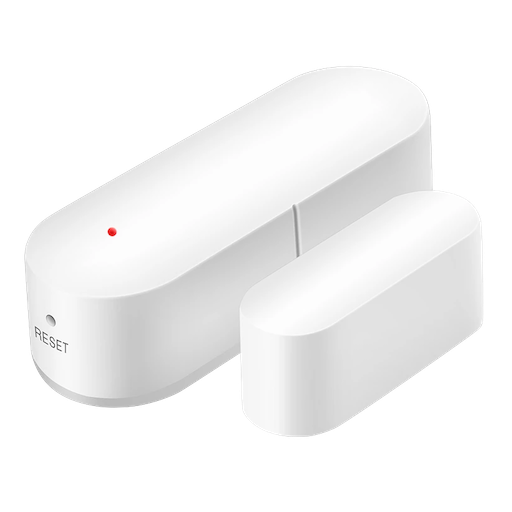 |
OTA updates
This device supports OTA updates, for more information see OTA updates.
Exposes
Model number (text)
Door sensor model number. Value can be found in the published state on the model_number property. To read (/get) the value publish a message to topic zigbee2mqtt/FRIENDLY_NAME/get with payload {"model_number": ""}. It's not possible to write (/set) this value.
Contact (binary)
Indicates whether the device is opened or closed. Value can be found in the published state on the contact property. It's not possible to read (/get) or write (/set) this value. If value equals false contact is ON, if true OFF.
Battery (numeric)
Remaining battery in %. Value can be found in the published state on the battery property. To read (/get) the value publish a message to topic zigbee2mqtt/FRIENDLY_NAME/get with payload {"battery": ""}. It's not possible to write (/set) this value. The minimal value is 0 and the maximum value is 100. The unit of this value is %.
Voltage (numeric)
Reported battery voltage in millivolts. Value can be found in the published state on the voltage property. To read (/get) the value publish a message to topic zigbee2mqtt/FRIENDLY_NAME/get with payload {"voltage": ""}. It's not possible to write (/set) this value. The unit of this value is mV.
Switch actions (enum)
Actions switch. Value can be found in the published state on the switch_actions property. To read (/get) the value publish a message to topic zigbee2mqtt/FRIENDLY_NAME/get with payload {"switch_actions": ""}. To write (/set) a value publish a message to topic zigbee2mqtt/FRIENDLY_NAME/set with payload {"switch_actions": NEW_VALUE}. The possible values are: off, on, toggle.
Delay on (numeric)
Delay On. Value can be found in the published state on the delay_on property. To read (/get) the value publish a message to topic zigbee2mqtt/FRIENDLY_NAME/get with payload {"delay_on": ""}. To write (/set) a value publish a message to topic zigbee2mqtt/FRIENDLY_NAME/set with payload {"delay_on": NEW_VALUE}. The minimal value is 0 and the maximum value is 120. The unit of this value is sec.
Delay off (numeric)
Delay Off. Value can be found in the published state on the delay_off property. To read (/get) the value publish a message to topic zigbee2mqtt/FRIENDLY_NAME/get with payload {"delay_off": ""}. To write (/set) a value publish a message to topic zigbee2mqtt/FRIENDLY_NAME/set with payload {"delay_off": NEW_VALUE}. The minimal value is 0 and the maximum value is 120. The unit of this value is sec.
On command off (binary)
Disable command 'On'. Value can be found in the published state on the on_command_off property. To read (/get) the value publish a message to topic zigbee2mqtt/FRIENDLY_NAME/get with payload {"on_command_off": ""}. To write (/set) a value publish a message to topic zigbee2mqtt/FRIENDLY_NAME/set with payload {"on_command_off": NEW_VALUE}. If value equals ON on command off is ON, if OFF OFF.
Off command off (binary)
Disable command 'Off'. Value can be found in the published state on the off_command_off property. To read (/get) the value publish a message to topic zigbee2mqtt/FRIENDLY_NAME/get with payload {"off_command_off": ""}. To write (/set) a value publish a message to topic zigbee2mqtt/FRIENDLY_NAME/set with payload {"off_command_off": NEW_VALUE}. If value equals ON off command off is ON, if OFF OFF.