
SONOFF SNZB-09P
| Model | SNZB-09P |
| Vendor | SONOFF |
| Description | Siren |
| Exposes | siren_on, power_supply_mode, battery, alarm_sound_enable, alarm_light_enable, tamper, alarm_sound_type, alarm_volume_level, alarm_duration |
| Picture | 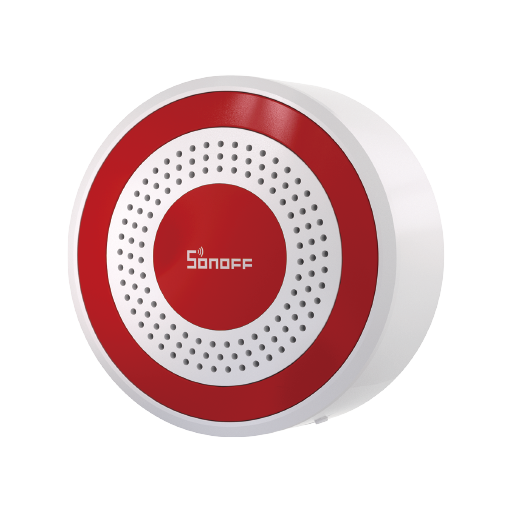 |
OTA updates
This device supports OTA updates, for more information see OTA updates.
Exposes
Siren on (binary)
using the configured sound, light, volume, and duration.. Value will not be published in the state. It's not possible to read (/get) this value. To write (/set) a value publish a message to topic zigbee2mqtt/FRIENDLY_NAME/set with payload {"siren_on": NEW_VALUE}. If value equals ON siren on is ON, if OFF OFF.
Power supply mode (enum)
Current power source of the device.. Value can be found in the published state on the power_supply_mode property. To read (/get) the value publish a message to topic zigbee2mqtt/FRIENDLY_NAME/get with payload {"power_supply_mode": ""}. It's not possible to write (/set) this value. The possible values are: battery, external.
Battery (numeric)
Remaining battery in %. Value can be found in the published state on the battery property. To read (/get) the value publish a message to topic zigbee2mqtt/FRIENDLY_NAME/get with payload {"battery": ""}. It's not possible to write (/set) this value. The minimal value is 0 and the maximum value is 100. The unit of this value is %.
Alarm sound enable (binary)
Enable or disable the alarm sound.. Value can be found in the published state on the alarm_sound_enable property. To read (/get) the value publish a message to topic zigbee2mqtt/FRIENDLY_NAME/get with payload {"alarm_sound_enable": ""}. To write (/set) a value publish a message to topic zigbee2mqtt/FRIENDLY_NAME/set with payload {"alarm_sound_enable": NEW_VALUE}. If value equals ON alarm sound enable is ON, if OFF OFF.
Alarm light enable (binary)
Enable or disable the alarm light.. Value can be found in the published state on the alarm_light_enable property. To read (/get) the value publish a message to topic zigbee2mqtt/FRIENDLY_NAME/get with payload {"alarm_light_enable": ""}. To write (/set) a value publish a message to topic zigbee2mqtt/FRIENDLY_NAME/set with payload {"alarm_light_enable": NEW_VALUE}. If value equals ON alarm light enable is ON, if OFF OFF.
Tamper (binary)
Tamper-proof status. Value can be found in the published state on the tamper property. To read (/get) the value publish a message to topic zigbee2mqtt/FRIENDLY_NAME/get with payload {"tamper": ""}. It's not possible to write (/set) this value. If value equals true tamper is ON, if false OFF.
Alarm sound type (enum)
Select the alarm sound preset.. Value can be found in the published state on the alarm_sound_type property. To read (/get) the value publish a message to topic zigbee2mqtt/FRIENDLY_NAME/get with payload {"alarm_sound_type": ""}. To write (/set) a value publish a message to topic zigbee2mqtt/FRIENDLY_NAME/set with payload {"alarm_sound_type": NEW_VALUE}. The possible values are: siren_classic, siren_steady, siren_rising, siren_warning, siren_rapid, siren_emergency, tone_chirp, tone_hi_lo, tone_intermittent, tone_pulse, chime_doorbell, chime_classic_clock, chime_electronic_clock, chime_bright, chime_soft.
Alarm volume level (enum)
Set the alarm sound volume level.. Value can be found in the published state on the alarm_volume_level property. To read (/get) the value publish a message to topic zigbee2mqtt/FRIENDLY_NAME/get with payload {"alarm_volume_level": ""}. To write (/set) a value publish a message to topic zigbee2mqtt/FRIENDLY_NAME/set with payload {"alarm_volume_level": NEW_VALUE}. The possible values are: low, medium, high, max.
Alarm duration (numeric)
Alarm duration in seconds.. Value can be found in the published state on the alarm_duration property. To read (/get) the value publish a message to topic zigbee2mqtt/FRIENDLY_NAME/get with payload {"alarm_duration": ""}. To write (/set) a value publish a message to topic zigbee2mqtt/FRIENDLY_NAME/set with payload {"alarm_duration": NEW_VALUE}. The minimal value is 1 and the maximum value is 900. The unit of this value is s.