
Manhot MH03-1Z-OLED
| Model | MH03-1Z-OLED |
| Vendor | Manhot |
| Description | OLED Screen Switch 1 Gang |
| Exposes | switch (state), countdown_1, child_lock, backlight_switch, backlight_lightness, displayoff_delay, relay_status, light_mode, on_color, off_color, sw1_name |
| Picture | 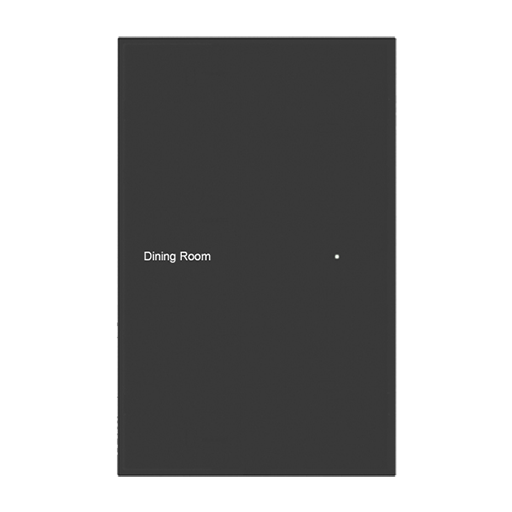 |
Options
How to use device type specific configuration
time_start: Reply to Tuya-specific time synchronization requests: "1970" - Reply with seconds since 1970/01/01 (recommended, should stop the device from asking), "2000" - Reply with seconds since 2000/01/01 (use if the weekday is wrong with 1970), "off" - Don't reply (use if replying causes too much traffic). Default for this device: "off". The value must be one of1970,2000,off
Exposes
Switch (l1 endpoint)
The current state of this switch is in the published state under the state_l1 property (value is ON or OFF). To control this switch publish a message to topic zigbee2mqtt/FRIENDLY_NAME/set with payload {"state_l1": "ON"}, {"state_l1": "OFF"} or {"state_l1": "TOGGLE"}. To read the current state of this switch publish a message to topic zigbee2mqtt/FRIENDLY_NAME/get with payload {"state_l1": ""}.
Countdown 1 (numeric)
Timer for switch 1. Value can be found in the published state on the countdown_1 property. It's not possible to read (/get) this value. To write (/set) a value publish a message to topic zigbee2mqtt/FRIENDLY_NAME/set with payload {"countdown_1": NEW_VALUE}. The minimal value is 0 and the maximum value is 43200. The unit of this value is s.
Child lock (binary)
Child lock. Value can be found in the published state on the child_lock property. It's not possible to read (/get) this value. To write (/set) a value publish a message to topic zigbee2mqtt/FRIENDLY_NAME/set with payload {"child_lock": NEW_VALUE}. If value equals ON child lock is ON, if OFF OFF.
Backlight switch (binary)
Backlight switch. Value can be found in the published state on the backlight_switch property. It's not possible to read (/get) this value. To write (/set) a value publish a message to topic zigbee2mqtt/FRIENDLY_NAME/set with payload {"backlight_switch": NEW_VALUE}. If value equals ON backlight switch is ON, if OFF OFF.
Backlight lightness (numeric)
Backlight brightness %. Value can be found in the published state on the backlight_lightness property. It's not possible to read (/get) this value. To write (/set) a value publish a message to topic zigbee2mqtt/FRIENDLY_NAME/set with payload {"backlight_lightness": NEW_VALUE}. The minimal value is 1 and the maximum value is 100.
Displayoff delay (numeric)
Screen off delay. Value can be found in the published state on the displayoff_delay property. It's not possible to read (/get) this value. To write (/set) a value publish a message to topic zigbee2mqtt/FRIENDLY_NAME/set with payload {"displayoff_delay": NEW_VALUE}. The minimal value is 10 and the maximum value is 180. The unit of this value is s.
Relay status (enum)
Power-on state. Value can be found in the published state on the relay_status property. It's not possible to read (/get) this value. To write (/set) a value publish a message to topic zigbee2mqtt/FRIENDLY_NAME/set with payload {"relay_status": NEW_VALUE}. The possible values are: off, on, memory.
Light mode (enum)
Indicator light state. Value can be found in the published state on the light_mode property. It's not possible to read (/get) this value. To write (/set) a value publish a message to topic zigbee2mqtt/FRIENDLY_NAME/set with payload {"light_mode": NEW_VALUE}. The possible values are: none, relay, pos.
On color (enum)
Light-on color. Value can be found in the published state on the on_color property. It's not possible to read (/get) this value. To write (/set) a value publish a message to topic zigbee2mqtt/FRIENDLY_NAME/set with payload {"on_color": NEW_VALUE}. The possible values are: red, orange, green, cyan, blue, purple, magenta, cold_white, warm_yellow.
Off color (enum)
Light-off color. Value can be found in the published state on the off_color property. It's not possible to read (/get) this value. To write (/set) a value publish a message to topic zigbee2mqtt/FRIENDLY_NAME/set with payload {"off_color": NEW_VALUE}. The possible values are: red, orange, green, cyan, blue, purple, magenta, cold_white, warm_yellow.
Sw1 name (text)
Set switch 1 name. Value can be found in the published state on the sw1_name property. It's not possible to read (/get) this value. To write (/set) a value publish a message to topic zigbee2mqtt/FRIENDLY_NAME/set with payload {"sw1_name": NEW_VALUE}.